If you’ve ever found yourself needing to remove a stubborn screw or lubricate the track of a sliding-glass door, it’s likely you’ve reached for a can of WD-40 to accomplish the task. A versatile solution, WD-40 is frequently utilized as a lubricant, but it’s also effective in preventing rust, corrosion, and moisture. This practical product serves well for home, garden, and automotive uses, and even casual tech enthusiasts can discover multiple applications for a can of Water Displacement, 40th Formula (the full meaning of the acronym).
However, DIY computer assemblers and vintage radio restorers should take caution: the conventional WD-40 Multi-Use Product is not meant for use on electronics. You might be wondering what the issue is. Regular WD-40 is highly flammable, and the residue it leaves can conduct electricity.
Even if you spray it on a power supply or exposed circuits and everything appears to operate normally at that moment, the leftover residue is essentially a ticking time bomb. After a few days or weeks, it can cause a short circuit, damage the entire component, or— in the worst-case scenario— ignite an electrical fire.
Maintenance that doesn’t lead to malfunction
We comprehend why you might have assumed it was acceptable to use WD-40 on your tech device— after all, how else could you remove all the dust and grime from your electronic components? Beyond the fire and electrical risks posed by WD-40, that oily film it leaves behind may disturb the dirt you’re trying to clean in the short term, but it can also serve as a magnet for future debris to adhere to.
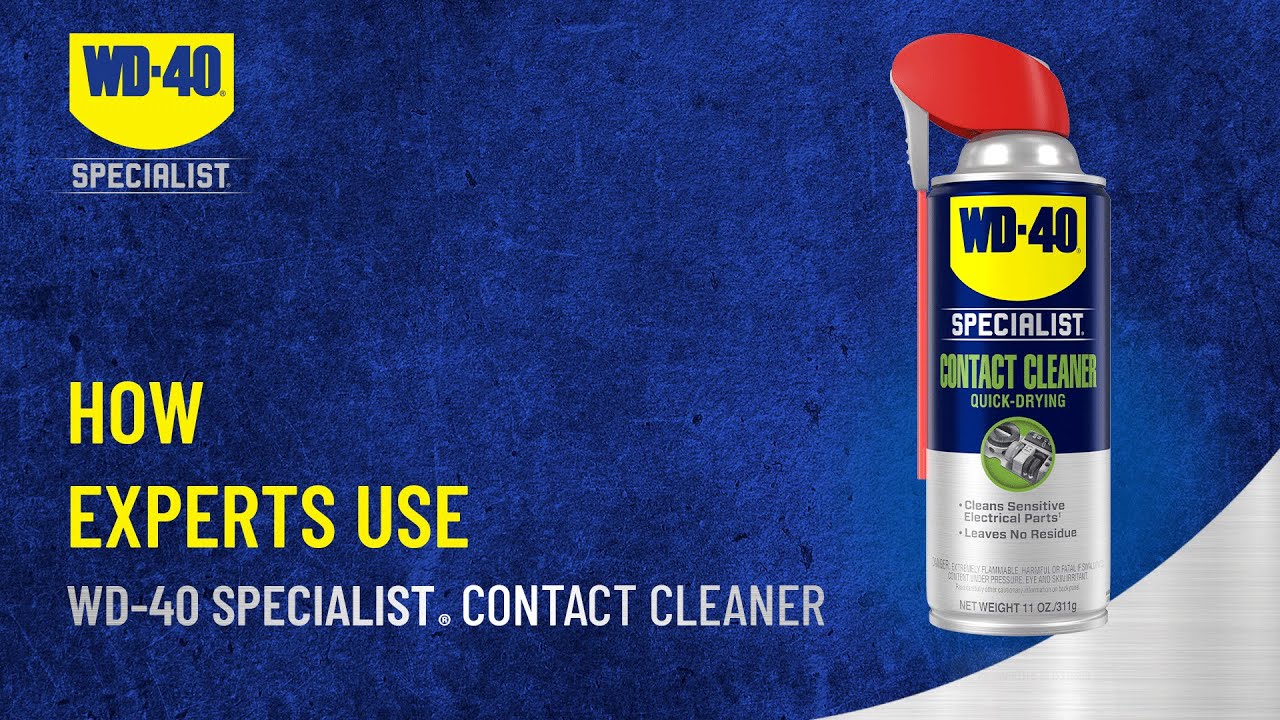
Fortunately, various products tailored for deep-cleaning electronics are available on the market, including one made by the WD-40 brand itself. Introducing WD-40 Specialist Contact Cleaner, a spray-on solution specifically designed for use with circuit boards, electric panels, and control interfaces. The red precision nozzle allows you to spray oil and dirt from hard-to-access areas, and the product dries quickly, leaving no residue.
Alternatively, you can purchase a bottle of 90% isopropyl alcohol or higher for cleaning electronics. It’s generally safe as the liquid evaporates rapidly and does not leave any residue behind. Avoid anything 70% or lower, which contains a lot of water, persists on surfaces, and takes a long time to evaporate— not ideal for sensitive electronics.
Keep your tech clean without damaging it
There are additional brands that create safe and reliable contact cleaners for electronic devices, many readily available on Amazon. This CRC QD Electronic Cleaner is among the top-rated contact cleaners on the site (4.8 out of five stars, based on more than 14,000 reviews), and it’s designed to leave zero residue while protecting against contact failures.
We recognize the importance of keeping your electronics free from dust and lint. Our guides on safely cleaning your computer’s USB ports and effectively deep cleaning your iPhone highlight tools such as cotton swabs, microfiber cloths, and isopropyl alcohol— all equally effective at eliminating dirt and grime from circuit boards and other sensitive electronics.
Additionally, we provide guidance on how frequently you should clean your computer, recommending the use of a soft-bristled brush to remove dirt and dust clumps. This is another excellent accessory to include in your toolkit— ideal for not only clearing crud from your laptop or desktop, but also for giving all your other electronics a well-deserved cleanup.
Read More