Day: December 17, 2025

watchOS 26 Improves Apple Watch’s Most Liked Face with Two Significant Enhancements

# Apple Watch Photos Face Upgrades in watchOS 26

The Apple Watch remains a top selection for smartwatch enthusiasts, with one of its distinguishing attributes being the customizable watch faces. Among the numerous choices, the Photos watch face has persistently been a favorite, as evidenced by Apple’s own data. With the arrival of watchOS 26, this cherished watch face has gained two significant upgrades that enhance the user experience even further.

## Summary of watchOS 26

Debuting in the autumn, watchOS 26 is a major update that not only brings four entirely new watch faces but also extends the always-on seconds feature to a variety of existing faces. This update underlines Apple’s dedication to boosting the personalization and utility of the Apple Watch.

## Fame of the Photos Watch Face

The Photos watch face is acknowledged as the most favored option among Apple Watch users. Its charm lies in the ability to display cherished memories through photographs, enabling users to carry a slice of their life on their wrist. Apple has consistently enhanced this watch face through the years, positioning it as a central feature of updates.

## New Improvements in watchOS 26

In watchOS 26, Apple has rolled out two major enhancements to the Photos watch face:

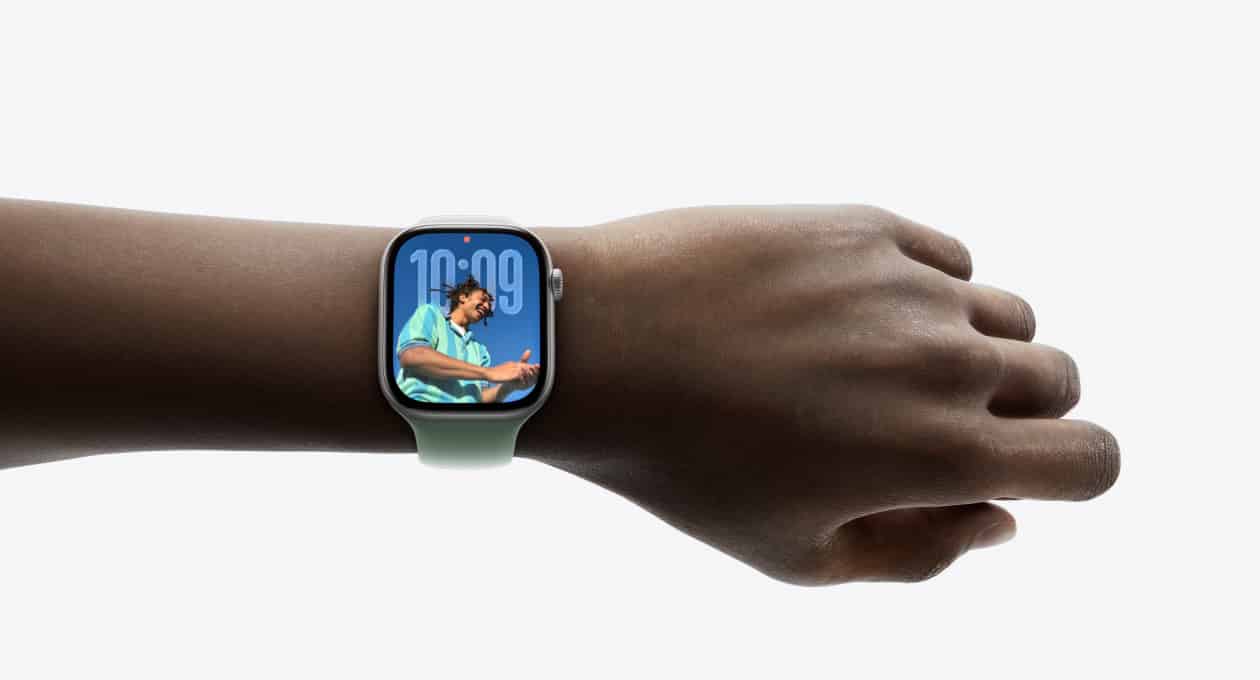
1. **Featured Photos Option**: This new functionality allows users to designate ‘Featured’ as a source for their photos. Similar to the Featured images featured in the iPhone’s Photos app, this choice offers a curated collection of high-quality images. Users are no longer restricted to certain categories like ‘Nature’ or ‘Cities’ and can enjoy a wider selection of images without needing to pick individual albums.

2. **Liquid Glass Time**: This upgrade introduces a new ‘Glass’ color option for the time display on the Photos face. The Liquid Glass effect enables more of the underlying photos to be visible, crafting a more integrated and visually appealing appearance. Users can still opt for solid colors if they wish, but this new choice enhances the customization of the watch face.

## Final Thoughts

The upgrades to the Photos watch face in watchOS 26 exemplify Apple’s insight into user preferences and its continuous drive to enhance the Apple Watch experience. With the introduction of the Featured photos option and the Liquid Glass time display, users can revel in a more personalized and attractive watch face. As Apple keeps innovating, the Photos watch face stands as a symbol of the fusion of technology and personal expression that the Apple Watch represents.

Read More


X Contests Operation Bluebird’s Efforts to Obtain the Twitter Trademark

**Twitter Persists, Even in X’s Revised Terms of Service**

In a recent turn of events, X Corp. has revised its Terms of Service following a trademark petition asserting that the company had forsaken the Twitter name. This revision seems to be a tactical decision to strengthen its legal position concerning the Twitter brand amidst challenges posed by a Virginia-based startup, Operation Bluebird.

Operation Bluebird has submitted a petition to the US Patent and Trademark Office (USPTO) to annul several of X’s trademarks, contending that the company has essentially abandoned the Twitter and Tweet brands. The petition claims, “The TWITTER and TWEET brands have been eliminated from X Corp.’s products, services, and marketing, effectively discarding the historic brand, with no desire to resume use of the mark.” This claim emphasizes the considerable branding change that has taken place since Elon Musk’s takeover of Twitter and the subsequent transformation into X.

Experts consulted by Ars Technica have indicated that Operation Bluebird may have a legitimate case, considering the evident absence of the Twitter brand in X’s present activities. The lack of a response from X at the time of the initial report suggested a possible lapse in addressing the trademark issues.

Nevertheless, X has now initiated measures to bolster its claim over the Twitter trademark. The revised Terms of Service clearly specify that users do not possess the right to utilize the X or Twitter names, trademarks, logos, or any associated branding features without explicit written permission from the company. This legal clarification is intended to affirm X’s ownership and usage rights regarding the Twitter brand, potentially complicating Operation Bluebird’s initiatives.

The resolution of this trademark dispute will eventually be determined by the USPTO, which will evaluate the legitimacy of Operation Bluebird’s claims against X’s updated legal declarations. The situation provokes questions about the future of the Twitter brand and whether X ought to keep its trademark rights.

As the legal processes proceed, the tech community and users are left to contemplate the repercussions of this trademark conflict. Should X lose the Twitter trademark, it could signal a major transformation in branding and identity for the platform previously recognized as Twitter.

Read More
LightBuddy: An Innovative Mac Application for Ring Light Management Offering Color Customization, HDR, and Multiple Monitor Compatibility

### What Occurs When Apple Sherlocks Your App Concept? You Create It Regardless.

#### Before Sherlocking

In the rapid realm of app creation, the phrase “sherlocked” has come to represent the situation where bigger corporations, such as Apple, take on and merge features originally conceived by independent developers. This article delves into the experience of developer Gui Rambo, who encountered this situation personally.

Some months ago, Rambo had an inventive concept: instead of starting with a blank Safari page or depending on a physical ring light for video conferencing, why not harness the Mac’s screen to create a ring-light effect? He imagined a feature that would not only brighten the user but also dim the surrounding space when the cursor neared the ring-light effect, facilitating smooth interaction. However, he was uncertain about the feasibility of the idea and chose to set it aside.

Fast forward to 2025, and Apple declared the launch of macOS 26.2, which featured a new function called the Edge Effect. This function reflected Rambo’s initial idea by dimming areas around the cursor, confirming his original thought. Motivated by this news, Rambo opted to revive his initiative.

#### LightBuddy

Today, Rambo is excited to unveil **LightBuddy**, a groundbreaking application that delivers the ring-light effect straight to the Mac’s display. Upon activation, LightBuddy applies a gentle distortion and dimming effect, ensuring that the light does not disrupt cursor movement at the screen’s edges.

LightBuddy provides numerous customization features, including:

– **HDR Capability**: For HDR-compatible displays, users can turn on HDR lighting and modify its intensity.
– **Color Selections**: In addition to standard blue and amber temperature adjustments, users can pick any color for the illumination.
– **Multi-display Functionality**: Users with several displays can establish separate settings for each screen.

LightBuddy is neatly positioned in the Mac’s menu bar and displays animations inspired by Apple’s Liquid Glass aesthetic.

Beyond its vast customization options, LightBuddy holds a notable edge over Apple’s native Edge Effect: it is usable on any Mac running macOS 14 or newer, including Intel Macs, whereas Apple’s version is restricted to Apple Silicon Macs.

While primarily crafted for Apple displays, LightBuddy can also operate on third-party monitors, such as LG’s UltraFine, though performance may differ.

Rambo is dedicated to further improving LightBuddy, with proposals to introduce keyboard shortcuts, Shortcuts integration, Night Mode, and True Tone support for color temperature adjustments.

LightBuddy is up for grabs at $4.99. For those curious about the development journey and insights into Rambo’s story, he offers additional information on his

Read More
Apple Music Renames ‘Favorites Mix’ Playlist to ‘Your Essentials’

### Apple Music Renames “Favorites Mix” to “Your Essentials”

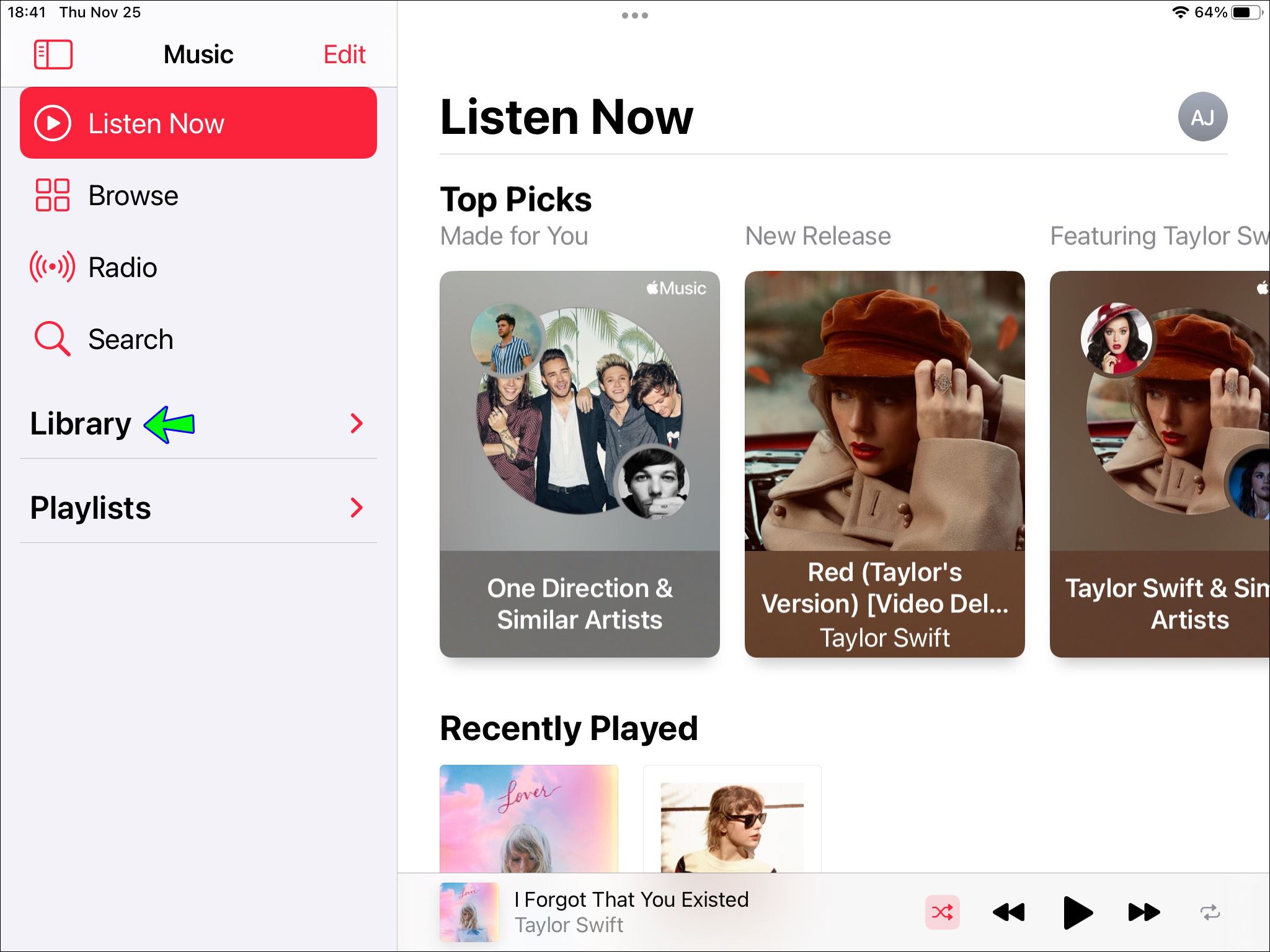
If you woke up today eagerly searching for the weekly update of your “Favorites Mix” in Apple Music, you might have felt let down when you couldn’t locate it. However, it appears that Apple is simply renaming the “Favorites Mix.” It’s now referred to as “Your Essentials” in your Apple Music library.

The “Your Essentials” playlist will continue to be refreshed every Tuesday, just like the former “Favorites Mix.” Apple mentions that the rationale behind this playlist remains unchanged: “The songs you can’t live without. The more you engage with Apple Music, the more vital they become.”

Apple probably renamed “Favorites Mix” to eliminate confusion with the “Favorite Songs” playlist, which includes tracks you’ve manually liked on Apple Music. Now, users have their “Favorite Songs” playlist that they have direct control over, in addition to the algorithmically-curated “Your Essentials” playlist that is updated weekly.

It’s a minor shift, but one that has led to some misunderstanding on social media. Your Apple Music “Favorites Mix” is still available; it just goes by a different name.

### Conclusion

The change from “Favorites Mix” to “Your Essentials” illustrates Apple Music’s persistent efforts to improve user experience and clarity within its system. As users get used to this modification, they can continue to relish personalized music suggestions that adapt to their listening behaviors.

Read More