Month: December 2025

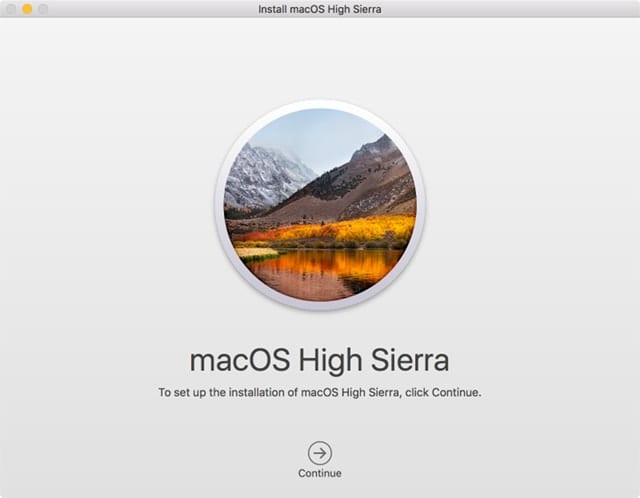
Ongoing Screen Flickering Problems Noted by macOS Tahoe Users

### macOS Tahoe Presents an Exasperating Display Issue for Certain Users

If you’ve observed peculiar screen flickers following the installation of macOS Tahoe, you’re not the only one. An increasing number of users are reporting brief yet bothersome display flickering, especially when utilizing Apple’s Studio Display.

In a recent Mastodon post, Dan Moren recounted his troubles with screen flickering on his Mac mini and MacBook Air while connected to the Studio Display. MacRumors has recently drawn attention to this issue, noting that flickering typically arises when switching between applications featuring bright white backgrounds or when scrolling through websites with light backgrounds. The flickering can occur sporadically and is usually brief, though it can sometimes last several seconds, particularly when moving from dark to light content.

Moren tried to fix the problem by disabling features like True Tone, Night Shift, and automatic brightness. He mentioned that while turning off Night Shift appeared to offer some relief, the flickering continues to be an intermittent and exasperating issue.

Regrettably, the most recent macOS updates (26.1 and 26.2) have not remedied the situation for the majority of users. In fact, some have claimed that macOS 26.2 may have intensified the flickering. Apple has yet to acknowledge the problem, leaving many users in search of solutions.

It is still uncertain whether this issue is limited to the Studio Display or if it impacts additional displays as well. Anecdotal reports indicate that some users, including those with the Pro Display XDR, have not encountered any flickering problems with macOS Tahoe.

If you are facing screen flickering concerns after updating to macOS Tahoe, please share your insights in the comments.

Read More

Apple Might Mandate iPhone Users to Upgrade to iOS 26 for Security Enhancements

Apple launched iOS 26.2 last week, bringing important security updates along with iOS 18.7.3 for those who have not yet made the jump to the latest version. However, reports suggest that some iPhone users are not receiving the iOS 18 update and are instead being guided toward iOS 26. This scenario raises issues regarding user options and safety.

### iOS 26.2 and iOS 18.7.3 Updates

The iOS 26.2 update features noteworthy security improvements, tackling two WebKit vulnerabilities that might have been leveraged in targeted assaults against certain individuals utilizing earlier iOS versions. The iOS 18.7.3 update also addresses the same WebKit vulnerabilities as well as additional security weaknesses for those who continue to use iOS 18.

The problem lies for users who have chosen to remain on iOS 18, as they are not given the choice to upgrade to iOS 18.7.3. Instead, the only option available is iOS 26.2, effectively forcing users to switch to the newest operating system to gain critical security protections.

### User Concerns

Numerous users might opt to postpone upgrading to iOS 26 for various reasons, such as worries about new features, app compatibility, or an overall desire for stability. This predicament creates a conflict for users who want to keep their existing operating system while still obtaining essential security updates.

### Workaround for Users

For those reluctant to transition to iOS 26, a possible workaround is to enroll in Apple’s public beta program and select the iOS 18 public beta track, which grants access to the 18.7.3 update. Nevertheless, this workaround may appear inconvenient for users merely looking for security remedies.

### Conclusion

It is still unclear whether the unavailability of iOS 18.7.3 is an error or an intentional policy shift by Apple. Historically, Apple has supplied security updates for older iOS versions to maintain user safety. The current scenario might indicate a glitch, as users should ideally have access to all available updates, including the security-centric iOS 18.7.3.

Read More
Crucial Privacy Configurations for Roku Users to Adjust Immediately

your TV’s HDMI port keeps track of your viewing habits through devices connected, such as game consoles and media players. 

To disable data tracking via HDMI on a Roku smart TV, go to Settings > Privacy > Smart TV Experience. In that section, you will find either “Use info from TV inputs” or “Automatic Content Recognition (ACR),” switch it off. By turning off these settings, you will limit the data being gathered and shared across your Roku streaming sticks and standalone devices.

Why are these privacy settings crucial?

“Two Exciting New Meta Quest Titles Thrill Enthusiasts of Stealth Classics such as Metal Gear Solid and Splinter Cell”

Thief VR and Espire MR Missions are two remarkable games that embrace classic gameplay ideas while highlighting the distinctive essence of VR gaming. Thief VR, a recent addition to the cherished Thief franchise, provides players with an engaging experience from a new viewpoint. Crafted by Maze Theory and Vertigo Games, it revitalizes the stealth genre with a new hero accompanied by the recognizable voice of Garrett. The game focuses on physical interaction, enabling players to interact with the surroundings in ways conventional games do not, such as utilizing doors as movable barriers or adjusting the mic to “immersive mode” so that guards can detect your presence.

Espire MR Missions, conversely, draws inspiration from Metal Gear Solid and turns your residence into a stealth operation using mixed reality. This game utilizes the room scanning features of the Meta Quest headset to blend real-world aspects into the gameplay, crafting a distinct experience where your living area is part of the mission. With 21 missions that can be adapted to any environment and another eight needing specific dimensions, Espire MR Missions delivers a vibrant and constantly evolving experience.

Both titles underscore the capacity of VR and MR to rejuvenate traditional gaming categories, giving players inventive methods to engage with their preferred stealth mechanics. Whether you are slipping through the darkness in Thief VR or converting your home into a warzone in Espire MR Missions, these games showcase the thrilling potential of immersive gaming’s future.

Read More
Apple TV Set to Launch Season Finale of Pluribus Early Next Week

**Pluribus Season One Finale: Early Release Announcement**

Apple TV+ subscribers have something to look forward to as the eagerly awaited finale of the inaugural season of *Pluribus* is set to debut sooner than anticipated. Initially planned for December 26, the ninth episode will now be accessible on December 24, just in time for the holiday festivities.

This is not the first occasion Apple TV+ has delighted its viewers with an earlier release. Last month, episode five was released two days prior to its scheduled airing during the Thanksgiving/Black Friday week. This pattern of early releases appears to be a tactical decision by Apple to boost viewer interaction during holiday times, with Christmas Day and Kwanzaa affecting the choice this time.

Fans can anticipate watching the new episode on the evening of December 23, as Apple generally releases new episodes at 9 p.m. ET the night before the official debut date. This advanced access allows devoted viewers to savor the finale before the holiday celebrations begin.

Episode nine, which has a runtime of 57 minutes, is noteworthy for being the third longest episode in the series. The premiere episode has the second longest duration at 59 minutes, while episode two is the longest, running for 1 hour and 5 minutes. As the season finale, this episode is anticipated to provide a gripping conclusion to the narratives established throughout the season.

*Pluribus* has attracted considerable attention, marking itself as the most-viewed show on Apple TV+ thus far. Apple had earlier disclosed that two seasons of the series were commissioned in 2022, guaranteeing fans that the story will continue beyond this initial season.

For those looking to view *Pluribus*, Apple TV+ can be subscribed to at a rate of $12.99 per month. Additionally, viewers have the option of a bundled subscription that features Apple TV+, iCloud, Apple Music, and Apple Arcade for $19.95 per month via Apple One.

As the finale nears, anticipation mounts among fans eager to find out how the first season wraps up and what awaits in the next installment of *Pluribus*.

Read More
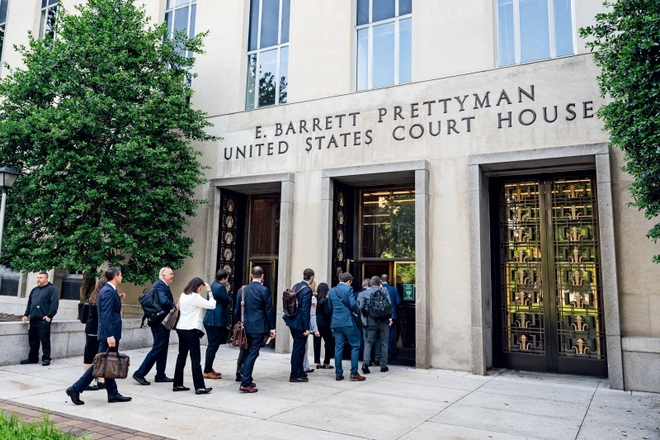
Apple Faces Reinstituted Antitrust Class Action Concerning App Store at U.S. Appeals Court

Following the reversal of her own class action certification by U.S. District Judge Yvonne Gonzalez Rogers in a case alleging that Apple holds a monopoly over the iPhone app market, the situation has been revived today. Here are the specifics.

### A Brief Overview

In 2022, after a complex series of motions, appeals, and the merging of overlapping antitrust claims, the case In re Apple iPhone Antitrust Litigation was assigned to U.S. District Judge Yvonne Gonzalez Rogers.

At first, she chose not to certify it as a class action. Two years later, she changed her mind, approving it under a more limited scope, covering “only Apple account holders who spent $10 or more on app or in-app content,” as noted by Reuters.

Last October, after Apple contested the plaintiffs’ damages model, Judge Rogers once again reversed her ruling and decertified the class action, determining that the plaintiffs did not provide a model “capable of reliably showing classwide injury and damages in one stroke.”

At that point, the plaintiffs’ legal team indicated they would evaluate their next actions. Shortly thereafter, they submitted a petition requesting permission to appeal, which leads us to the current situation.

### Antitrust Case Revived

As reported by Reuters, the 9th U.S. Circuit Court of Appeals approved the plaintiffs’ petition for permission to appeal.

In practical terms, this indicates that the appeals court will now assess Judge Rogers’ decision to decertify the class action, which could either restore the lawsuit as a class action, return it to her for additional scrutiny, or affirm her ruling.

According to today’s ruling, the appeal will advance under Rule 23(f), meaning the Ninth Circuit will only consider the class certification ruling (not the underlying antitrust claims against Apple). The plaintiffs now have 14 days to formally advance the appeal.

In a statement to Reuters, Mark Rifkin, an attorney representing the plaintiffs, expressed that they “look forward to briefing and arguing the merits of the appeal in the Ninth Circuit.” Conversely, Apple did not respond to Reuters’ request for a statement.

Read More
AltStore PAL Debuts in Japan Following Major App Store Modifications

# Japanese Users Can Now Download AltStore PAL and Sideload Applications on Their iPhones and iPads: Here’s How

## A Bit of Context

Recently, Apple revealed major changes to the App Store and iPhone in Japan to adhere to the Mobile Software Competition Act (MASCA). These modifications permit developers to launch their applications through alternative app marketplaces, in addition to Apple’s App Store. Moreover, developers can now take advantage of alternative payment methods beyond Apple’s In-App Purchase system and direct users to external payment systems. Apple will maintain its Notarization review process for all applications while unveiling new business terms, including App Store commissions and transaction fees.

## AltStore PAL Now Available in Japan

Shortly after Apple enacted its new regulations, AltStore announced on Mastodon that its AltStore PAL application is now accessible in Japan, allowing users to sideload applications on their iPhones and iPads. To commemorate this growth, AltStore is providing a complimentary month of Patreon access to all AltStore PAL users, which includes special features.

AltStore’s Patreon subscriptions vary from $3 to $10 per month, granting access to unique app icons, achievements, and a Discord community.

## How to Install AltStore PAL

For users situated in supported regions, here are the official instructions to install AltStore PAL:

1. Tap “Download” on the [AltStore download page](https://altstore.io/download), and a “Marketplace Installation” notification will pop up, requesting you to permit downloads from AltStore LLC.

2. Launch the Settings app, and you will notice a new option, “Allow Marketplace From AltStore LLC” at the top under your Apple ID. Choose “Allow.”

3. Go back to the [AltStore download page](https://altstore.io/download), tap “Download” once more, and a second prompt to install will show up. Select “Install App Marketplace.”

For additional details about AltStore, check out

Read More