# The Lowfree Flow84: A Contemporary Mechanical Keyboard Experience
The Lowfree Flow84 signifies a notable advancement in the realm of mechanical keyboards, blending the tactile pleasure of classic mechanical switches with a sleek, low-profile design that echoes Apple’s style. This article explores the features, advantages, and disadvantages of the Flow84, a keyboard designed to appeal to both mechanical keyboard aficionados and casual users.
## What Exactly is a Mechanical Keyboard?
Mechanical keyboards fundamentally differ from the chiclet-style keyboards that currently dominate the market, especially within Apple products. Traditional mechanical keyboards feature individual mechanical switches under each key, offering satisfying tactile and auditory responses that enhance the typing experience. These keyboards are renowned for their durability, customization possibilities, and the capacity to provide a more responsive typing experience compared to their scissor-switch counterparts, commonly found in modern laptops.
## The Rise of Low-Profile Mechanical Keyboards
Historically, users faced a choice between the compact nature of scissor-switch keyboards and the substantial feel of mechanical keyboards, which typically require a larger space. However, recent innovations have spawned low-profile mechanical keyboards, which preserve the beneficial traits of mechanical switches while minimizing height. This development has made mechanical keyboards more attainable for users who favor a minimalist setup without compromising the typing experience.
## The Lowfree Flow84
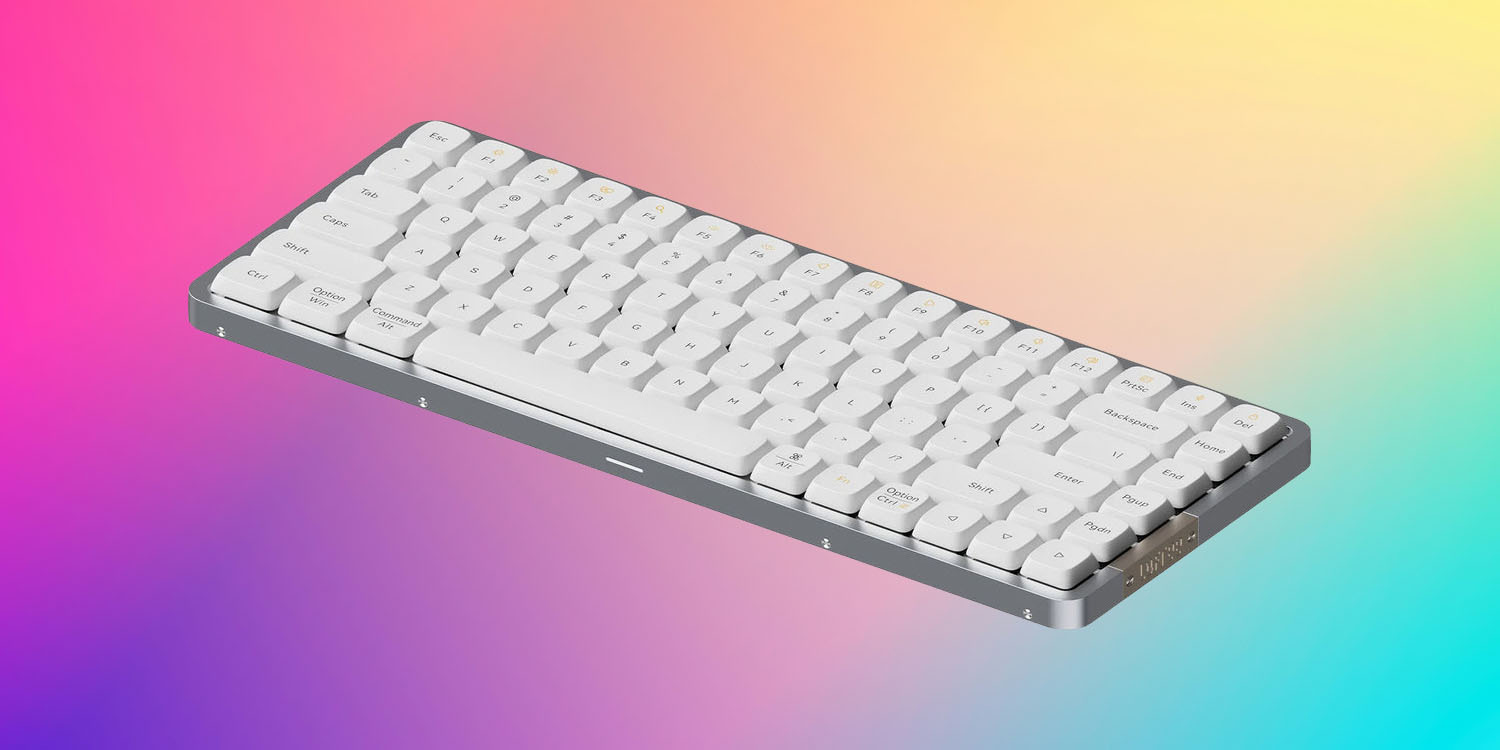
The Lowfree Flow84 is a 75% keyboard, featuring 84 keys with a compact layout that excludes the numeric keypad. Its design is notably minimalist, available in black or white, closely mirroring Apple’s Magic Keyboard. The low-profile design is enhanced by shallow keycaps, which, although limiting customization possibilities, provide a sleek look.
### Appearance and Design
The Flow84’s aesthetic is one of its most striking features. The aluminum casing imparts a premium touch, while the copper-look branding plate contributes an element of sophistication. The keyboard also boasts backlighting, manageable via key combinations, augmenting its visual allure in dim environments.
### Customization
While the Flow84 presents a variety of keycap options, it restricts switch customization. The keyboard comes equipped with Kailh switches, specifically Ghost switches for the white variant and Phantom switches for the black version. Users are unable to choose their desired switch type upon purchase, which may discourage some mechanical keyboard enthusiasts who appreciate the ability to fully tailor their typing experience.
### Sensation and Typing Experience
Despite the limitations regarding switch selection, the typing experience on the Flow84 is commendable. The Ghost switches deliver a smooth, linear sensation that many users find appealing. The build quality of the keyboard is robust, and the overall typing experience is elevated by the keyboard’s weight and stability.
### Portability and Battery Duration
At 12.5 inches by 5 inches and weighing 1.3 pounds, the Flow84 is fairly portable, making it suitable for travel. However, its battery life is rated at 40 hours, necessitating more frequent charging compared to other alternatives on the market.
## Pricing and Final Thoughts
The Lofree Flow84 is available at $159, with periodic discounts reducing it to $139. Although more affordable options exist, the Flow84 distinguishes itself through its design and typing experience, particularly for users in search of a keyboard that aligns with an Apple-centric environment.
In summary, the Lowfree Flow84 is an enticing option for those seeking a low-profile mechanical keyboard that merges aesthetics with practicality. While it presents some limitations in terms of customization, its overall design and typing experience make it an appealing choice for both newcomers and experienced mechanical keyboard users.
Read More