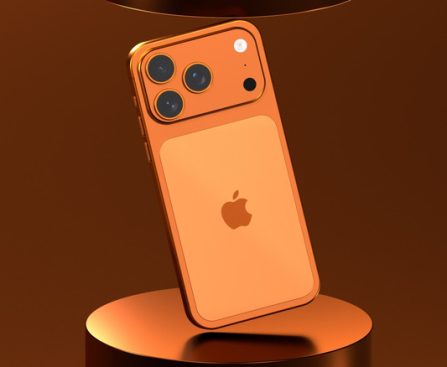
Comparison of 1980s Supercomputers and Contemporary iPhones

It’s astonishing to contemplate, but the mobile gadgets we now carry in our pockets and grasp in our hands are exponentially more powerful than some of the earliest computers — in comparison, we’re carrying around supercomputers. Those initial machines were actually room-sized, in some instances reaching from floor to ceiling. We’ve evidently made significant advancements in miniaturization through the creation of small components like transistors and microprocessors. Nevertheless, it sparks curiosity — just how much more potent is the standard smartphone?

How does an ’80s supercomputer, one of the most advanced and capable machines of its era, measure up against today’s typical iPhone? Adobe previously explored this comparison, focusing on the iPhone 12 at that time. However, it is more relevant to examine the iPhone 17 today, as it represents the latest addition to Apple’s smartphone range.

The Cray-2 was claimed to be the fastest and most powerful computer ever created by 1985, with the ability to process at 1.9 gigaflops, or 1.9 billion floating point operations per second (FLOPS). According to an assessment by NanoReview, the iPhone 17 is estimated to process around 2,073 gigaflops, or 2 trillion FLOPS (specifically 2,073,600,000,000). That means it’s over 109,000 times more powerful than the supercomputer from the ’80s. Even more astonishing is that the Cray-2 weighed over 5,500 pounds, while the iPhone 17 weighs just 6.24 ounces — more than 14,000 times lighter. Additionally, there are several smartphones that surpass the iPhone 17 in power already available on the market.

What is the comparison between the Cray-2 supercomputer and the phones of today?

We can accomplish a great deal with our phones today, particularly with the iPhone 17. Capturing photos, writing notes, calling or messaging friends and family, browsing the internet from almost any location, managing banking tasks, playing games — you name it. This far exceeds what an ’80s supercomputer could accomplish, as those machines were initially designed for specific tasks. They certainly weren’t the multifunctional Swiss Army knives that our current phones are.

The Cray-2 was mainly employed by NASA to simulate aircraft flight at the Langley Research Center. Another variant was utilized by the U.S. Departments of Defense and Energy for nuclear weapons research and oceanography applications. The sheer computing capability was primarily directed toward mathematical computations and simulations, consuming between 150 to 200 kilowatts of electricity. In contrast, the iPhone 17, 17 Pro, and 17 Pro Max all operate on 40 watts for rapid charging. There are 1,000 watts in a kilowatt, providing a clearer perspective on the power needed to operate the Cray-2. Thus, not only were those supercomputers considerably less powerful in terms of computing abilities, they also consumed an absurdly greater amount of energy.

Of course, contemporary supercomputers aren’t intended for general-purpose usage either. They’re engaged in determining potential scenarios for when all life on Earth may cease and exploring the limits of quantum computing, a completely new frontier for computers. Scientists have even achieved teleportation using quantum supercomputers. A machine like the Cray-2 could never replicate such achievements, but it certainly laid the groundwork for them.

The 4 Most Unfavorable Places to Keep a USB Drive

When dealing with USB drives, a frequent error is placing them in locations where they could be easily misplaced or harmed. Therefore, to ensure your data remains secure and intact on your USB drive, and to guarantee you can access it when necessary, it’s advisable to steer clear of these typical storage areas if possible.

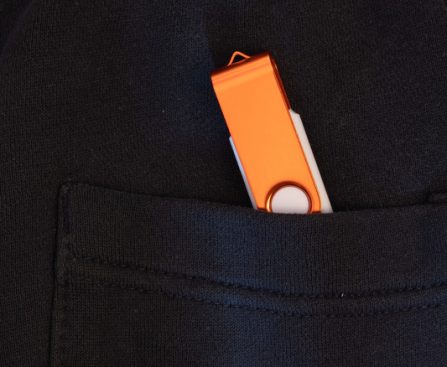
In your pockets

The Contemporary Significance of 3-Button Navigation in Current Gadgets

How many of you are still utilizing 3-button navigation on your Android devices?

For many years, Android smartphones have allowed users to select their desired navigation style. Choosing between gestures and buttons can significantly impact how you interact with your smartphone’s interface. Gesture navigation is the “more recent” approach compared to the three-button setup that characterized earlier Android devices, yet some individuals still favor the arguably more straightforward button navigation.

Which navigation style do you favor on your Android device?

3-button vs. gesture navigation

Upon initial phone setup, you are presented with the option to use either 3-button navigation or gesture navigation.

In 3-button navigation, the primary home button sits centrally and will consistently return you to your home screen when pressed, or activate Gemini with a long press. On one side is the back button, which simply returns you to the previous screen you were on, or allows you to dismiss your on-screen keyboard. Lastly, there’s the Recent Apps button, which may present itself as a square, a three-line symbol, or something similar, depending on the manufacturer. Tapping this button will display your currently open apps.

Numerous manufacturers even permit you to rearrange the order of the buttons.

With gesture navigation, the same functionalities exist; however, the buttons are absent and are instead replaced by a single bar at the bottom of the screen. To return home from an application, swipe up and quickly release, similar to flicking the app upward and away. To navigate back, swipe from either side edge of the screen, or swipe and hold to preview the upcoming screen (you can cancel the back gesture by moving your finger back toward the edge of the display).

Lastly, you can access the Recent Apps view by swiping up from the bottom of the screen and holding for a moment before releasing.

Android fully embraced gesture navigation after the launch of Android 10, alongside the rise in popularity of the iPhone X, which transformed Apple’s iPhone range by eliminating the physical button present in earlier versions. It may have appeared as a complex shift for some, but many adapted to it and still primarily use gesture navigation. One advantage of this style is that it offers a full-screen experience, as the bottom navigation buttons do not occupy space.

However, there are certainly those who appreciate the ease of the three-button style, as they spend less time inadvertently swiping out of an app or encountering unsuccessful attempts to perform a gesture. Certain individuals with specific motor disabilities may find gesture navigation challenging, though the same can apply to others with three-button navigation.

Of course, you can adjust this later in your phone’s settings, but as creatures of habit, we typically stick with what we are accustomed to. So, which navigation approach do you prefer? Leave us a comment and share your thoughts!

Polypane by Kilian Valkhof

Polypane is a specialized web development browser that simplifies creating and testing modern websites. A key feature is that it provides multiple screen sizes at once, with synchronized scrolling and interactions, so developers can test different layouts and breakpoints simultaneously. Polypane also focuses on accessibility tools, real-time previews, and debugging features. Kilian Valkhof is the

The post Polypane with Kilian Valkhof appeared first on Software Engineering Daily.

Grand Theft Auto III for Dreamcast with Falco Girgis and Stef Kornilios Mitsis Poiitidis

Grand Theft Auto III is a 2001 an open-world action-adventure game developed by Rockstar Games and it had a profound impact on both gaming and popular culture. Its success cemented video games as a dominant form of entertainment and storytelling, and paved the way for future blockbuster franchises. The game was also a technological milestone

The post Grand Theft Auto III on the Dreamcast with Falco Girgis and Stef Kornilios Mitsis Poiitidis appeared first on Software Engineering Daily.

Anthropic and the Model Context Protocol Featuring David Soria Parra

The Model Context Protocol, or MCP, is a new open standard that connects AI assistants to arbitrary data sources and tools, such as codebases, APIs, and content repositories. Instead of building bespoke integrations for each system, developers can use MCP to establish secure, scalable connections between AI models and the data they need. By standardizing

The post Anthropic and the Model Context Protocol with David Soria Parra appeared first on Software Engineering Daily.

Philip Martin on Security at Coinbase

Cryptocurrency exchanges face unique security challenges that require specialized threat assessments and planning. Coinbase is a cryptocurrency exchange based in the United States. It was founded in 2012 and has evolved alongside cryptocurrency as a technology. Philip Martin is the Chief Security Officer at Coinbase. Prior to Coinbase, Philip built and led the Incident Response

The post Security at Coinbase with Philip Martin appeared first on Software Engineering Daily.

Shaping the Future of PostgreSQL with Heikki Linnakangas

PostgreSQL is an open-source database known for its robustness, extensibility, and compliance with SQL standards. Its ability to handle complex queries and maintain high data integrity has made it a top choice for both start-ups and large enterprises. Heikki Linnakangas is a leading developer for the PostgreSQL project, and he’s a co-founder at Neon, which

The post Building PostgreSQL for the Future with Heikki Linnakangas appeared first on Software Engineering Daily.

Mojo: Creating a CUDA Alternative with Chris Lattner

Python is the dominant language for AI and data science applications, but it lacks the performance and low-level control needed to fully leverage GPU hardware. As a result, developers often rely on NVIDIA’s CUDA framework, which adds complexity and fragments the development stack. Mojo is a new programming language designed to combine the simplicity of

The post Mojo and Building a CUDA Replacement with Chris Lattner appeared first on Software Engineering Daily.

OpenTofu with Cory O’Daniel and Malcolm Matalka

OpenTofu is an open-source alternative to Terraform, designed for managing infrastructure as code. It enables users to define, provision, and manage their cloud and on-premises resources using a declarative configuration language. OpenTofu was created to ensure an open and community-driven approach to infrastructure tooling, and it emphasizes compatibility and extensibility for diverse deployment scenarios. Cory

The post OpenTofu with Cory O’Daniel and Malcolm Matalka appeared first on Software Engineering Daily.