“Google AI Edge Eloquent: A Voice Dictation Application for Offline Use Without Subscription Charges”

**Google AI Edge Eloquent: A Revolutionary Shift in Voice Dictation on iOS**

Google has unveiled an exciting new app on iOS named [Google AI Edge Eloquent](https://apps.apple.com/us/app/google-ai-edge-eloquent/id6756505519). This application acts as a connection between an experimental feature and an intuitive tool, aimed at improving the way users transform spoken language into written text.

### Main Features of Google AI Edge Eloquent

The core capability of Google AI Edge Eloquent is to convert “disorganized speech into polished text.” As users start speaking, the app delivers real-time transcription along with a visual waveform, facilitating a fluid dictation process. Users have the option to pause their speech anytime, and upon completion, hitting the stop button causes the app to refine the text. This refined text is subsequently copied to the clipboard automatically, simplifying the process of pasting it into other apps.

### Improved Usability

The application provides multiple features to enhance the transcription experience. Users can see key points presented as bullet points and modify the text’s tone to be more formal, brief, or detailed. Moreover, the app offers usage analytics, including word count and words per minute, assisting users in monitoring their dictation effectiveness.

A standout feature is the “completely offline” mode, which guarantees that conversations stay on the device, bolstering privacy. In addition, activating the Gemini feature allows for superior text refinement, giving users a more polished final product.

### History and Personalization

Google AI Edge Eloquent includes a History tab where users can review all their transcriptions and remove entries as required. The app also contains a Dictionaries section, enabling users to add commonly used names or phrases to enhance transcription precision. Users can log in with their Google Account to import specific terms from their Gmail correspondence, further customizing the app’s functionality.

### Accessibility and Release

Google highlights that this app offers “voice dictation without subscription fees” and promotes “unlimited usage,” making it an attractive option for those looking for a budget-friendly choice. The “AI Edge” label underscores Google’s dedication to on-device AI experiences, with Eloquent joining the current Google AI Edge Gallery, which features other applications aimed at improving user engagement with AI.

At present, Google AI Edge Eloquent seems to be available solely on iOS, as it has not been observed in the Play Store for Android devices. This exclusivity raises inquiries regarding its potential release on other platforms.

### Summary

Google AI Edge Eloquent signifies a major leap forward in voice dictation technology, blending real-time transcription with intuitive features and customization capabilities. As users increasingly depend on voice-to-text solutions, this app might become a crucial asset for boosting productivity and communication. With its pioneering method and dedication to user privacy, Google AI Edge Eloquent is set to leave a significant mark in the field of digital communication.


Apple Unveils Developer Gallery Showcasing Apps That Use Liquid Glass Technology

Apple has recently revamped its developer website to highlight third-party applications that utilize Liquid Glass, a design language focused on creating natural and adaptive experiences throughout its platforms. This update signifies the second version of Apple’s design gallery for Liquid Glass, following its original debut in November 2025. Since then, a variety of apps have adopted this cutting-edge design technique, with both developers and Apple enhancing its application.

In this latest version of the design gallery, Apple showcases how teams of different sizes are utilizing Liquid Glass to improve user experiences. Among the highlighted applications is Carrot Weather, a distinctive weather app recognized for its witty robot personality. The app has received a visual update, particularly evident in the Radar tab, where the map panning feature has been enhanced. Developer Brian Mueller has optimized the app by minimizing the number of tabs in the bottom toolbar, leading to a more streamlined interface.

Another app gaining attention is Denim, a popular choice for generating playlist art for Apple Music. The app incorporates Liquid Glass design features seamlessly, with toolbar controls that integrate into the dark background. Improvements include upgraded undo and redo buttons and refreshed text labels on the cover art.

Other applications showcased in the Liquid Glass design gallery include Tasks, GoodLinks, AllTrails, and Fantastical, among others. Users can visit Apple’s website to explore the complete design gallery and see how these apps are implementing the Liquid Glass design language.

This initiative underscores Apple’s dedication to nurturing creativity and innovation among developers, encouraging them to embrace contemporary design principles that enhance user engagement across its ecosystem.

Netflix Launches Children’s Games Application for iPhone and iPad: Overview of Features and Content

**Netflix Playground: An Exciting Gaming Opportunity for Kids**

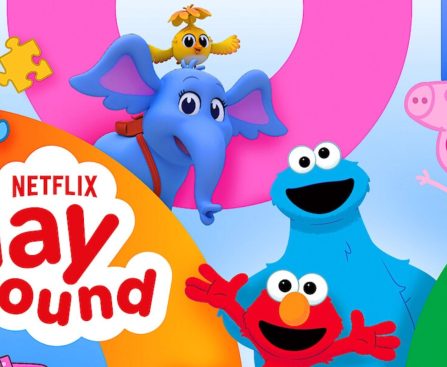
Netflix has broadened its repertoire with the introduction of a new application called Netflix Playground, specifically crafted for iPhone and iPad users. This groundbreaking app offers a collection of ad-free games that are devoid of in-app purchases, akin to the widely acclaimed Apple Arcade service.

### A Concentration on Younger Viewers

Netflix Playground caters to younger children, showcasing an array of captivating mini games inspired by cherished characters and franchises. At its debut, the app presents seven mini games that aim to amuse and educate kids through interactive gameplay. The games are influenced by popular children’s content, ensuring they are both familiar and appealing.

### The Available Mini Games

1. **Dr. Seuss’s Red Fish, Blue Fish**: This game invites kids to delve into musical play zones filled with rhythmic enjoyment and delightful surprises, fostering creativity and involvement.

2. **Dr. Seuss’s Horton!**: Positioned in a lively jungle, this game encourages creativity through interactive cause-and-effect play, enabling children to partake in imaginative scenarios.

3. **Bad Dinosaurs**: In this ancient adventure, kids can tackle puzzles, assemble sticker scenes, and engage in memory games with Janet and her little dinosaur companions.

4. **Sesame Street**: This game includes activities that support pattern and object recognition, creating a playful setting where children can learn while enjoying themselves.

5. **Dr. Seuss’s The Sneetches**: Kids accompany Stella Sneetch on a creative expedition through imaginative play activities, such as a Shape Printer and Vehicle Builder, enhancing design skills and pattern recognition.

6. **Peppa Pig**: Children can take part in various tasks with Peppa and her friends, such as counting, caring for guinea pigs, and decorating cakes, encouraging creativity and education.

7. **StoryBots**: These curious characters assist children in developing memory abilities, pattern recognition, and emerging musical skills through engaging gameplay.

### Upcoming Enhancements and Accessibility

Netflix has revealed plans to add more titles to Netflix Playground throughout the year, featuring content from popular series such as “Gabby’s Dollhouse,” “KPop Demon Hunters,” “PJ Masks,” “My Little Pony,” and “PAW Patrol.”

Crucially, access to Netflix Playground is part of every Netflix subscription, making it accessible to all users, not just those on premium plans. Each mini game can be downloaded separately, allowing for offline play once installed.

### Conclusion

Netflix Playground signifies a notable advancement in the streaming giant’s initiatives to diversify its content portfolio, offering a safe and enjoyable space for children to play and learn. Parents can discover more about Netflix Playground via the official announcement or download the app from the App Store.

Apple is Getting Ready to Release iOS 26.4.1 Update for iPhone Users

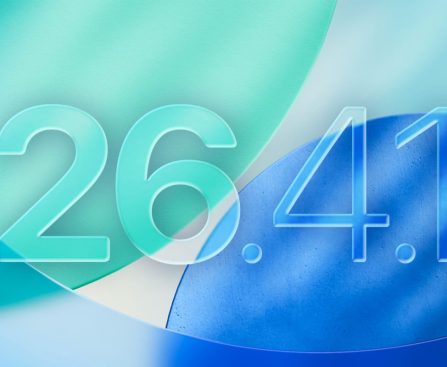
Apple launched iOS 26.4 for iPhone last month, bringing in new emoji, enhancements to Apple Music, and other functionalities. At present, the company is gearing up for a bug fix update, with the release of iOS 26.4.1 anticipated soon.

### iOS 26.4.1 is Approaching

Internal evaluations of iOS 26.4.1 are in progress at Apple, as noted by visitor logs from 9to5Mac. The first indications of this update appeared last week, with a noted rise in visitor engagement. MacRumors has also validated the existence of iOS 26.4.1 in their analytics, signaling that a public launch could be near. Nonetheless, it is essential to mention that Apple might opt to cancel the update prior to it reaching users.

While concrete information regarding iOS 26.4.1 is still pending, it is expected that the update will mainly concentrate on bug fixes and performance improvements. The earlier update, iOS 26.4, was significant, incorporating features for Apple Music, Apple Podcasts, Reminders, and other applications.

Along with iOS 26.4.1, Apple is also beta testing iOS 26.5, which is a minor update with slight modifications to Apple Maps, the App Store, Messages, and various other apps.

Additionally, Apple is anticipated to issue an update for Studio Display XDR users, introducing a new Medical Imaging Calibrator feature for macOS. There’s a possibility that iOS 26.4.1 and macOS 26.4.1 will be both released at the same time, coinciding with this new feature launch.

Users are invited to comment on which version of iOS they are presently utilizing and if they are participating in the iOS 26.5 beta program.

Discover the Concealed Functions of Your MacBook Screen Corners

hidden configurations that can quickly enhance productivity and similar aspects, it’s easy to become disoriented with all that is designed to simplify your life, and this can be particularly true for the somewhat obscure functionality referred to as Hot Corners.

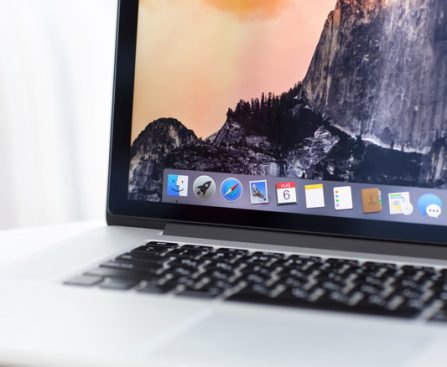
In case you’re not aware, Hot Corners has been available in various forms since macOS High Sierra, and it serves as a fast method to reach specific applications and commands straight from your desktop. For instance, you can put your MacBook to sleep by simply moving your cursor to a designated corner of the screen. There’s already a default action configured, but there are multiple different alternatives for modifying the remaining corners of your display, too.

For those who prioritize productivity, the Hot Corners feature helps to bypass certain menus, and it can overall expedite some processes once you become accustomed to it. It may require a bit of trial and error, but it’s a pretty handy feature, nonetheless. While some settings may detract from a new MacBook experience, this one is definitely worth exploring regardless of how long you’ve had your device. Activating this feature is quite simple, so let’s get started.

How can I utilize Hot Corners on my Mac?