

**Snapseed for iOS: An In-Depth Look at the Latest Camera Features**
Snapseed, the renowned photo editing application created by Google, has recently seen notable upgrades, especially with the launch of its new camera capability. Following a soft launch in December, this update elevates Snapseed from a simple image editor to a more all-encompassing photography instrument.
### New Camera Interface
In the past, users could access the Snapseed camera solely through a Lock Screen widget, Control Center, or Camera Control. The recent update unveils a dedicated camera icon positioned in the top-right corner of the app, enhancing accessibility for users to capture photos directly within Snapseed.
### Enhanced Manual Controls
A highlight of the new Snapseed camera is the inclusion of manual controls for exposure and focus. By activating the “PRO” mode via a toggle in the top-left corner, users unlock three key adjustments at the bottom of the viewfinder: ISO, Shutter Speed, and Focus. This feature provides a more customized photography experience, catering to both beginners and seasoned photographers.
### Flash and Zoom Features
The camera interface has been updated, with the flash control now situated at the bottom-left of the screen, while the zoom function is conveniently placed on the opposite side. This arrangement improves usability, enabling users to swiftly modify settings as they take photos.
### Real-Time Film Emulation
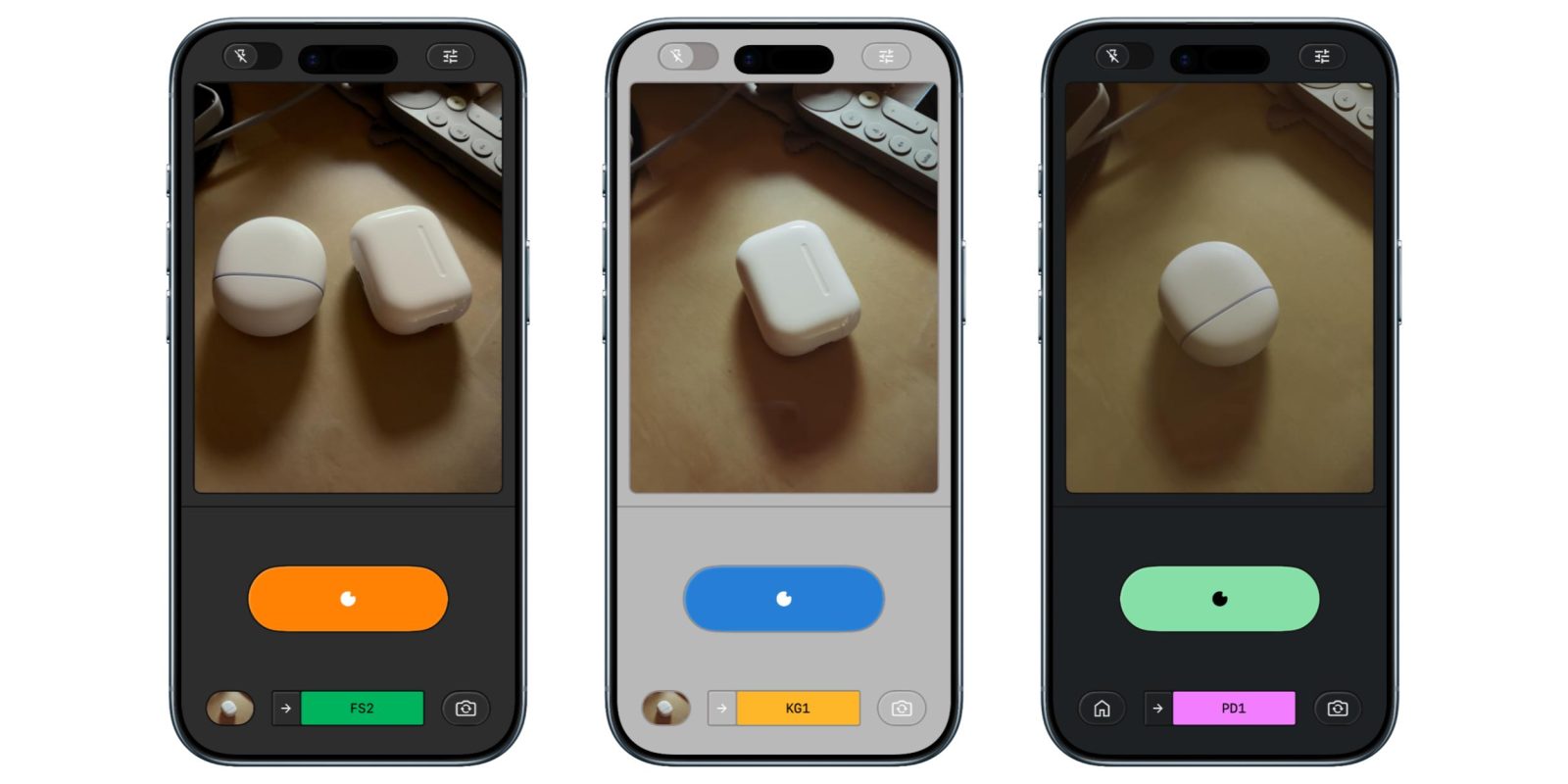
The Snapseed camera now provides real-time film emulation, enabling users to apply various styles inspired by classic film types. The emulations available include:
– **KP1**: Modeled after Kodak Portra 400
– **KP2**: Modeled after Kodak Portra 160
– **KG1**: Modeled after Kodak Gold 200
– **KE1**: Modeled after Kodak E200
– **FS1**: Modeled after Fuji Superia 200
– **FS2**: Modeled after Fuji Superia 800
– **FP1**: Modeled after Fuji Pro 400h
– **AG1**: Modeled after Agfa Optima 200
– **AS1**: Modeled after Agfa Scala 200
– **PD1**: Modeled after Polaroid 600
– **TC1**: Modeled after Technicolor
This functionality allows photographers to explore various aesthetics and styles, broadening the creative opportunities within the app.
### Editing Flexibility
A key feature of the Snapseed camera is that every captured photo includes a complete editing stack. This means users can modify, adjust, or revert any aspect of the look even after the photo has been saved to their gallery. This versatility encourages experimentation and supports the ongoing refinement of images.
### Customizable Color Themes
Users can also personalize the viewfinder’s color theme, with choices including Editor, Dusk, Negative, Steel, Haze, and Depth. This customization enhances the user experience, allowing photographers to create an atmosphere that aligns with their preferences.
### Availability
Snapseed version 3.15.0 is now available for download in the App Store at no cost. Google is also in the process of updating the Android version of the app to incorporate the redesigned editor features that were introduced for iOS.
### Conclusion
With its new camera functionalities, Snapseed is reinforcing its role as a versatile tool for photography enthusiasts. The integration of manual controls, real-time film emulation, and a flexible editing stack makes it an attractive option for anyone aiming to elevate their mobile photography experience.