

As the CEO of Frontend Masters, I focus on selecting courses, choosing instructors, and ensuring our content helps developers advance. But thinking about content and using courses for learning are different experiences. Recently, I experienced both simultaneously!
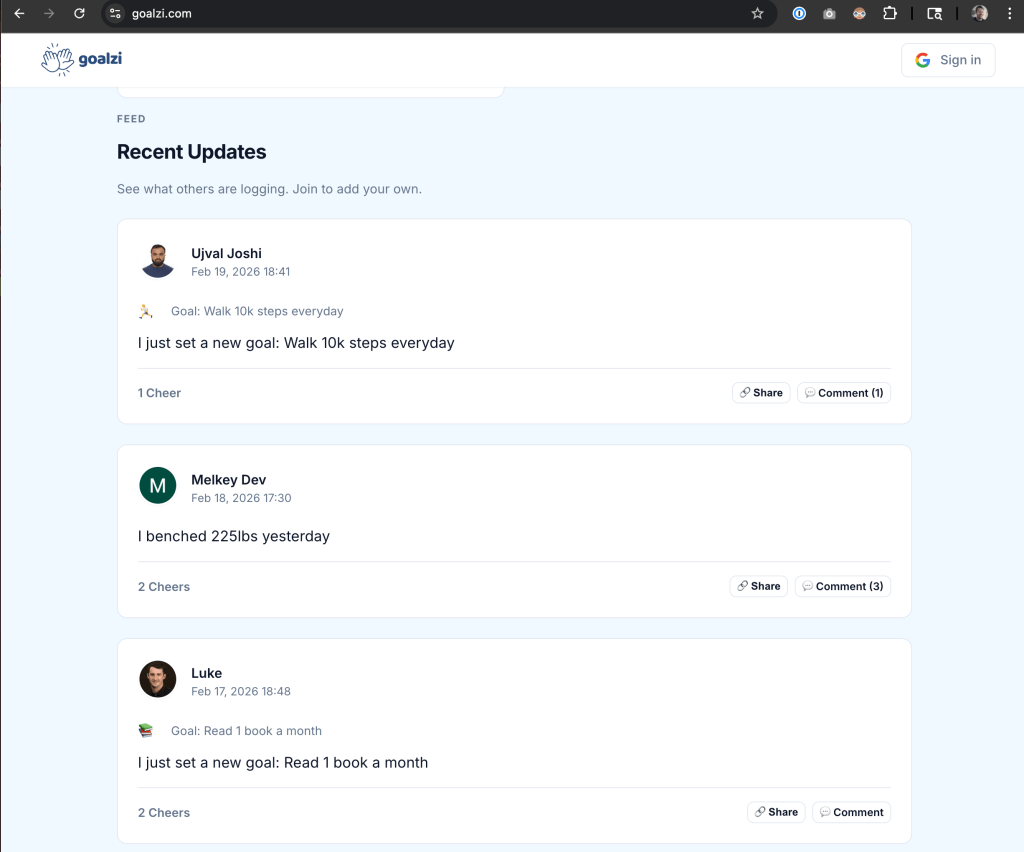
On evenings and weekends, I developed [Goalzi](https://goalzi.com/), a social app for setting and sharing life goals, starting with my desire to learn Go. I followed Melkey’s [Complete Go](https://frontendmasters.com/courses/complete-go/?utm_source=boost&utm_medium=blog&utm_campaign=boost) course on Frontend Masters for the basics, then wrote the original `main.go` from scratch. It reminded me of the days with PHP—one file, multiple functions, raw SQL, yet functional. I embraced that: no layers, no framework, just Go’s standard library in one file. It was refreshing.
This approach got me 90% of the way. The final 10% involved AI (mainly Cursor) handling heavy tasks like engagement features, the email system, onboarding, and polish, transforming a working app into one ready to ship. The quote, “the last 10% of a project is 90% of the work,” truly applies. Honestly, I don’t think it would’ve launched without AI. It was also a great opportunity to test new tools and models. In the ed-tech space, I need to stay sharp, and building something is key to understanding industry trends.
What did I build? A social network for goal setting and cheering each other on. I find it inspiring. Will people use it? I’m unsure, but I hope so.

Deploying a vibe-centric app still requires a scalable deployment. Erik Reinert’s [Cloud Infrastructure: Start-Up to Scale](https://frontendmasters.com/courses/cloud-infrastructure/) course assisted with that. Being technically comfortable allows rapid learning and absorption of infrastructure patterns.
Here’s my setup.
## The Stack
Goalzi uses a Go backend, Postgres, server-rendered HTML templates, and vanilla JS and CSS, with no frontend framework. Users sign in via Google, set goals, post updates, follow, and interact with cheers and comments.
Deployment stack:
– **AWS App Runner** for app serving
– **Docker** (multi-stage build) for containerization
– **Amazon ECR** for storing images
– **AWS SSM Parameter Store** for secrets
– **AWS SES** for email
– **Supabase** for hosted Postgres
– **Route 53** for DNS
## Why Erik’s Cloud Deployment Course, and What it Gave Me
The course explains deployment stages: Start-up, Growth, Scale. The core idea is containerizing from the start, as it benefits growth. Opting for a VPS might feel simple initially but complicates scaling.
That perspective was essential. I initially got something on App Runner but bypassed steps. IAM roles were messier than needed, and secrets were not properly handled. Migrations were an afterthought.
Erik’s course clarified each component. He demonstrates setting up Parameter Store entries, scoping IAM roles for App Runner, tagging images in ECR, and integrating them. It emphasized the importance of instructors who work within systems they teach.
## From “It Works on My Machine” to One Command
The objective: `make deploy` handles all. No manual steps or forgotten actions.
Here’s how it works:
1. Runs `go test` on the full codebase
2. Retrieves production database URL from SSM (`/goalzi-service/postgres-url`) and applies all pending SQL migrations via a one-off Docker container
3. Builds a Docker image for `linux/amd64`, tagged with the current git SHA
4. Pushes the SHA-tagged image to ECR
5. Retags it as `latest` and pushes again, allowing App Runner to deploy within minutes
For deploys without schema changes, `SKIP_MIGRATE=1 make deploy` goes straight to step 3. HTTPS is handled automatically, with no servers to patch.
## Secrets Done Right
No production-sensitive data is in the repo. The database connection string is only in SSM. At runtime, App Runner retrieves Google OAuth credentials from Parameter Store using an appropriately scoped IAM role.
Erik’s course concretely demonstrates setting up Parameter Store, creating IAM roles, and writing access-limited policies. It showed me a cleaner setup, ensuring confidentiality.
Now, I could open-source the repo without data leaks.
## Migrations That Run the Same Everywhere
Migrations use plain SQL files in a `migrations/` directory, executed in