
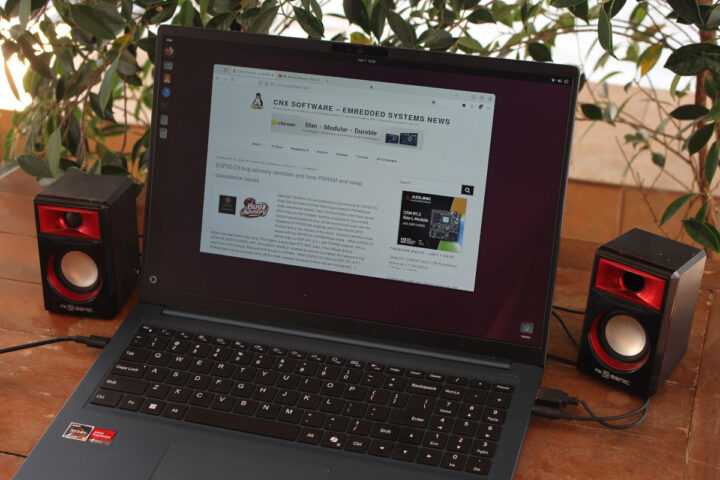

We previously looked at the [CHUWI CoreBook Air Plus 16 hardware](https://www.cnx-software.com/2026/02/12/chuwi-corebook-air-plus-16-laptop-review-part-1-specs-unboxing-teardown-and-first-boot/) in part one of our review, before putting the [AMD Ryzen 5 6600H laptop through its paces with Windows 11 Pro](https://www.cnx-software.com/2026/02/21/chuwi-corebook-air-plus-16-review-part-2-an-amd-ryzen-5-6600h-powered-mid-range-laptop-tested-with-windows-11-pro/). Today, I’m sharing my experiences with the CoreBook Air Plus 16 running Linux via the Ubuntu 25.10 distribution.
In this segment of the review, we’ll discuss system information, benchmarks, YouTube video performance at 4K and 8K, feature testing, storage and WiFi 6 shootouts, along with assessments of fan noise, power consumption, and battery endurance.
[](https://www.cnx-software.com/wp-content/uploads/2026/03/CHUWI-CoreBook-Air-Plus-16-Ubuntu-25.10-Linux-review.jpg)
## Ubuntu 26.04 vs Ubuntu 25.10 installation
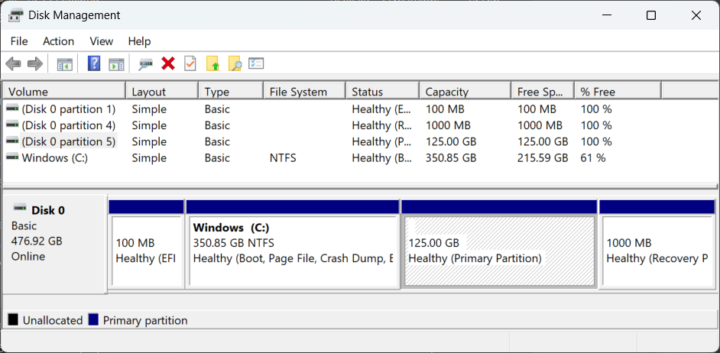
The initial idea was to install a daily build of Ubuntu 26.04 as a dual boot alongside Windows 11 Pro. I resized the Windows partition to create a 125GB space for Ubuntu.
[](https://www.cnx-software.com/wp-content/uploads/2026/03/Disk-Management-Dual-Boot-Windows-11-Ubuntu-25.10.webp)
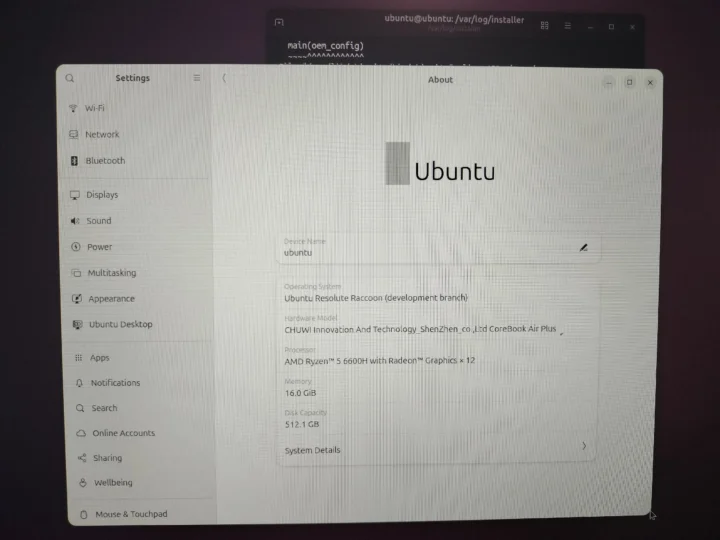
After downloading the [daily Ubuntu 26.04 ISO](https://cdimage.ubuntu.com/daily-live/current/) (dated February 28, 2026), I prepared a startup disk on my Ubuntu 24.04 laptop via an 8GB USB flash drive. With the USB drive inserted into the CHUWI CoreBook Air Plus 16, I accessed the BIOS with the F2 key to boot from USB. Though Ubuntu Resolute Raccoon (Development branch) could run, the ‘Install Ubuntu’ icon was unresponsive due to a missing ubiquity installer, which failed to install manually with multiple errors.
[](https://www.cnx-software.com/wp-content/uploads/2026/02/Ubuntu-26.04-CHUWI-CoreBook-AIr-Plus-16.webp)
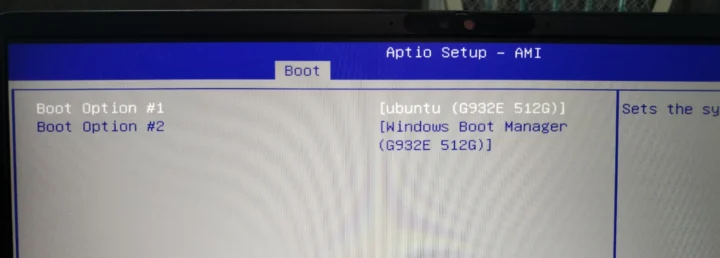
Opting instead for Ubuntu 25.10 resulted in a seamless installation. The sole hiccup was that the boot process went straight to Windows without showing the Grub menu. Adjusting the Boot priority in the AMI Aptio Setup in the BIOS resolved this.
[](https://www.cnx-software.com/wp-content/uploads/2026/02/AMI-Aptio-Setup-Boot-Priority-Options-Ubuntu-Windows.webp)
## Ubuntu 25.10 System Information
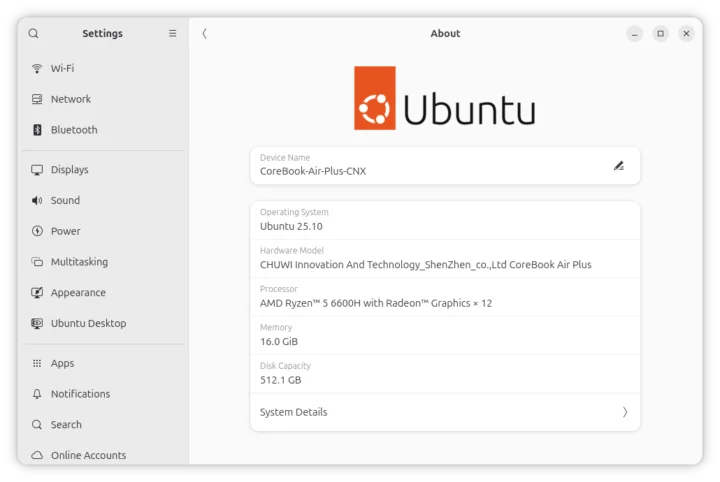
Navigating to *Settings→About* in Ubuntu 25.10 confirms that the device is a “CHUWI Innovation and Technology_SHenzhen_co.,Ltd CoreBook Air Plus” powered by a 12-thread AMD Ryzen 5 6600H processor with 16GB of RAM and a 512.1 GB drive.
[](https://www.cnx-software.com/wp-content/uploads/2026/02/CHUWI-CoreBook-Air-Plus-16-Ub