
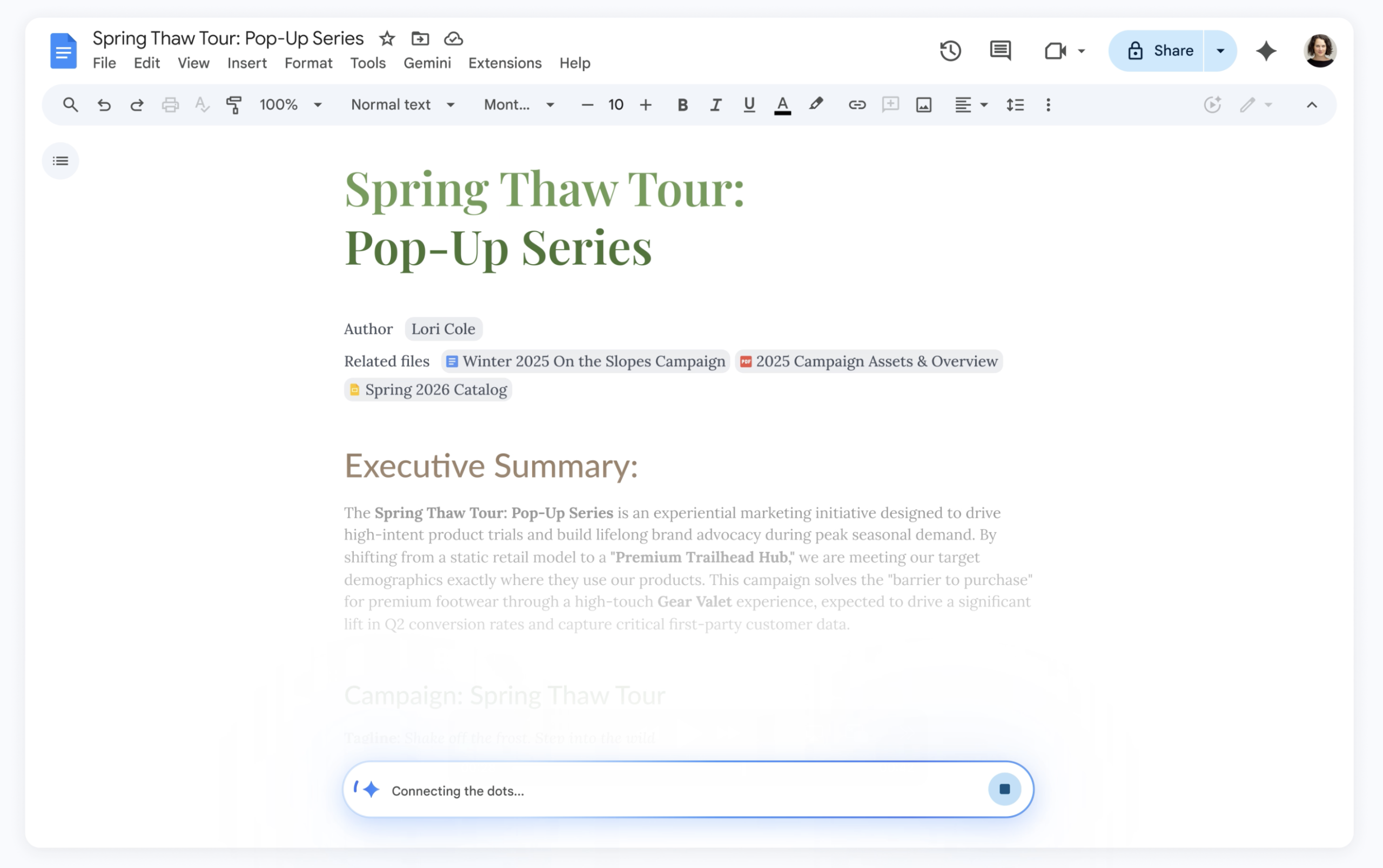

Google announced on Tuesday a range of new Gemini-powered AI features for Docs, Sheets, Slides, and Drive. These enhancements enable users to swiftly create fully formatted drafts, slides, and sheets using data from Gmail, Chat, and Drive.
Designed to enhance personalization and efficiency, the tools allow users to complete tasks faster within the applications, negating the need for separate tools or chatbots.
A new “Help me create” feature in Docs lets users dictate their needs for Gemini to generate a first draft by pulling data from Drive, Gmail, and Chat. For example, users can ask for a newsletter draft using specific meeting minutes and event lists.
After generating a draft, users can refine sections with Gemini without needing to recreate the document entirely. The “Help me write” feature aids in enhancing clarity or adding details as needed.
When multiple authors contribute to a draft with varying styles, a “Match writing style” feature helps achieve uniformity. Gemini suggests edits to ensure consistent tone and voice.
Docs also introduces a “Match the format” tool, allowing users to replicate the structure and style of another document. For instance, a travel itinerary template can be populated with personal trip details, using information from emails like flight and hotel confirmations.
In Sheets, Gemini progresses from a mere tool to a collaborative partner. A single prompt can pull relevant data from Gmail, Chat, and Drive to instantly create a fully formatted spreadsheet. For instance, you can request it to organize a move to Chicago, creating room-specific packing checklists, a utility contact list, and a moving quotes tracker from emails.
The “Fill with Gemini” tool speeds up complex tasks by populating tables quickly. It can generate custom text, categorize and summarize data, or pull real-time information from Google Search. For example, when managing college applications, users can set up columns for deadlines and tuition, and Gemini will automatically fill in the data from online sources.
In Slides, Gemini can now create editable slides that match the existing deck theme, using context from files, emails, and the web. Users can request modifications like color matching or minimalistic design adjustments. Future updates will allow generating entire presentations with single prompts, considering relevant context.
Drive transforms from a simple storage to an active collaborator. Natural language searches in Drive trigger an “AI Overview” at the top of results, summarizing the most relevant information while citing sources, eliminating the need to open each document. A new “Ask Gemini in Drive” tool allows posing complex questions across various documents and data sources. For instance, selecting tax files and asking for advice to consult a tax advisor will yield detailed responses from your actual data.
These features are rolling out in beta to Google AI Ultra and Pro subscribers, available in English globally for Docs, Sheets, and Slides, and in the U.S. for Drive.