

Welcome to the guide accompanying our Docker App Packs announcement. This guide will help you install and configure AI environments on a Puget Systems workstation.
**Prerequisites**
– **Operating System**: Ubuntu 24.04 LTS
– **Hardware**: Modern x86_64 system (NVIDIA GPU with CUDA 12.6+ required for accelerated flavors)
– **Access**: Sudo privileges for system package installation
**Step 1: Run the One-Line Installer**
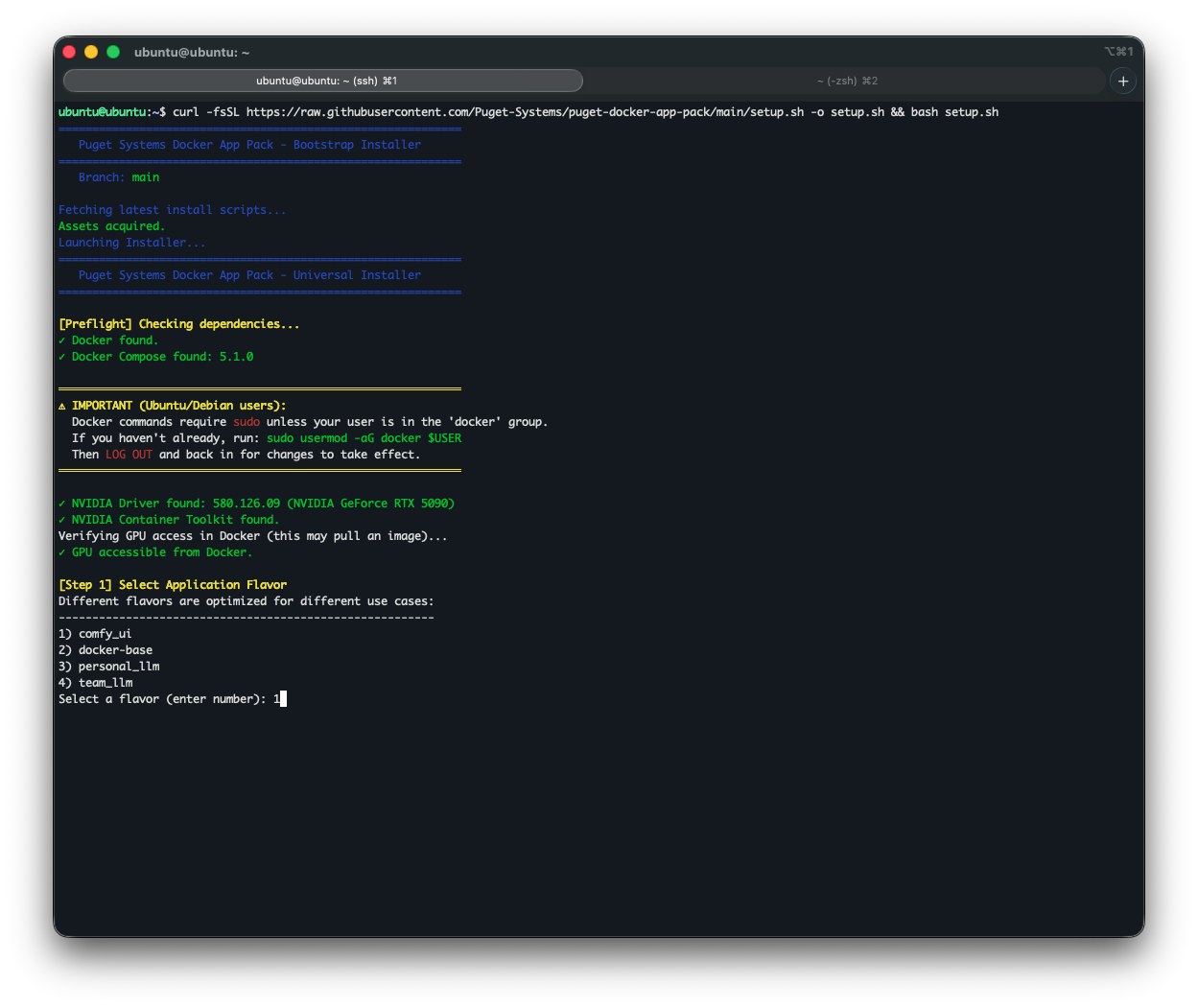
Use our interactive wizard to check the OS, install Docker, and build your stack. Open the terminal and use:
“`
curl -fsSL https://raw.githubusercontent.com/Puget-Systems/puget-docker-app-packs/main/setup.sh -o setup.sh && bash setup.sh
“`
**Step 2: Choose Your Flavor**
Select an environment “Flavor” to match AI deployment stages: Develop, Deploy, Scale.
– **Develop Stage Flavors**
– **ComfyUI (comfy_ui)**: For generative AI and image synthesis.
– **Personal LLM (personal_llm)**: AI assistants using Ollama.
– **Base LTS (docker-base)**: Scripting with Ubuntu 24.04, Git, Python3, Pip.
– **Deploy Stage Flavor**
– **Team LLM (team_llm)**: For multi-user, production inference, using vLLM.
– **Scale Stage**
For full-scale data center deployment, use NVIDIA AI Enterprise tools. Consider NVIDIA NIMs for enterprise-grade AI model deployment.
For custom infrastructure or scaling workflows, our expert consultants are available. [Talk to our experts](https://www.pugetsystems.com/landing/talk-to-an-expert/).
**Step 3: Verify Your Installation & Launch**
After installation, decide if the container should auto-start. Access the Web UI via:
– **ComfyUI**: `http://localhost:8188`
– **Open WebUI (Personal/Team LLM)**: `http://localhost:3000`
**Managing Your App Packs**
Installations reside in a directory (e.g., `~/team_llm`).
– **Stop containers**: `docker compose down`
– **Start containers**: `docker compose up -d`
– **Check logs**: `docker compose logs -f`
– **Reconfigure Models**: Run `./init.sh` for updates.
Happy building with your new AI workstation!
—
**Looking for an AI workstation or server?** We build custom systems for your needs.
– [Configure a System](https://www.pugetsystems.com/solutions/ai/)
**Need help?** Contact our technical consultants.
– [Talk to an Expert](https://www.pugetsystems.com/contact-expert/)
**Related Content**
– **Latest Content**