

Google has been progressively integrating Gemini into Google Workspace, incorporating AI into Docs, Gmail, Sheets, Slides, Drive, and Meet. Amidst numerous updates, the key consideration isn’t what Gemini can do; it’s determining what proves useful in everyday work.
The most valuable Gemini features are arguably practical tools that expedite information management, such as summarizing, drafting content, organizing data, and managing meetings. Let’s explore the most impactful ones.
The Best Gemini Features in Google Docs
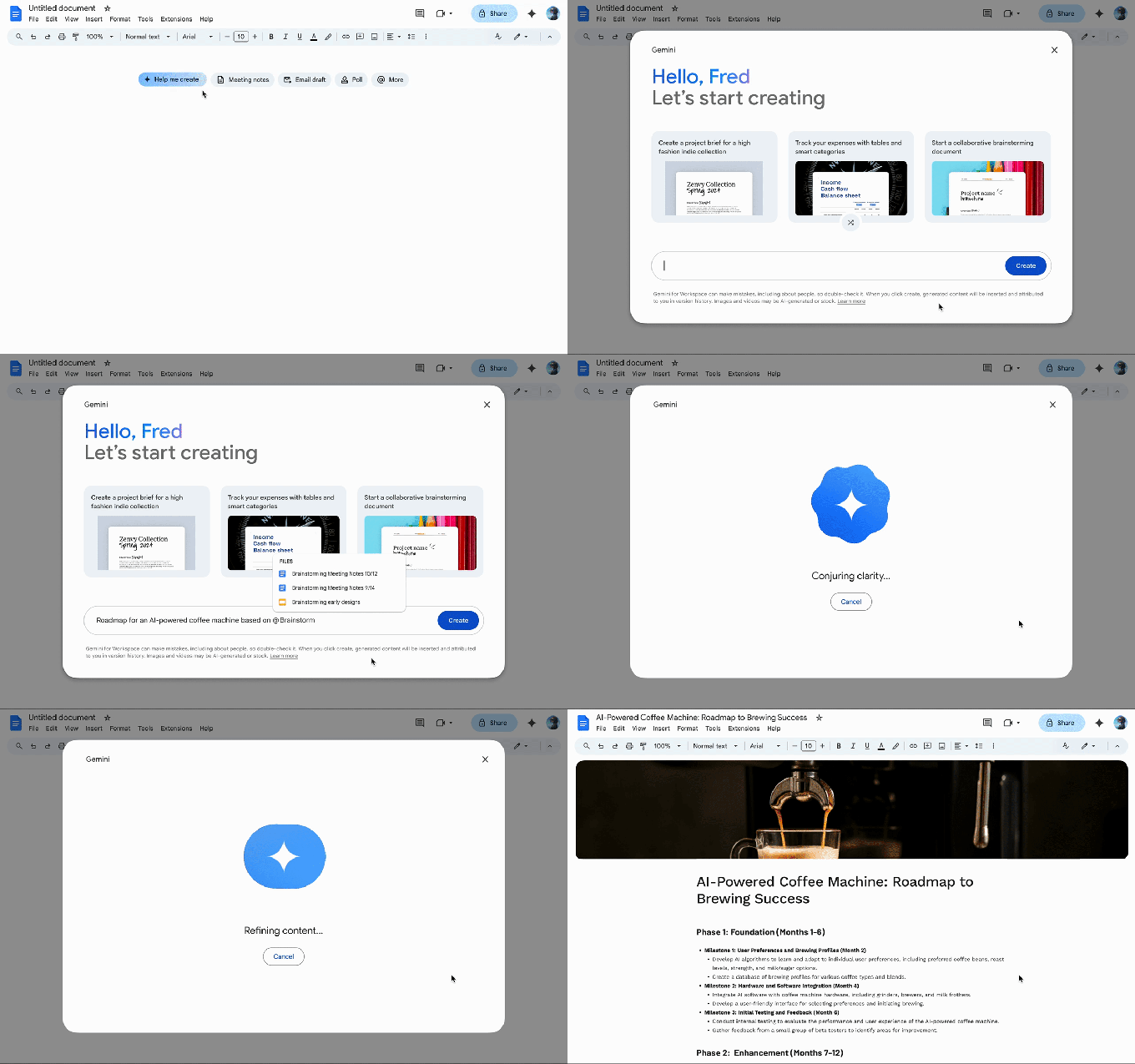
Gemini in Docs excels at automatic summarization, allowing users to quickly obtain key points or outlines from lengthy reports or research documents. This feature is a time-saver when reviewing documents or communicating information to colleagues.
A new tool called “Help me create” allows users to describe desired content, like a newsletter or report. Gemini then draws context from Drive, Gmail, and Chat to generate an initial draft, serving as a robust starting point.
Other useful tools include “Help me write,” which refines wording or expands on ideas, and “Match writing style,” useful when multiple contributors with varied tones collaborate on a document. “Match the format” allows users to replicate the structure of another document, ideal for working from templates. (These features are in beta testing.)
The Best Gemini Features in Gmail
When inboxes are overwhelming, Gemini in Gmail proves helpful. The “AI Inbox” feature filters out non-essential messages, highlighting important emails like appointment reminders or upcoming events.
Gemini also summarizes lengthy email threads, providing key points in an email summary card at the top, eliminating the need to scroll through numerous messages to understand the conversation.
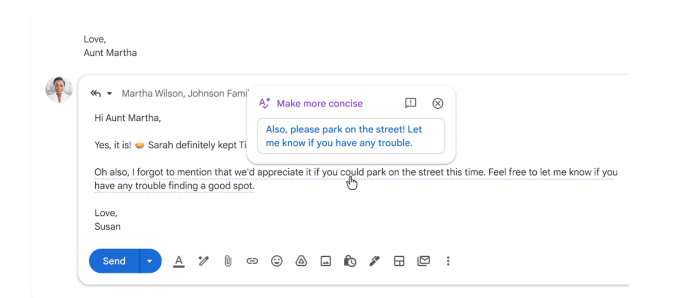
The “Help me write” feature enables Gemini to generate email replies based on conversation context. Whether a formal or succinct tone is required, messages can be rewritten quickly. Contextual smart replies offer longer, more detailed responses.
The “AI Overview” feature allows users to query Gemini about specific topics, and it retrieves the relevant email conversation.
The Best Gemini Features in Google Sheets
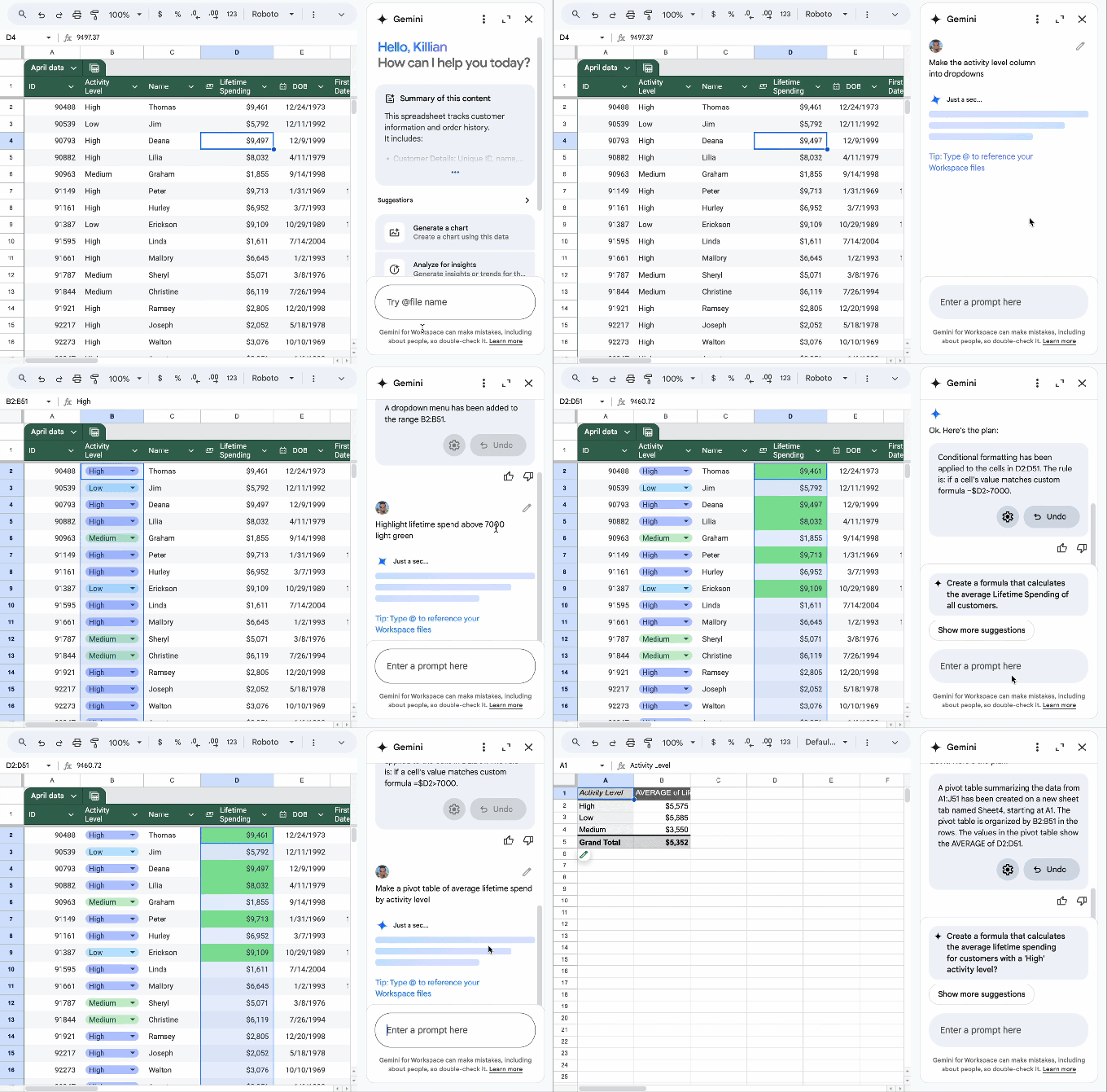
With a single prompt, Gemini extracts pertinent information from Gmail, Chat, and Drive to create a fully structured spreadsheet and aids in visualizing data through charts and graphs.
The “Fill with Gemini” feature speeds up table population, useful for working with incomplete or raw data sets.