
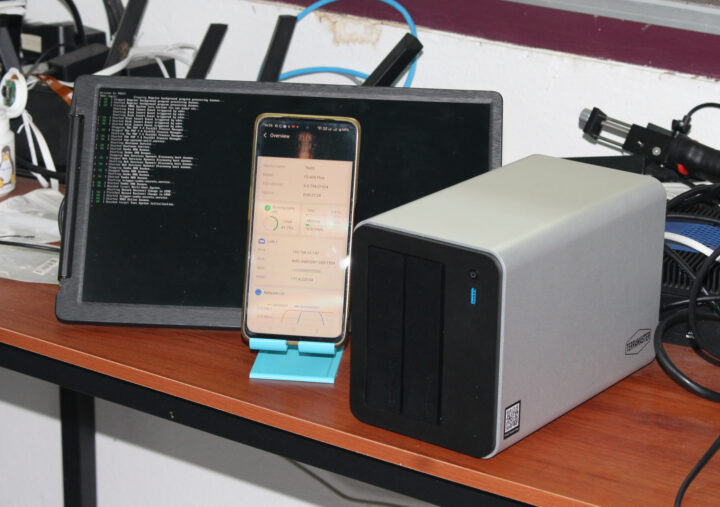

Last month, I received the TerraMaster F2-425 Plus 3+2 Hybrid NAS for review. I initially explored its hardware, and now I’ve tested the Intel N150 NAS.
After setting up two 4TB SATA drives and an M.2 NVMe SSD, I’ll share my experience of setting up the system using the TNAS Android app. I also ran benchmarks and tested features like photo backup with AI search capabilities.
Hard drive installation was straightforward. I used an old 4TB HGST SATA drive and a refurbished 4TB HPE drive, which I got for a good deal online. Installing the drives was tool-less, using trays that don’t require screws.
I also installed a 256 GB Apacer AS2280P4 NVMe SSD, which requires opening the device. The NAS supports up to three NVMe 2280 drives. I planned to use the SATA drives for data storage and the NVMe SSD as a cache to enhance performance.
For setup, I connected the NAS to a 2.5GbE switch, an HDMI display, and the provided 12V/3.33A power adapter. While the NAS has 5GbE ports, I used an iKOOLCORE R2 Max mini PC with two 10GbE ports for testing, although 2.5GbE networking was sufficient as I used SATA drives for storage. The TNAS app instantly detected the NAS on my Android phone, where I initiated the setup.
I completed the NAS installation, and it transitioned from “Uninitialized” to “Not configured.” Configuration required setting up a superuser and optionally configuring a security email, which I skipped after not receiving a confirmation email. The storage pool setup was simple, but I wasn’t prompted to select file system or RAID configuration. By default, it used TRAID (similar to RAID1) and the BTRFS file system.
The NAS went through a lengthy synchronization process, during which it was usable but impacted performance. After synchronization, I enabled SMB for normal use.
For benchmarks, I used iozone3 on an Ubuntu 24.04 headless machine, achieving 279 MB/s sequential read speed and 111 MB/s sequential write speed, close to the 2.5GbE limit. Initially unable to use the SSD for caching, I removed it from the storage pool, used SATA drives only, and completed another synchronization before enabling Hyper Cache on the SSD.
I enabled Hyper Cache in “Read-Write Mode” for maximum performance, allowing performance testing again with the setup, showing improvements, particularly in write speeds. Sequential write speed significantly benefited from SSD caching.
Expanding further, I explored link aggregation by configuring Dual Ethernet on the NAS, achieving higher combined read/write speeds with improved link aggregation performance. I also connected the NAS’s 5GbE port to an iKOOLCORE R2 Max with two 10GbE ports, testing network performance. It reached around 4.7 Gbps each way with iperf3, confirming successful link aggregation.
Photo backup and AI search capabilities, providing local media storage and useful but imperfect AI categorization and search functions, were assessed. Automatic media indexing was enabled, generating thumbnails and enabling AI recognition. While AI search was somewhat limited, it functioned adequately for person and scene identification.
For remote access, I explored TerraMaster’s TNAS.online service, requiring a TerraMaster account for TNAS ID linkage. TNAS access worked on my phone with TNAS Mobile and on my Linux laptop using TNAS PC. Some functionalities like TerraSync didn’t work seamlessly on Linux, but they functioned over mobile and alternative techniques like setting up rsync are possible.
Overall, the TerraMaster F2-425 Plus, with solid design and adequate software, proved to be useful for home storage with photo/video backup capabilities and support for remote access, albeit with some software limitations.