
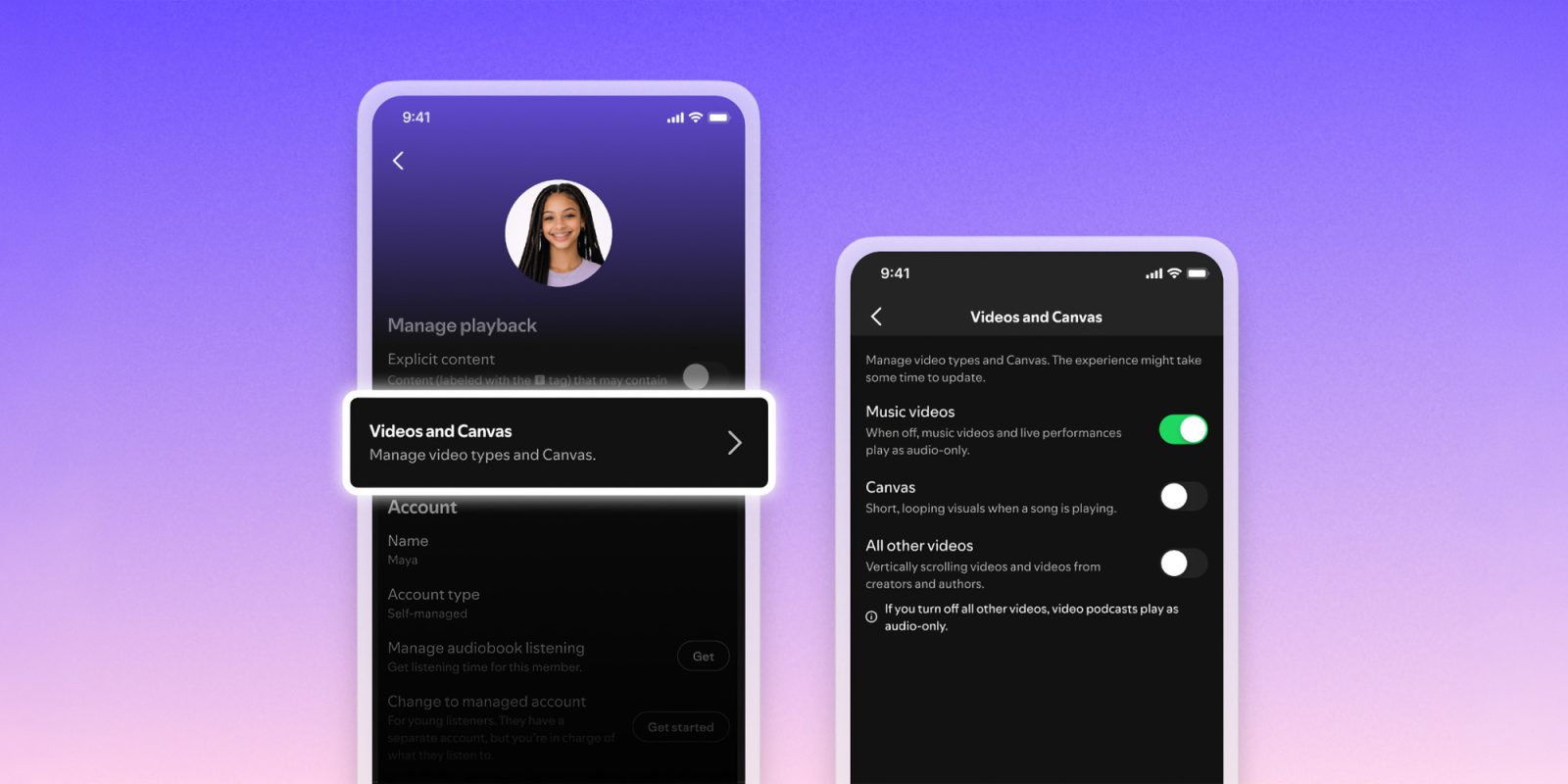

### Spotify Unveiling Video Controls for All Users
Spotify has lately introduced a fresh feature designed to improve the listening experience by reducing distractions from video content. This update presents a universal toggle that permits users to disable nearly all video functionalities within the app, concentrating exclusively on audio.
#### The Demand for Fewer Distractions
Acknowledging that numerous users favor a more audio-focused experience, Spotify has established controls that permit the deactivation of various types of video. This feature was first offered as a parental control option for younger audiences but is now being made available to all users worldwide.
#### New Video and Canvas Features
The new controls allow users to switch off:
1. **Music Videos**: This feature not only deactivates standard music videos but also transforms live performances into audio-only streams.
2. **Canvas**: Users can disable the brief, looping visuals that accompany tracks, facilitating a more immersive audio experience devoid of visual interruptions.
3. **All Other Videos**: This category encompasses vertical videos, creator content, and video podcasts, which will play as audio-only upon being toggled off.
#### Family Plan Oversight
For those subscribed to Spotify’s Family Plan, managers will have the authority to adjust video content settings for all plan participants via their subscription settings. This ensures that families can customize the audio experience for each member according to individual preferences.
#### Worldwide Rollout and Availability
The new video controls are scheduled to launch globally, commencing this month, and will be accessible to all Premium and Basic users, including those on Individual, Duo, Family, or Student plans, as well as those using the free service. The settings can be found within Spotify’s app under Settings > Content and display > Videos and Canvas.
#### Effect on Advertisements
It is crucial to understand that while users have the option to disable video content, this toggle will not influence video advertisements. Some ads may still feature Canvas-like moving visuals, preserving a level of engagement for promotional content.
This update highlights Spotify’s dedication to enhancing user experience by affording more control over content consumption, enabling users to personalize their listening environment to their tastes.