
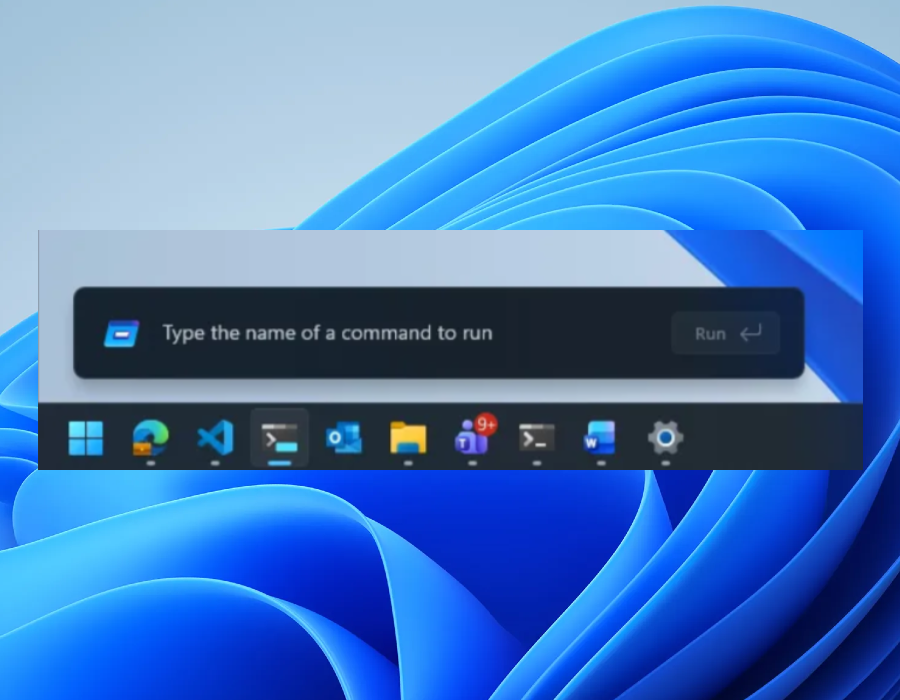

The new and improved Run menu is currently being released to Windows testers in the Experimental Channel.
Microsoft is conducting tests on an essential update for the Windows 11 Run menu, offering a modern design which the company claims is quicker and now supports dark mode. This redesign is being rolled out to Windows 11 Insiders within the new Experimental Channel.
In a blog post detailing the updates, Microsoft explains the removal of the Run menu’s “Browse” button, a shortcut to user files, due to its “very low usage.” Instead, Microsoft has introduced support for a new “~” command leading to the user directory.
Built using code from Command Palette, a utility available through PowerToys, the upgraded Run menu lets users swiftly execute commands, open websites, search files, and more. Windows 11 Insiders can activate the new Run menu by navigating to Settings > System > Advanced and enabling the feature. An early version of the revamped Run menu began appearing in preview builds last year.
“We’ve collaborated closely with partners across the platform to ensure these UI surfaces load quickly,” Microsoft mentions in a blog post. “The enhancements we’ve made to the platform not only speed up the Run menu but also improve the efficiency of the entire OS.”