
Adobe Firefly’s video editor introduces a new feature, Quick Cut, which uses AI to edit footage and B-roll, crafting a first draft of the final video as per user instructions. Traditionally, users manually arrange transitions after uploading footage into a video editor. Quick Cut allows them to use natural language to describe their video vision. The tool automatically removes irrelevant parts and assembles different takes, employing appropriate footage for transitions. Users can select frames from B-roll and use Firefly’s video models to create short transitions. The Firefly video editor’s prompt box lets users specify settings like aspect ratio, pacing, or include optional B-roll. Quick Cut can be applied to the entire project, specific timelines, or selected clips. Adobe emphasizes Quick Cut as a first draft tool; editors will need to refine elements, combine takes, and polish transitions. Mike Folgner, product lead for AI and next-generation video tools, shared with TechCrunch the demand for fast turnarounds and time-saving techniques to achieve creative visions quickly. He noted that mundane video editing tasks don’t bring joy; it’s about adding personal flair. Quick Cut helps creators rapidly find the story and reach a rough cut swiftly. Adobe frequently updates its video tools. In December, it introduced a timeline-based video editor with layers and prompt-based editing, treating objects as layers and allowing editing via prompts and tools like resize and rotate. Firefly’s prompt-based editing also lets users instruct video models on editing elements, colors, and camera angles, with a timeline view for easy frame and sound adjustments.
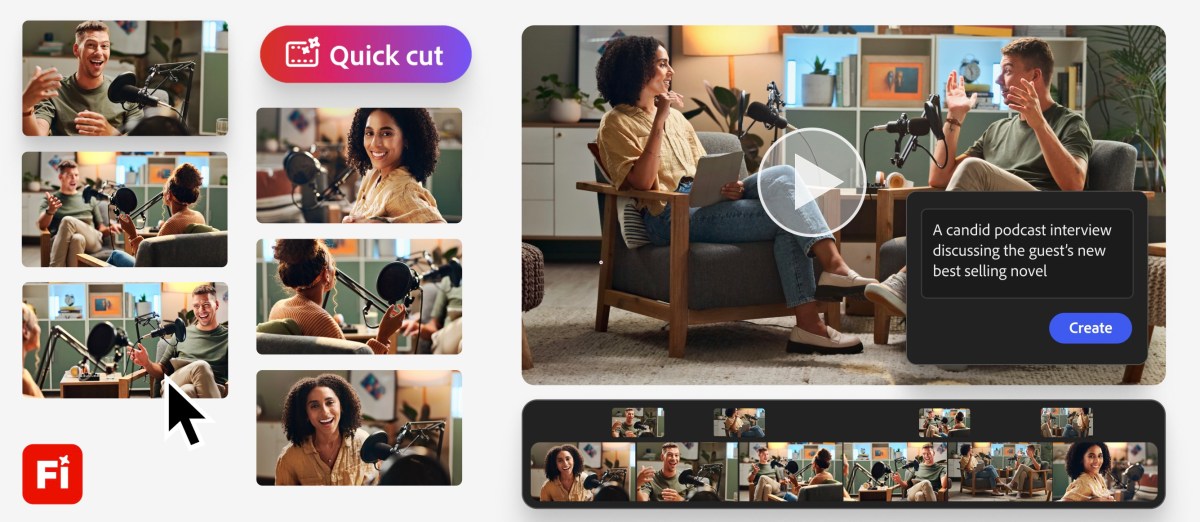
Adobe Firefly Video Editor Automatically Generates First Draft from Footage

2 Min Read