Author: Richard

watchOS 26 Unveils Two Sophisticated Health Features for Apple Watch

**watchOS 26: New Health Features for Apple Watch**

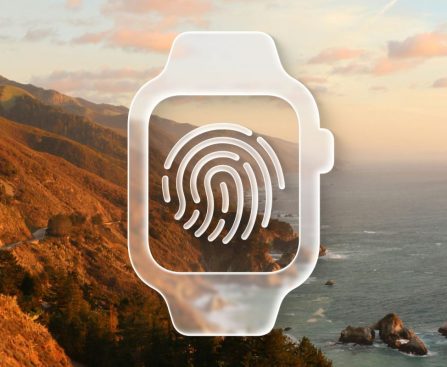
watchOS 26 debuted this fall, unveiling important health features: hypertension alerts and a sleep score. These features are designed to improve user health tracking and awareness.

### Hypertension Notifications

Hypertension influences nearly 1.3 billion adults globally and often goes undiagnosed, resulting in serious health hazards like heart attacks, strokes, and kidney disease. The new hypertension alerts in watchOS 26 may be among the most vital features of the Apple Watch.

This feature employs data from the optical heart sensor to evaluate how blood vessels react to heartbeats. It functions in a passive manner, analyzing data over a 30-day duration, and notifies users if persistent signs of hypertension are identified. This early detection enables users to implement possibly lifesaving lifestyle adjustments or pursue medical help.

To activate hypertension alerts, users need to go to the Health app, tap their profile icon, choose Health Checklist, and then select Hypertension Notifications. Be aware that this feature necessitates Apple Watch Series 9, 10, or 11, or Apple Watch Ultra 2 or 3.

### Sleep Score

Sleep monitoring has become increasingly significant in the health features of the Apple Watch, particularly with functionalities like sleep apnea detection. watchOS 26 presents a new sleep score feature that makes understanding sleep health data more straightforward.

The sleep score assesses three main metrics:
– **Duration** (up to 50 points)
– **Bedtime** (up to 30 points)
– **Interruptions** (up to 20 points)

The highest possible score is 100, and depending on performance within these areas, users receive an overall score categorized as ‘Excellent,’ ‘High,’ ‘OK,’ or ‘Low.’ Future updates in watchOS 26.2 will enhance these grading standards.

Users can check their sleep score in the Sleep app on the Apple Watch or the Health app on their iPhone.

### Conclusion

With the rollout of hypertension notifications and sleep scores, watchOS 26 advances the Apple Watch’s role in health monitoring. These features enable users to take proactive measures towards improved health management.

Read More
Important Alert: Think Twice About the $549 M1 MacBook Air Offer This Black Friday

# Should You Consider Purchasing the M1 MacBook Air? An In-Depth Review

Since its release, Apple’s M1 MacBook Air has captured interest, particularly with recent price reductions making it more affordable. Currently listed at $549 during Black Friday promotions, it offers an enticing deal for anyone in the market for a new MacBook. Nonetheless, prospective purchasers ought to carefully evaluate the ramifications of acquiring this device, considering its age and specifications.

## Reasons to Think Twice About the M1 MacBook Air

Although it is branded as a new device, the M1 MacBook Air has now been in circulation for five years. While it provides remarkable battery life and performance for daily activities, there are notable worries regarding its durability and future software updates. Traditionally, Apple supports its Mac computers for approximately 5-8 years, and the M1 MacBook Air is approaching the latter part of that range. Although there is no definitive guideline from Apple about the lifespan of its Apple Silicon Macs, the ambiguity surrounding future macOS upgrades is a legitimate concern for prospective buyers.

Another drawback of the M1 MacBook Air is its 8GB of unified memory. Though this RAM was sufficient at the time of its launch, it is becoming increasingly inadequate for contemporary computing demands, especially for users who perform more intensive tasks or utilize AI applications. As software progresses, having additional RAM might become crucial for optimum performance.

## Alternatives Worth Considering

While the M1 MacBook Air is competitively priced, it is far from the sole choice available this Black Friday. The new M4 MacBook Air is up for grabs at $749 on Amazon, presenting several benefits over the M1 version. It comes with 16GB of unified memory, a larger and brighter display, MagSafe compatibility, and an upgraded 1080p webcam. These improvements render it a more future-ready option for individuals who might need extra power and performance.

For those on a more constrained budget, Best Buy is providing the M2 MacBook Air for $649. This variant maintains many features of the M4 MacBook Air but employs an earlier chipset, making it a reliable middle-ground for buyers seeking a compromise between cost and performance.

## Final Thoughts

The M1 MacBook Air, priced at $549, is certainly an appealing choice for those searching for a new MacBook at a budget-friendly price. However, in light of its age and restrictions, prospective buyers should meticulously contemplate their options. If finances permit, investing in the M4 MacBook Air at $749 or the M2 MacBook Air at $649 may offer greater long-term benefits, particularly with the enhanced RAM and added features. Ultimately, while the M1 MacBook Air is not an unacceptable option, it may not represent the most prudent investment for those desiring a device that will stay relevant and supported for years ahead.

Read More
“How to View the Debut of Five New Ice Age Episodes of Prehistoric Planet on Apple TV”

**Prehistoric Planet: Ice Age – An Expedition Through the Pleistocene Epoch**

The animal history documentary series *Prehistoric Planet* has made its comeback on Apple TV with a thrilling new chapter concentrating on the Ice Age. This series, crafted by the makers of the recent live-action *Lion King* remake, utilizes state-of-the-art CGI technology to create lifelike representations of creatures long gone, vividly illustrating the Pleistocene epoch.

*Prehistoric Planet* is crafted to mimic a contemporary nature documentary, skillfully showcasing these ancient animals as if they continue to roam the Earth in the present day. The production is backed by the esteemed BBC Studios Natural History Unit, guaranteeing top-notch content that is both informative and visually breathtaking.

The Pleistocene epoch, commonly known as the Ice Age, is marked by its severe, chilly climates. The series delves into how different species evolved to thrive in these environments, while also highlighting the significant transformations that took place during ‘The Big Melt.’ This combination of scientific precision and artistic visualization permits viewers to gain understanding into the lives of mammoths, saber-toothed cats, elephant birds, and early relatives of kangaroos.

The inaugural season of *Prehistoric Planet* was narrated by the iconic David Attenborough, whereas the new Ice Age segments feature narration by Tom Hiddleston, who has previously contributed his voice to Apple’s *Earthsounds* docuseries. The musical score for *Prehistoric Planet* is crafted by the distinguished Hans Zimmer, adding an emotional richness to the viewing experience.

All five episodes of *Prehistoric Planet: Ice Age* are now available for streaming, featuring a variety of intriguing prehistoric beings and their habitats.

### How to View Prehistoric Planet: Ice Age

To view *Prehistoric Planet: Ice Age*, an Apple TV subscription is necessary. The service, usually priced at $12.99 per month, is currently offering a promotional deal of $5.99 for six months for new subscribers.

Audiences can access the series through the Apple TV app on various devices, including iPhone, Android, Roku, Amazon Fire Stick, PlayStation, Xbox, and more. It is also streamable via a web browser at

Read More
The Chance to Acquire Apple’s Exclusive Accessory Could Have Elapsed

### The iPhone Pocket: Apple’s Most Unconventional Accessory

The iPhone Pocket has become one of the most peculiar accessories ever introduced by Apple, even outdoing the notorious iPod sock in terms of uniqueness. Released merely two weeks ago, this exceptional item was developed in partnership with the acclaimed Japanese design firm Issey Miyake, and it swiftly attracted attention for its striking design and practicality.

#### Design and Concept

Apple characterizes the iPhone Pocket as a fusion of artistry and minimalism, aiming to provide users with a fashionable means to carry their iPhones, AirPods, and other everyday essentials. Molly Anderson, Apple’s vice president of Industrial Design, stressed the common design ethos between Apple and Issey Miyake, emphasizing the significance of craftsmanship and joy in the creation of the product. The iPhone Pocket showcases a color scheme intended to enhance all iPhone models, enabling users to customize their aesthetic.

#### Availability and Popularity

Initially released in just eight nations—France, Greater China, Italy, Japan, Singapore, South Korea, the UK, and the US—the iPhone Pocket quickly became a coveted item. In spite of its unconventional nature, it sold out in the United States within days of its launch and is now out of stock from any Apple retail outlet worldwide. As it was launched as a limited edition accessory, there is ambiguity regarding its future restocking.

#### Comparison with Other Accessories

The iPhone Pocket follows the introduction of another quirky accessory, the Crossbody Strap, which embraced a rising fashion trend. With a price tag of $59, the iPhone Pocket presents a more upscale choice compared to comparable products found on sites like Amazon, where alternatives can be purchased for just a few dollars.

#### Caution for Buyers

For those thinking about acquiring the iPhone Pocket on resale platforms like eBay, it is essential to examine listings carefully. Many may promote third-party replicas, so prospective buyers should exercise caution to confirm they are obtaining the authentic product.

### Conclusion

The iPhone Pocket distinguishes itself as a reflection of Apple’s readiness to venture into unconventional accessory designs. While it may have elicited a blend of humor and curiosity, its swift sell-out suggests that there exists a demand for such distinctive items. Whether it will return remains uncertain, but for the moment, it has undeniably left its imprint in the realm of tech accessories.

Read More
Exposed Credentials from Coding Help Websites Impact Financial Institutions, Government Bodies, and Various Other Industries

**Exposed Credentials: A Security Breach in Code Formatting Tools**

Recent discoveries by cybersecurity experts have uncovered a serious security breach involving two widely used online code formatting tools, JSONFormatter and CodeBeautify. These services, favored by software developers for improving code readability, have unintentionally compromised thousands of sensitive login credentials, authentication keys, and additional crucial information.

### The Vulnerability

When developers make use of JSONFormatter and CodeBeautify, they can input their code into these tools for formatting purposes. However, a significant issue emerges when users save their formatted outputs. The links created during this procedure may include embedded credentials and sensitive data, rendering them susceptible to unauthorized access. This negligence has placed organizations in high-stakes sectors, such as government, banking, and healthcare, at considerable risk.

### The Findings

A report by Bleeping Computer indicates that the cybersecurity company watchTowr unearthed over five years of data from JSONFormatter and one year’s worth from CodeBeautify. This dataset encompassed a broad range of sensitive information, including:

– Active Directory credentials
– Database and cloud credentials
– Private keys
– Code repository tokens
– CI/CD secrets
– Payment gateway keys
– API tokens
– SSH session recordings
– Significant amounts of personally identifiable information (PII), including know-your-customer (KYC) data
– An AWS credential set used by a global stock exchange’s Splunk SOAR system
– Credentials for a bank exposed through an MSSP onboarding email

The irony of the scenario is accentuated by the inclusion of sensitive information from a prominent cybersecurity company in the compromised data.

### Current Status

Currently, the links containing this sensitive information remain publicly available on both JSONFormatter and CodeBeautify. This persistent exposure presents a considerable threat to the security of the involved organizations, as malicious actors could take advantage of this data to gain unauthorized access to essential systems.

### Conclusion

This incident underscores the necessity of security awareness among developers and the urgent need for strict data protection practices when utilizing online tools. Organizations must guarantee that sensitive information is not unintentionally shared or revealed through third-party services. As the digital environment continues to develop, sustaining robust cybersecurity measures will be vital in protecting against such vulnerabilities.

Read More
Unprecedented Apple Collectible Anticipated to Reach All-Time High Sale Price

The initial partnership agreement that founded the Apple Computer Company, presently referred to as Apple, Inc., is scheduled to be sold at auction by Christie’s on January 23, 2026. This important document is projected to command between $2 million and $4 million, potentially making it the priciest Apple collectible ever traded.

The three-page document was endorsed by the company’s co-founders: Steve Jobs, Steve Wozniak, and Ron Wayne. According to the contract, Jobs and Wozniak each possessed a 45% share, while Wayne held 10%. Nevertheless, Wayne divested his ownership for merely $800 shortly after the company’s establishment, apprehensive about the financial risks involved, as he was the only member of the trio with personal assets at that time. If he had kept his share, it would now be valued at approximately $400 billion.

Along with the original partnership contract, Christie’s will also put Wayne’s withdrawal agreement up for bid as a single item. The auction house has yet to publish the items on its website, but these are likely to form part of an American collectibles auction.

Unique Apple memorabilia frequently draws considerable interest, but this contract is forecasted to break records for the highest amount paid for an Apple-related artifact. The auction is expected to attract collectors and fans eager to acquire a segment of technological history that represents the beginnings of one of the world’s most valuable enterprises.

Read More
Leaker Offers Insight on Release Schedule for Upcoming OLED iPad Mini

### New iPad Mini Featuring OLED Anticipated No Earlier Than Fall 2026

Recent reports suggest that Apple is gearing up to unveil an OLED iPad mini, with expectations for a notable upgrade in display technology from LCD to OLED. Initially, there was speculation of a release as soon as next year; however, fresh insights from prominent leaker Mark Gurman at Bloomberg have offered a clearer timeline.

According to Gurman, while the new iPad mini was once expected to launch in early 2026, a recent update from another source, Instant Digital, has refined this timeframe. The leaker noted that the earliest launch window for the new iPad mini will be in the third or fourth quarter of 2026. This aligns with Apple’s historic release trends, as newer iPad mini models have generally been introduced in September or October.

This delay indicates that consumers eagerly awaiting the new OLED iPad mini will have to wait until at least September 2026. Before this update, there was a chance the new model could debut earlier in the year, particularly with new base iPad and iPad Air models expected to launch in the first half of 2026.

As excitement grows for the new iPad mini with OLED, prospective buyers are encouraged to evaluate their options and remain informed about further announcements from Apple.

Read More
New AirPods Pro Feature Rolled Out in iOS 26 That Users Might Consider Activating

### iOS 26 Unveils Sleep Detection Functionality for AirPods

In September, Apple launched iOS 26, delivering a plethora of new features for AirPods enthusiasts. A noteworthy enhancement is the sleep detection functionality that automatically halts media playback when you snooze while wearing your AirPods.

#### The New Sleep Detection Functionality

Have you ever dozed off while enjoying an audiobook or podcast, only to awaken puzzled about your last point? iOS 26 seeks to address this frequent dilemma with a new option titled “Pause Media When Falling Asleep.” This functionality is tailored to assist users who utilize AirPods as a sleep companion by suspending playback upon detecting inactivity.

Though the feature is initially disabled, it can be effortlessly enabled in the settings. Apple offers limited details regarding its operation, mentioning that it “aids in pausing media on inactivity for users who leverage AirPods to unwind for sleep.”

#### How It Operates

While Apple has not formally elaborated on the workings of the sleep detection feature, it most likely utilizes the embedded sensors in the AirPods to track movement. When the sensors identify a lack of activity indicative of the user having fallen asleep, the media playback is interrupted. For users with AirPods Pro 3, the feature may demonstrate even greater precision due to enhanced health tracking capabilities, such as heart rate monitoring.

This sleep detection functionality is compatible with AirPods Pro 3, AirPods Pro 2, and AirPods 4. However, owners of AirPods Max or earlier AirPods versions will not have access to this novel feature.

#### User Feedback

Numerous users have encountered the annoyance of losing their spot in audiobooks or podcasts after dozing off. The launch of sleep detection in iOS 26 aims to remedy this concern, ensuring a fluid listening experience even during slumber.

If you’ve enabled the sleep detection feature for your AirPods, your insights on its effectiveness would be appreciated. How effectively does it perform for you? Share your thoughts in the comments.

#### Conclusion

With the rollout of iOS 26, Apple has improved the AirPods experience by introducing a sleep detection feature that pauses playback when users doze off. This new capability is a beneficial addition for those who like to relax with audio content before bedtime, facilitating an easier return to listening without the hassle of locating the last played segment.

Read More
Review: This MagSafe Power Bank Delivers Flexible Charging Solutions for All Your Apple Devices with an Exclusive Feature

### Kuxiu K1 Ultra: An Exceptional MagSafe Power Bank

Brands and companies are becoming increasingly inventive in the MagSafe accessory realm, aiming to set themselves apart from others. The Kuxiu K1 Ultra distinguishes itself with its distinctive design and effectiveness. Here’s what you should know about this groundbreaking product.

#### Premium Design and Features

The K1 Ultra makes an immediate impression with its high-end appearance and texture, fashioned from CNC-machined aluminum and showcasing a frosted glass back that resembles an iPhone. The layout incorporates a text format that highlights all vital specifications at a glance, reminiscent of Off-White branding. Its notable feature is the twist mechanism, which unveils an Apple Watch charger with a satisfying snap.

#### Specifications

– **Battery Capacity:** 10,000mAh
– **Wireless Charging:** Qi2.2 25W magnetic wireless charging (25W for iPhone 16 and later, 15W for previous versions)
– **Apple Watch Charging:** 5W
– **AirPods Charging:** 5W
– **USB-C Input/Output:** 20W
– **Pass-Through Charging:** Yes

Although the K1 Ultra is somewhat bulky because of its battery capacity, it remains compact enough to fit in pockets, fanny packs, or small handbags. Its functionality as a pass-through charger is a major benefit.

#### User Experience

The K1 Ultra shines as a travel charging solution, enabling users to power multiple devices without the stress of running out of battery. In contrast to its predecessor, the original K1, which offered a 5,000mAh capacity, the K1 Ultra alleviates battery worries. The iPhone connects magnetically, while the Apple Watch utilizes the rotating charger, and AirPods can charge on either pad without the need for wires.

Furthermore, the K1 Ultra comes equipped with a sturdy kickstand, converting it into a compact desk or nightstand charging hub. This allows for easy content viewing and maintains support for standby mode with the iPhone.

#### Pricing and Availability

The K1 Ultra is priced at **$79** on Kuxiu’s website, featuring a **25% discount** available with a Black Friday code. Pre-orders for a Cosmic Orange version, designed to complement the iPhone 17 Pro, are also available. Kuxiu has packaged the K1 Ultra with extra accessories in a gift box for **$99**, offering excellent value.

#### Final Thoughts

The K1 Ultra impresses with its capability to serve as a portable MagSafe charger. It effectively powers an iPhone, Apple Watch, and AirPods, functions as a stand, and boasts a quality build similar to Apple products. This innovative accessory is an attractive option for those seeking a versatile charging solution.

Read More
Becca Farsace Substitutes Conventional Displays with Apple Vision Pro for a Month

YouTuber Becca Farsace has shared a new video chronicling her journey with the M5 Apple Vision Pro, where she substituted all her other non-smartphone screens for a month. Here’s how it unfolded.

### Utilizing Vision Pro as a Comprehensive Replacement for Other Displays

If you’re not subscribed to YouTuber Becca Farsace (previously with The Verge), you should definitely add her to your list. Farsace ranks among my favorite tech YouTubers, and I valued her measured, insightful perspective on Apple Vision Pro in her latest upload.

By using an M5 Vision Pro, Farsace swapped her desktop monitor, laptop, and TV for the Apple Vision Pro. How did this turn out? There were both advantages and disadvantages. Farsace highlights the Vision Pro’s benefits as a substitute for her compact laptop screen and for providing an outstanding TV experience. However, it also presented challenges, such as feeling isolated in a headset and various practical concerns.

[Here’s the complete video](https://youtu.be/G5FmHkhNll0?si=96bvqPrR6aw5qpHp).

### 9to5Mac’s Insights

I’ve found myself equally conflicted by the pros and cons of Vision Pro. From a display and technology standpoint, it’s hard to surpass Apple Vision Pro. But is the enhanced screen experience worth the hassle of messing up your hair, inducing feelings of isolation, and diminishing the enjoyment of your coffee? It all comes down to trade-offs.

What are your insights from Farsace’s experience with the Apple Vision Pro? Share your thoughts in the comments.

### Top Vision Pro Accessories

*FTC: We utilize income-generating auto affiliate links.

Read More