Author: sparta

iPadOS 26.2 Poised to Tackle Significant Problems with Apple’s Existing iPad Software

# iPadOS 26.2: A Return to Well-Known Multi-Tasking Features

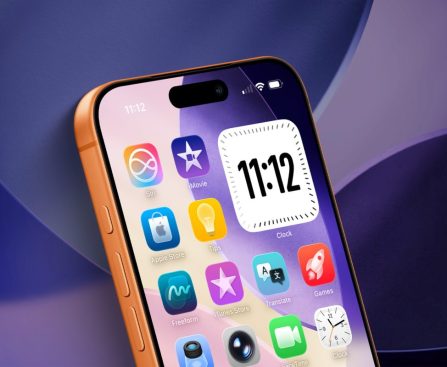
With the launch of iPadOS 26.2, Apple has introduced notable improvements to the iPad experience, especially for users who depend on multi-tasking capabilities. This update reinstates the cherished Split View feature and brings in a new gesture for Slide Over, enabling users to drag and drop applications straight from the dock, which will automatically adjust without requiring manual resizing.

## The Initial Removal of Slide Over in iPadOS 26

When Apple unveiled iPadOS 26 at WWDC25, it presented a new windowing system that nudged the iPad closer to a Mac-like experience. This update featured resizable app windows and overlapping windows, appealing to advanced users. However, this change came at the cost of the classic multi-tasking system, leaving some users dissatisfied. Many, especially those who favored a straightforward interface, found themselves returning to the use of apps in full-screen mode.

The Slide Over feature, which enabled users to swiftly access secondary applications without interrupting their primary task, was notably missed. Even though Apple tried to reinstate Slide Over functionality in iPadOS 26.1, it required users to interact with traffic light controls to enable the feature, instead of the intuitive drag-and-drop method users were familiar with.

## iPadOS 26.2: Restoring Ease in Multi-Tasking

The launch of iPadOS 26.2 signifies a welcome comeback to the uncomplicated multi-tasking experience that many users valued. This update reaffirms the familiar gestures for launching apps in Split View and Slide Over, streamlining the management of workflows without the intricacies imposed in earlier versions. While the upgraded system still functions within the framework of the revised windowing system, it closely mirrors the capabilities of past iPadOS versions.

For users who found the switch to iPadOS 26 difficult, this update serves as a breath of fresh air. The capability to quickly open apps like Messages or Notes without the cumbersome windowing method revitalizes the iPad’s status as a versatile device for both work and leisure.

Despite the advancements, some features from prior versions, such as stacking multiple apps in Slide Over, have yet to make a comeback. Nonetheless, the overall improvements in iPadOS 26.2 have been well-received by users who appreciate simplicity and efficiency in their iPad experience.

## Conclusion

The updates in iPadOS 26.2 demonstrate Apple’s attentiveness to user feedback, especially concerning the multi-tasking functionalities that are crucial to the iPad’s performance. By reintroducing Split View and simplifying the Slide Over experience, Apple has made significant progress in addressing the needs of both casual and advanced users. As the iPad continues to develop, it remains a robust tool for productivity and creativity, now featuring a more user-friendly approach to multi-tasking.

Read More
Comet C/2025 K1 (ATLAS) Breaks Apart into Three Separate Fragments

Italian astronomers obtained uncommon footage of Comet C/2025 K1 ATLAS disintegrating in real-time. The comet’s solar passage on October 8 caused subsurface ice to evaporate, generating gas pressure that fractured the nucleus internally. This resulted in an outcome even more unusual than the acceleration enigma of 3/I ATLAS. Although the structural damage occurred in October, the comet did not visibly fragment until a month later when astronomers observed the breakup in action. Utilizing the 1.82m Copernicus telescope at the Asiago Observatory, they documented the comet’s disintegration on November 11-12.

According to a statement from the Italian Institute of National Astrophysics (translated), the fragments of the comet are approximately 1,250 miles (2,000 km) apart. This distance is similar to that between Chicago and Miami, but these pieces are bits of 4.6-billion-year-old ice racing through space at thousands of miles per hour.

Discovered in May 2025, the comet gradually became brighter as it neared the sun, yet it remained invisible to the naked eye, unlike other comets. Astronomers anticipated that the close October passage would stress the comet’s structure, making the November observations a key priority for monitoring potential changes. They recorded the fragmentation unfolding over 24 hours, illustrating how the fragments continued to drift apart subsequent to the initial break.

A 4.5-billion-year-old time capsule

This comet is believed to have originated in the Kuiper Belt, a zone of icy objects outside Neptune’s orbit. Although its precise age remains unknown, scientists estimate it to be approximately as old as the solar system itself — about 4.6 billion years. This ancient origin grants the breakup significant scientific value. Gathering data about a comet’s exterior, particularly one this ancient, is beneficial, but acquiring information about its interior is even more crucial. Comet surfaces undergo bombardment by solar radiation and cosmic rays for billions of years, altering their chemical makeup.

Scientists have extensively examined the origins of the solar system from its initial materials. The breakup revealed interior material that has remained untouched by solar radiation, granting researchers immediate access to unaltered samples from the solar system’s inception. By analyzing the composition of this freshly exposed material, scientists can uncover the elements and compounds that existed within the solar nebula—the cloud of gas and dust that ultimately collapsed to form the sun, planets, and everything currently orbiting.

Access to such pristine material is rare since most comets remain intact or fragment too far from Earth for detailed study. Fortunately, Italian astronomers identified this one at the optimal distance with clear skies to capture the revealed interior material. Despite its breakup, this comet, like others, does not pose a threat to life on our planet.

Capturing the split in real-time

Italian astronomers at the Asiago Observatory were monitoring C/2025 K1 after its October solar passage when they observed it fragmenting on November 11-12. What began as routine monitoring transformed into documentation of a rare breakup event.

The telescope images display two prominent, bright fragments alongside a smaller, dimmer piece trailing behind. Gianluca Masi of the Virtual Telescope Project made additional observations on November 12-13, recording how the fragments continued to drift apart. Clear skies with minimal atmospheric turbulence enabled them to capture intricate details of an object millions of miles away.

Comet breakups are infrequent in visible locations, either occurring too swiftly or too far away to be seen with a high-resolution telescope. Multi-night observations allow researchers to analyze the progression of fragmentation rather than just the final outcome. The 24-hour observation period revealed that the fragments were actively moving further apart, with the debris field continuing to expand as they drifted. Spectroscopic analysis of the exposed interior material will unveil the comet’s chemical composition, providing direct evidence of what existed during the early solar system.

Read More
Top 5 Android Applications for Improving Extended Drives and Travel Journeys

your crucial applications connected directly to your vehicle through Android Auto, having them available during a lengthy journey could save you more than just a few frustrations. All it takes is the appropriate applications, and you will possess all the details needed for safe navigation, all the schedules and plans to ensure you stay on track with friends, and ample entertainment to prevent the drudgery of the road from getting to you.

We compiled a list of the following Google Play Store applications based on various aspects, with a primary emphasis on advantages for long-distance travel and user feedback. While all of these applications are free, a few do offer a premium subscription for a fee.

Google Maps

Signs That You Should Consider Replacing Your TV

the leading streaming platforms, or it might be the right moment to invest in one of the finest smart TV models if recent programs fall short in visual quality on your outdated TV. Acquiring a new television might also be necessary to fully utilize a new gadget, such as a gaming console. Let’s explore the indications that it could be time to part ways with your old TV.

Physically impaired screen or exterior

Four Travel Devices Authorized by TSA for Your Upcoming Flight

We may receive a commission for purchases made through links.

It’s quite challenging to keep track of the numerous items the TSA permits in your carry-on luggage. Certain items are clearly prohibited, such as knives and other weapons, while others are permissible even if they look like those objects. For instance, you may take a lightsaber aboard, but not other toy weapons, such as foam swords or Nerf blasters. Multi-tools are acceptable too, provided they are devoid of blades. Scissors, which are essentially two blades, are permitted as long as they are under 4 inches in length from the pivot point.

There are many electronic devices that the TSA allows, yet some have specific regulations that you should familiarize yourself with before packing them in your carry-on luggage. It can be tough to ascertain what is TSA-approved, which is why it’s advisable to review the full list of items that are allowed and banned.

Here’s a selection of items you can take with you on flights. They are particularly handy during the flight and immediately after you arrive.

Anker Prime Power Bank

Comparison between Google Photos and iCloud: Identifying the Better Choice for iPhone Users

**Google Photos Vs. iCloud: Which Is Superior On iPhone?**

My iPhone stores a multitude of photos, including vacation pictures, screenshots I promised myself to delete later, and cherished family moments I aim to keep forever. This prompted me to spend the last week assessing which cloud backup solution is best suited for my needs. Apple automatically provides access to iCloud Photos upon setup, seamlessly integrated into every iPhone, iPad, and Mac. Conversely, Google Photos has remained popular among numerous users due to its intelligent editing features, robust search capabilities, and accessibility across nearly all devices.

For iPhone users, choosing between these two services can be complex. iCloud operates almost in the background, quietly syncing your photos while maintaining everything neatly arranged within the Photos app. On the other hand, Google Photos highlights cross-platform accessibility, user-friendly sharing, and innovative AI functionalities that assist in recalling past memories or swiftly locating a particular image.

Both services have evolved over time, yet they adopt distinctly different methods concerning storage limits, pricing, sharing capabilities, and overall ease of use. Whether your goal is to achieve the most integrated experience on iOS or you place a higher value on portability across various device platforms, your decision will influence how effortlessly you can manage, browse, and secure your photos.

**Google Photos vs. iCloud: Storage, Pricing, and Adaptability**

When selecting a photo backup service for your iPhone, aspects such as storage and pricing are frequently critical factors, marking the divergence between the two platforms. iCloud provides each Apple user with 5GB of complimentary storage, which can be quickly consumed once photos, videos, messages, and device backups all draw from the same storage reservoir. To synchronize your library across devices, most iPhone users will have to opt for iCloud+, which includes tiers such as 50GB, 200GB, and 2TB, with even greater options available through Apple One packages.

In contrast, Google Photos begins with 15GB of free storage for users, yet that allowance is shared with Gmail and Google Drive. Nevertheless, it offers three times the free storage compared to Apple, giving casual users additional leeway. Enrolling in a Google One plan, commencing at 100GB for $2.00/month, provides extra storage options, covering everything from economical beginner tiers to larger family-oriented plans that allow sharing with up to five individuals.

Adaptability is another significant distinction. iCloud operates most efficiently when you’re entirely immersed in Apple devices, while Google Photos caters to anyone utilizing a variety of hardware. Whether you’re alternating among iPhone, Android, ChromeOS, Windows, or a web browser, Google Photos ensures a steady experience nearly anywhere.

For iPhone users who remain firmly within Apple’s ecosystem, iCloud might still seem more intuitive. However, if you wish for your library to seamlessly transition across devices or desire the most free storage from the outset, Google Photos presents an enticing alternative.

**User Experience and Daily Functionality on iPhone**

Regarding everyday usability, iCloud and Google Photos employ vastly different strategies, with this divergence becoming clear the instant you access your camera roll. iCloud, integrated directly into Photos, offers a very native experience on the iPhone. Your images sync automatically in the background without needing an additional app, your edits sync across devices, and your iPhone manages full-resolution downloads based on your storage preferences. For many users, it just works effortlessly, aligning with Apple’s intent.

In contrast, Google Photos introduces an extra layer to your process, which many photographers I know find genuinely beneficial. The standalone app crafts a more curated experience reminiscent of Flickr, exposing old memories, automatically organizing images, and providing intelligent album suggestions, edits, and duplication management. Its search functions are exceptionally powerful, often simplifying the retrieval of obscure images by identifying objects, locations, or even text recognized within the picture.

The primary distinction lies in the level of control. iCloud operates unobtrusively in the background and seldom requires your attention. Google Photos, however, is more interactive, equipping you with tools, reminders, and features that inspire you to take a more active role in managing your library.

If you favor a solution that’s unobtrusive and smooth, iCloud integrates seamlessly into iOS. If you prefer an application that aids in rediscovering photos, organizing your library, or utilizing advanced editing features, Google Photos may appear more engaging on an iPhone.

Read More
6 Lesser-Known Mac Configurations to Boost Productivity Immediately

Apple’s Mac products have established the benchmark for productivity and efficiency over the years, as these computers achieve the ideal harmony between software and hardware capabilities. Particularly concerning software, macOS provides a thoughtfully designed, easy-to-use experience that enhances productivity through its feature-rich yet simplistic interface. The default applications offer powerful functionality through the Apple ecosystem that creates a connection between your Mac and other devices, including the iPhone and iPad, making it easy to manage tasks and notifications universally. Nevertheless, this is merely the surface of the entire Mac experience, and even experienced users might not be aware of its full potential beyond the obvious.

Whether you’re a longtime user or new to Macs, there are multiple less-known native settings in macOS. You can streamline repetitive workflows using a collection of pre-made actions or boost your multitasking capabilities by grouping several applications to prevent clutter. Consequently, this list explores six lesser-known Mac settings that you should consider for an immediate productivity boost.

Hot Corners

<div class="columns

Read More
Anticipating the 2026 Motorola Razr Ultra: Improvements Inspired by the Galaxy Z Flip 7 and Present Smartphone Trends

Here are some modifications I would really like to observe in the Razr Ultra 2026.

When the Motorola Razr Plus 2023 was unveiled, it was the first occasion in quite some time that I felt genuinely thrilled about a new smartphone. Of course, it wasn’t the inaugural Razr smartphone, and the Galaxy Z Flip was already firmly established by that time, but it was evident that Motorola had something special.

Fast forward two years, and Motorola appears to have a successful strategy with the Razr. The brand has heavily relied on the flip phone as its premier flagship, with the Razr Ultra 2025 showcasing specifications that compete with even the Galaxy S25 Ultra. However, as 2025 nears its conclusion, my curiosity is growing about what Motorola might reveal for its 2026 model and how the trends of this year could influence the next Razr device.

So, what should we anticipate from the Motorola Razr 2026? Here’s what I would like to see and what I believe we will likely receive.

The one positive aspect of ultra-thin smartphones

Whether you appreciate them or not, slim phones were incredibly popular in 2025. Devices like the Samsung Galaxy S25 Edge and iPhone Air demonstrated what manufacturers can achieve when they focus on design, attaining remarkably slim profiles under 6mm. To me, this is the ideal technological progression for flip phones, which, even with their compact builds, can be quite bulky when folded.

While these phones do exhibit some significant downsides, such as smaller batteries and fewer cameras than typical flagship models, certain manufacturers have somewhat addressed these issues when releasing their slim variants. Motorola recently introduced the Edge 70, which measures less than 6mm thick while boasting a considerably larger 4,800mAh battery than those found in Samsung and Apple’s devices.

Sure, it lacks a telephoto camera and employs a mid-range Snapdragon 7-series chipset, but I would prefer a battery that lasts all day over a telephoto lens.

The Razr Ultra 2025 is fairly thick, measuring 7.29mm and 15.69mm when unfolded. However, I see the Edge 70 as an excellent precursor for a more slender Razr Ultra 2026. Samsung previously executed something similar with the even thinner Galaxy Z Flip 7, which measures 6.5mm unfolded (13.7mm when folded), following the launch of the S25 Edge.

I would love to see Motorola incorporate a substantial silicon-carbon battery while reducing the phone’s thickness to 6.5mm or less.

New colors and finishes

One aspect I particularly appreciate about the Razr series (and Motorola devices in general) is their use of alternative materials and captivating color choices. The Razr Ultra 2025 introduced vegan leather, wood, and Alcantara with Pantone colors such as Cabaret, Scarab, and Mountain Trail. This presents a striking alternative to the hard glass backs that are commonplace on most Android phones, making Motorola’s devices distinctive.

Pantone has recently announced Cloud Dancer as the color of the year for 2026, and Motorola has already rolled out the Edge 70 featuring this hue, with a “leather-inspired back finished in a quilted pattern” and embedded Swarovski crystals.

I am confident that the upcoming Razr will incorporate this color, but I hope the company extends its partnership with Swarovski to the Razr 2026 Ultra (it was only present on the base Razr 2025).

We’ve also seen leaks of what seems to be the Motorola Edge 70 Ultra, which displays a different textured back finish compared to the Razr series. From what I can see, Motorola might be utilizing a silicone polymer material that is quite gripping and resembles a Peak Design fabric case.

Motorola should integrate this material into the next Razr series as an additional alternative to its usual vegan leather colors. Hopefully, Motorola will also bring back its wood and Alcantara selections.

A Razr for all users

Motorola revamped its lineup this year by unveiling three Razr models instead of two, offering consumers greater choices and aligning with established strategies from companies like Samsung, Google, and Apple. However, Motorola’s pricing for the Razr series seemed somewhat misaligned.

I truly admire the Razr Ultra 2025, but $1,300 appears to be excessive for a Motorola phone, making it challenging to recommend. Fortunately, we witnessed a few promotions during Prime Day and Black Friday that made it considerably more accessible, but the Razr Ultra 2026 should not exceed $1,100.

I would love to see the Razr Ultra 2026 start at $999, though $1,100 would be in line with Samsung’s recent pricing for the Galaxy Z Flip 7. If that involves reducing the base storage from 512GB to 256GB, I believe that’s a compromise most users would accept.

Read More