

As of March 11, the Galaxy S26 series is available in stores and has reached consumers. According to Samsung, preorders for the Galaxy S26 series have increased compared to the S25, which is promising news. The Galaxy S26 Ultra is especially favored, despite its steep price. With reviews now published and users having had the opportunity to explore the devices, we want to hear your thoughts on the newest features of the Galaxy S26.
Not all features are brand new, but Samsung has made significant enhancements to existing features that give them a fresh feel. Naturally, there are numerous alterations and additions to the Galaxy S26 series, so we aim to highlight the most significant ones that you, as a consumer, will engage with.
Key features of the Galaxy S26 series
One of the standout new additions to the Galaxy S26 series is the Privacy Display, which has become a central point of Samsung’s marketing. This feature enables users to conceal the information on their display from onlookers by disabling the pixels that project light towards the sides of the screen while keeping those that display light forward active. Thus, you can still view your screen’s content.
It is also customizable, allowing you to configure it to activate only when certain apps are opened or when notifications arrive on your device. However, this display is regrettably exclusive to the premium Galaxy S26 Ultra, yet it remains an impressive piece of technology.
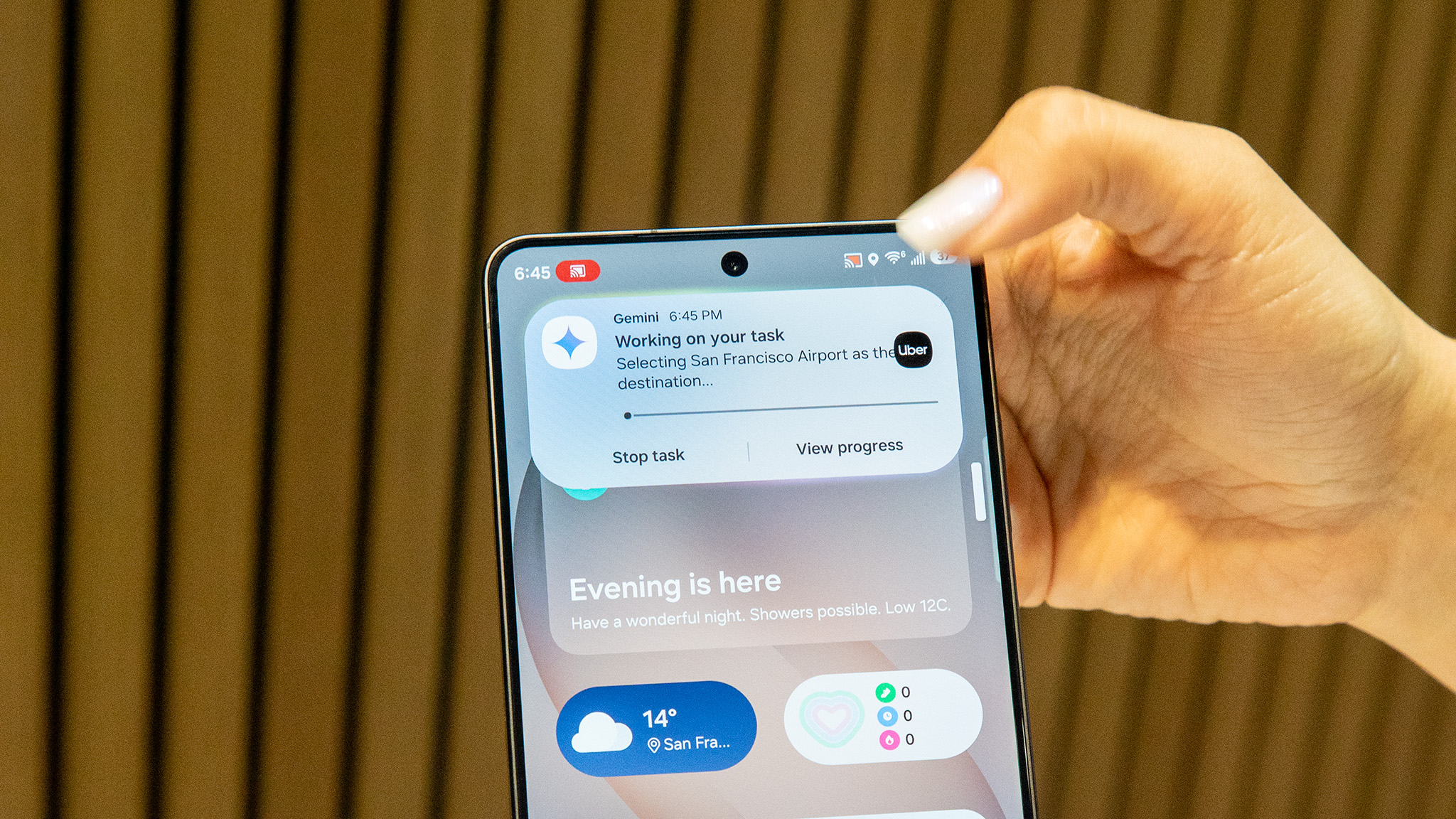
Gemini received significant enhancements in the Galaxy S26 series, thanks to screen automation. This allows the AI assistant to handle tasks for you, launching apps and performing actions to order an Uber or request food delivery. We recently tested Gemini screen automation ourselves, and despite some limitations and restricted app compatibility, it impressed us by accurately selecting the right food or drink options and halting when you’re set to finalize the order.
You can manually intervene in the process if you need to tweak anything, or Gemini will pause if extra details are required, such as your preferred size for a meal or drink.
This feature is being rolled out for the Galaxy S26 series but will likely be available on the Pixel 10 series shortly.
Other notable new features on the Galaxy S26 include an enhanced Photo Assist, which allows you to use natural language to instruct the AI to edit a photo or incorporate elements from one image into another, like garments. It operates similarly to Help Me Edit on Google Photos, which is also accessible on the Galaxy S26 series if you prefer that method.
Now Nudge is Samsung’s equivalent of Google’s Magic Cue found on the Pixel 10. This utilizes contextual information to highlight relevant items, such as dates, phone numbers, and even images, so you don’t have to hunt for them yourself. It’s another instance of AI becoming increasingly proactive and useful.
In terms of AI, Bixby has also been upgraded. You can now communicate with the AI assistant using more natural language, and it will assist you in navigating your device to locate or modify features. For example, if you mention that your eyes are fatigued from staring at the screen, it may recommend activating the Eye Comfort shield feature.
In addition, there are a variety of other new and improved features, including Call Screening, Document Scan, Ocean Mode photography, a more capable DeX, an enhanced Audio Eraser, and much more. Share your thoughts in the comments about which Galaxy S26 feature you find the most impressive!