

FFmpeg is a versatile tool for media processing. As an industry-standard, it supports many audio and video codecs and container formats, and can manage complex filter chains for media editing. For our app users, FFmpeg is key in enabling new video features and enhancing current ones.
Meta uses the ffmpeg command-line application and the ffprobe binary for media file properties tens of billions of times daily, presenting unique challenges. While FFmpeg can handle transcoding and editing on individual files, our needs require more. For years, we relied on an internal FFmpeg fork for features only recently added to FFmpeg, like threaded multi-lane encoding and real-time quality metrics.
Over time, our internal fork diverged from the main FFmpeg version. Meanwhile, new FFmpeg versions brought support for new codecs and formats, enhancing reliability and allowing us to handle more diverse user content. This meant supporting both recent open-source FFmpeg and our internal fork, creating a differing feature set and challenges in integrating our internal changes without causing issues.
As our fork became outdated, we worked with FFmpeg developers, FFlabs, and VideoLAN to add features allowing us to retire our internal fork and rely solely on the main FFmpeg version. Using patched and refactored upstream code, we’ve filled gaps previously met by our fork: threaded multi-lane transcoding and real-time quality metrics.
Building More Efficient Multi-Lane Transcoding for VOD and Livestreaming
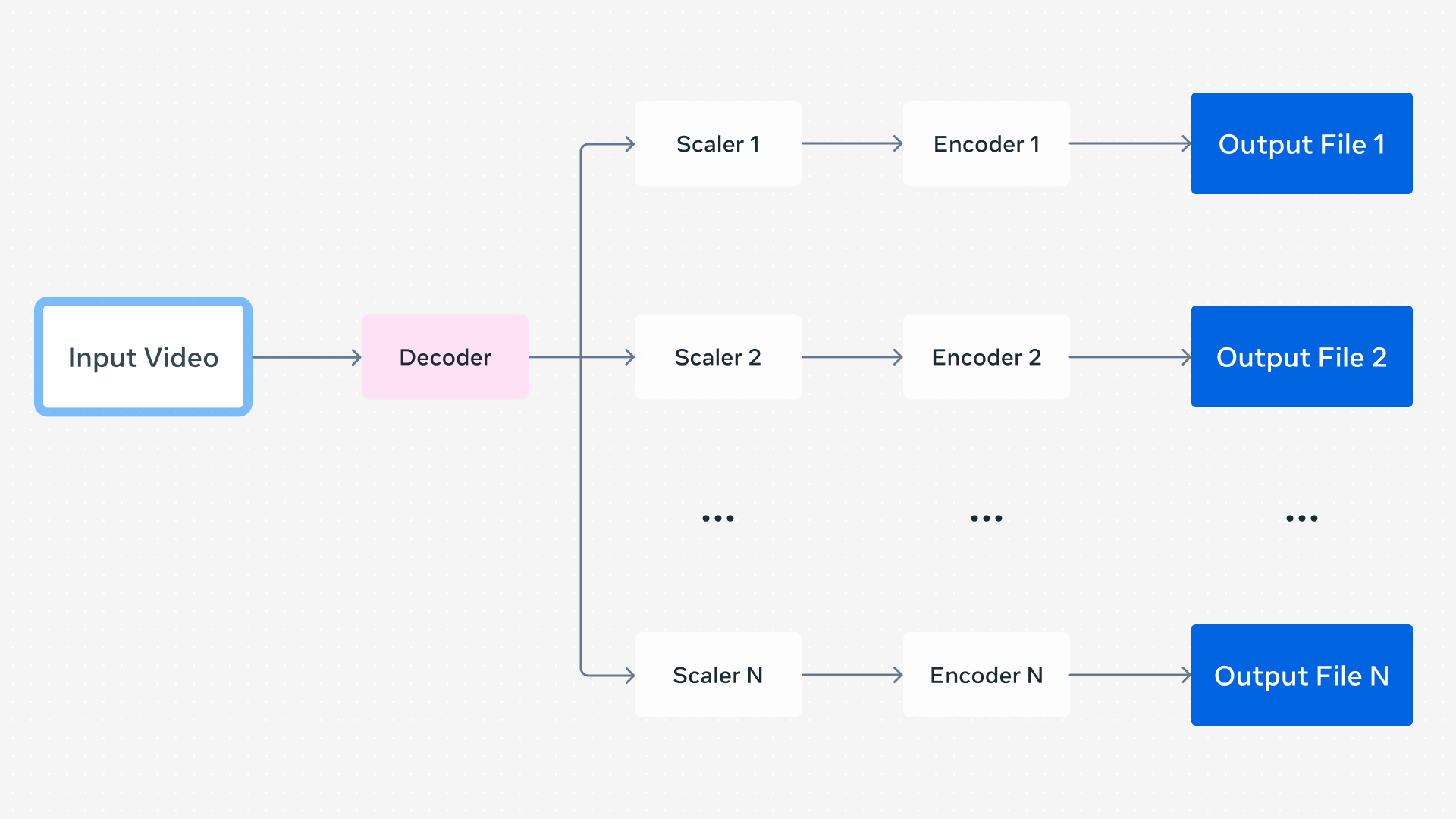
When a user uploads a video, we create a set of encodings for Dynamic Adaptive Streaming over HTTP (DASH) playback, which lets the video player dynamically choose encodings based on conditions like network status. These encodings can differ in resolution, codec, framerate, and quality but come from the same source, and the player can switch between them in real time.
In a basic setup, separate FFmpeg command lines can generate encodings for each lane one after another. Running commands in parallel optimizes this but can be inefficient due to duplicate processes. Multiple outputs in a single FFmpeg command can decode the video frames once and distribute them to each encoder instance, reducing overhead by eliminating redundant decoding and startup time per command. With over a billion video uploads each day requiring multiple FFmpeg executions, lower compute usage per process yields big efficiency gains.
Our FFmpeg fork had a further optimization: parallelized video encoding. Although video encoders typically multitask internally, prior FFmpeg versions ran encoders in sequence per frame when multiple encoders were used. Parallel encoder instances improve overall parallelism.
Contributions from FFmpeg developers, including those at FFlabs and VideoLAN, implemented more efficient threading starting with FFmpeg 6.0, finalized in 8.0. Influenced by our fork’s design, this enabled more efficient encoding for