
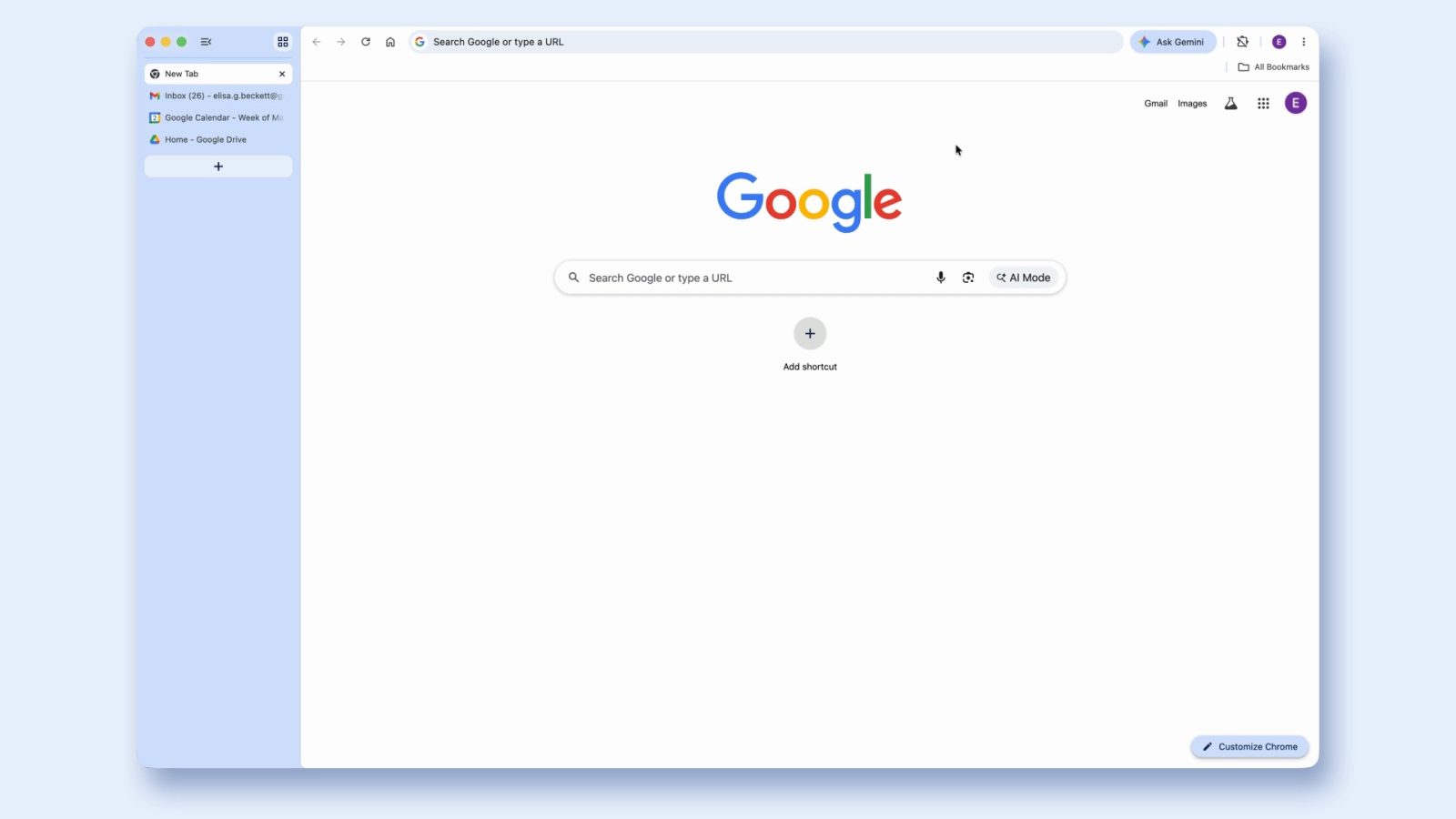

**Google Chrome Unveils Vertical Tabs and Immersive Reading Mode**
Google has revealed two major updates for desktop Chrome: vertical tabs and an immersive reading mode. These additions aim to elevate user experience by enhancing tab management and offering a distraction-free environment for reading.
**Vertical Tabs**
The launch of vertical tabs signifies a shift from the conventional horizontal tab strip that has been a hallmark of Chrome since its beginnings. Users can now see a list of open tabs on the left side of the interface, facilitating easier navigation and organization. This configuration is especially useful when the number of open tabs grows, as it allows users to view full page titles without confusion.
A primary benefit of vertical tabs is the feature to condense the tab list into a column of favicons, which can simplify the browsing experience. Google highlights that this setup is perfect for multitasking, enabling users to quickly retrieve their tabs without losing track.
To activate vertical tabs, users can simply right-click at the top of any Chrome window and choose “Show Tabs Vertically.” Reverting back to the traditional layout is just as simple, offering flexibility according to user preferences.
**Immersive Reading Mode**
Alongside vertical tabs, Chrome is introducing an immersive reading mode aimed at enhancing the reading experience. This feature changes a cluttered webpage into a streamlined, text-centered interface, effectively eliminating visual distractions. Users can connect with content more intensely, making it easier to focus on the material presented.
To use immersive reading mode, users can right-click on any page and choose “Open in reading mode,” or they can select “Reading Mode” from the address bar. The feature also offers options for text-to-speech and customization of the reading view, accommodating personal preferences.
**Conclusion**
Both vertical tabs and immersive reading mode are now accessible to Chrome users, representing a significant advancement in boosting productivity and concentration while browsing. These features demonstrate Google’s continuous dedication to enhancing user experience on its platform.