Re-experience the Year Through Music
For aficionados of music, December truly represents the most magical period of the year — it’s the time we receive our end-of-year statistics from our beloved music streaming platforms. Whether you indulge in music just a handful of hours each week or throughout every day and night, you are undoubtedly accumulating substantial time on your preferred streaming music service.
While these platforms excel at introducing us to fresh artists to explore, there’s also great pleasure in revisiting our cherished classics as the year comes to a close. This year, the top end-of-year compilations feature some thrilling new aspects you won’t want to overlook, including Spotify’s “listening age” and “listening archive” functionalities. Here’s the way to locate those year-in-review playlists on Spotify, Apple Music, and YouTube Music.
How to access your Spotify Wrapped 2025 playlist
Spotify’s Wrapped 2025 experience is now live in the app and on the Spotify Wrapped webpage. This year, the Wrapped 2025 experience presents a variety of statistics derived from your listening history, along with numerous options to share and reflect on your musical journey.
There’s also a unique feature: your “listening age,” which calculates your age based on your musical preferences. It contrasts your Wrapped 2025 data with that of others in your demographic according to the release years of the tracks you loved the most. New for 2025 is a “Spotify Club” element that links users with others who share similar musical tastes. Here’s how to enter your Wrapped 2025 experience:
1. Launch the Spotify app.
2. Swipe right to left from the tags at the top and select Wrapped.
3. Click the Let’s go button.
4. From the primary Wrapped landing page, you’ll also find options for Your Stories, Your Feed, and more.
There are Wrapped 2025 cards available for audiobooks and podcasts too. Some users will receive video messages from authors of their favorite audiobooks, featuring personalities like Dan Brown, James Patterson, Abby Jimenez, and others.
The standout AI-driven feature for 2025 is the “Listening Archive.” This utilizes AI to sift through Spotify users’ listening histories to highlight their most noteworthy or significant streaming days in 2025. You might encounter days like “the biggest listening day” or “the most nostalgic day.” All of these offerings and more are accessible in the Spotify app for Premium members.
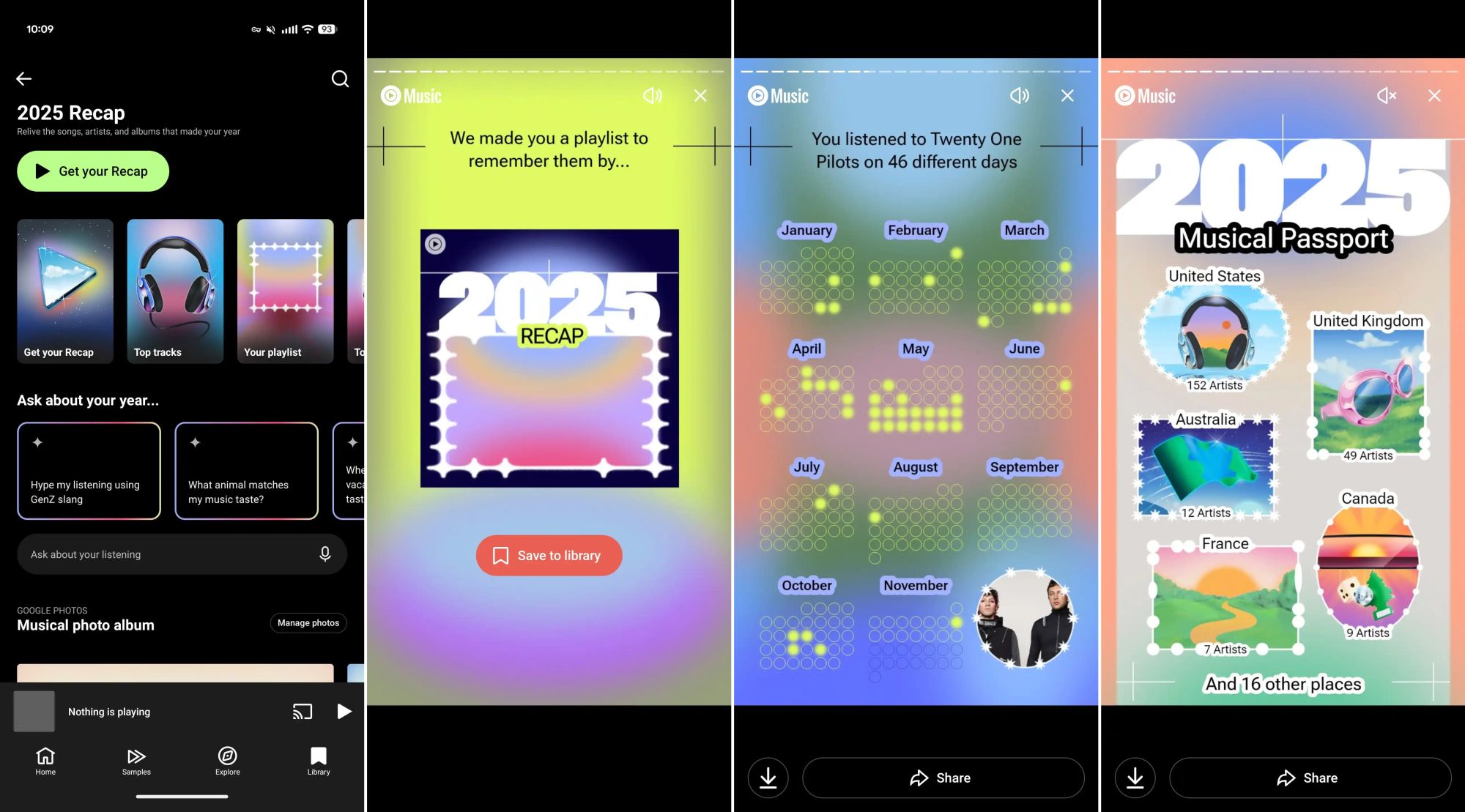
How to access your YouTube Music 2025 Recap playlist
1. Launch the YouTube Music app.
2. Select the 2025 Recap banner that shows up on the Home tab. It may also appear on your Speed dial on the YTM home tab.
3. Click the Get your Recap button for your statistics, or scroll down to see your 2025 Recap playlist.
If the banner for your YouTube Music Recap fails to show on your Home tab, there’s an alternative method to access your 2025 Recap, along with past seasonal Recaps.
1. Open the YouTube Music app.
2. Tap your profile icon in the upper right corner.
3. Select Your Recap.
From here, you should be able to view your 2025 recap. If you see “Nothing to hear here,” then the 2025 Recap isn’t accessible for your account yet.
Even if you lack a 2025 Recap for your personal profile, this section will still display various YouTube Music Playlists featuring top songs from the previous year. You can swipe left to right to browse through different playlists, hoping to uncover something you haven’t yet experienced.
How to find your Apple Music Replay 2025 playlist
Apple switched things up with Replay this year. You can now view your Replay 2025 statistics anytime on a monthly basis at the Apple Music Replay website. Additionally, the complete year-in-review experience is now accessible for 2025. Here’s how to locate it in the Apple Music app with the following steps.
1. Launch the Apple Music app.
2. Tap on the Home tab.
3. At the top of the page, select Replay — Your music story is here.
4. Hit the Play your highlight reel button.
Sign up for streaming
If you haven’t yet encountered these year-end playlists in your favorite music application, be patient. They are gradually being rolled out in Spotify and YouTube Music, in addition to Apple Music, though not everyone has access yet. Consider checking the Google Play app to see if there are any updates available for your apps. We anticipate that more streaming music services will be updating their platforms and releasing these playlists as the year concludes.
If you are not already subscribed to one of these popular streaming music services, what are you waiting for? Many provide free trial durations of one to three months, and some also have additional discounts and family plans available!
