Blog Posts

Blog Posts

iPadOS 26.4 Beta 2 Now Available for Users

# iPadOS 26.4 Beta 2: Latest Features and Changes

Apple has recently launched iPadOS 26.4 beta 2 for developers, available through the Software Update section in the Settings app. This update comes after the initial beta release and brings numerous new features and improvements for iPad users.

## New Features in iPadOS 26.4 Beta So Far

The first beta of iPadOS 26.4 introduced a range of enhancements and features, with beta 2 expected to enhance this groundwork. Although specific details about the new functionalities in beta 2 are still coming to light, here are some key aspects from the previous beta:

1. **New Emoji**: Code from the initial beta suggested that Apple intends to roll out new emoji characters as part of the 26.4 software update. Users can look forward to these emoji arriving in the latest beta.

2. **Improvements and Modifications**: As is typical with most beta releases, users can anticipate additional enhancements and tweaks to the operating system. Apple generally utilizes beta versions to test and refine features ahead of the final public version.

3. **Siri AI Enhancements**: Notably, there appear to be no indications of major improvements to Siri’s AI functionalities in this beta. Reports indicate that these upgrades might be saved for the forthcoming iOS and iPadOS 26.5 releases.

As the beta testing phase progresses, users are encouraged to share feedback regarding any alterations or new features they experience. The input from the community is crucial in refining the final release.

## Conclusion

The launch of iPadOS 26.4 beta 2 signifies another advancement in Apple’s continuous development of its iPad operating system. With new emoji and various enhancements, users can anticipate an improved experience. As always, Apple will keep gathering feedback from developers and users to guarantee optimal performance in the final version. Stay tuned for further updates as we explore more features of iPadOS 26.4.

Apple Introduces Beta 2 for tvOS 26.4 and visionOS 26.4

Apple has recently launched beta 2 updates for a number of its operating systems, which include tvOS 26.4, visionOS 26.4, watchOS 26.4, and HomePod 26.4. This signifies the continuation of a new beta software cycle that the company has initiated. At the moment, these updates are available exclusively to developers, with public beta versions anticipated to follow soon.

The initial beta versions brought several notable changes across the various platforms. Particularly, tvOS 26.4 has officially eliminated the TV Shows and Movies iTunes apps from Apple TV, simplifying the user experience. Moreover, a new HDMI setting named ‘Continuous Audio Connection’ was introduced in the first beta, enhancing audio connectivity options for users.

In the area of visionOS 26.4, a fresh feature titled ‘foveated streaming’ has been activated, which aims to boost the performance of apps and games by optimizing rendering according to where the user is focusing. This feature is expected to elevate the overall experience for users of Apple’s visionOS devices.

Regarding watchOS 26.4, the modifications so far have been relatively minor, mainly consisting of adjustments to animations. Nonetheless, there is speculation that new features may be incorporated in future updates. For example, code found in iOS 26.4 beta 1 indicates that Apple intends to introduce new emoji to the system keyboard, which could possibly be featured in the forthcoming watchOS beta updates.

As developers delve into these new betas, feedback and findings about additional features or modifications are anticipated. Users are encouraged to share their discoveries in the comments, contributing to the community’s understanding of what these updates involve.

Overall, the beta 2 updates for tvOS 26.4, visionOS 26.4, and watchOS 26.4 reflect Apple’s continued dedication to improving its software offerings, with developers leading the way in testing and providing insights on these new features.

iOS 26.4 Brings Back iOS 18 Aesthetics in a Pair of App Updates

### iOS 26.4 Beta 2: Reversion of Search Design to iOS 18 Format

The release of iOS 26.4 beta 2 for developers brings significant modifications to the search design in select apps, reverting to a look that echoes iOS 18. This update comes after the first beta launch, which had introduced some unanticipated design features in the App Store.

#### Modifications in Search Design

The initial beta of iOS 26.4 introduced two crucial changes to the search capability:

1. **Incorporation of the Search Button**: The search button has transitioned from being an independent element to being embedded within the tab bar.
2. **Relocation of the Search Bar**: The search bar has been shifted to the upper part of the screen.

These alterations signify a return to the design strategy observed in iOS 18, wherein the search function was a primary navigation tab and the search bar was reliably placed at the top of the display. In contrast, iOS 26 had previously differentiated the search button from the tab bar and positioned the search bar at the lower section.

Initially, the App Store was the sole application to implement this previous design in beta 1, sparking speculation that it might have been a glitch or a tactical adjustment to emphasize the App Store’s advertising areas. However, with the arrival of beta 2, these same design changes have also been adopted in the Apple Games app, affirming that this is a conscious design decision rather than a mistake.

#### Ongoing Status and Prospective Consequences

Currently, the App Store and the Games app are the exclusive applications exhibiting these design alterations. The transition back to the iOS 18 aesthetic may suggest that Apple is contemplating broadening this design style to more apps ahead of the formal public launch of iOS 26.4.

The community is urged to express their opinions on the placement of the search bar—whether at the bottom or the top of the screen—illustrating the continuous progression of user interface design within Apple’s ecosystem.

Evaluation of the TopMade Wallet: Aspects of Find My Integration and Ample Storage Capability

### The TopMade MagSafe Wallet: An In-Depth Evaluation

Find My stands out as one of Apple’s remarkable offerings from the past decade, progressing from simply tracking iPhones to including Macs, iPads, and, more recently, physical objects via AirTags. The launch of third-party products that work with Find My has converted it into a powerful platform. Among these products is the TopMade MagSafe Wallet, which integrates Find My technology seamlessly, eliminating the necessity for an additional AirTag while keeping your wallet trackable within the Apple ecosystem.

#### Find My Integration and Battery Longevity

The TopMade MagSafe Wallet features complete Find My compatibility, enabling users to monitor its live location directly through the Apple Maps interface. If the wallet is misplaced nearby, users can activate a sound to find it and receive “Left Behind” alerts if they distance themselves from it outside their home. This integration streamlines the tracking experience, as the technology is embedded within the wallet instead of needing an external AirTag.

This tracking functionality is sustained by a rechargeable lithium-ion battery, which can endure up to six months on a single charge. The wallet charges wirelessly through MagSafe, removing the hassle of requiring specific cables or extra batteries, making it an ideal option for users.

#### Capacity and Magnetic Strength

Crafted for individuals who prefer to carry more, the TopMade wallet comprises four separate card slots, accommodating a maximum of nine cards. This is especially advantageous for those who require multiple cards, including credit cards, work IDs, and driver’s licenses. In addition, the wallet is equipped with RFID blocking technology to safeguard against skimming attempts, ensuring your financial details remain secure.

To support the load of numerous cards, the wallet has powerful magnets, providing a force of 4,000g—five times stronger than the official Apple wallet. This strength guarantees that the wallet stays firmly attached to your phone, even when retrieving it from your pocket.

Furthermore, the wallet functions as a stand, featuring an adjustable hinge that permits angles ranging from 15 to 170 degrees. This flexibility makes it perfect for checking notifications or watching videos, whether at a desk or on an airplane.

#### Conclusion

In conclusion, the TopMade MagSafe Wallet is a practical and feature-packed accessory for Apple enthusiasts. Although it has a thickness of 0.67 inches, adding some excess weight to your carry, the advantages of ample card storage and built-in Find My tracking make it a worthy purchase. For those who frequently misplace their wallets or need to transport more than just a few cards, the TopMade MagSafe Wallet is an outstanding selection.

You can acquire the TopMade MagSafe Wallet on [Amazon](https://amzn.to/3O7x7Ud).

Apple Releases Videos from the 2025 AI Reasoning and Planning Workshop

**Apple’s Concentration on AI: Highlights from the Workshop on Reasoning and Planning**

Apple has recently shared videos from its two-day Workshop on Reasoning and Planning, held last July. This event convened Apple engineers and scholars from renowned institutions including UCLA, Stanford University, and UC Berkeley to explore progress in artificial intelligence (AI). The workshop emphasized three primary themes: Reasoning and Planning, Applications to Agents, and Model Development.

### Important Content, Even Though It’s Seven Months Old

The workshop showcased nearly 30 research studies, all of which are available online. Despite a seven-month interval between the event and the video release, the material remains pertinent and enlightening. The discussions offer insight into how Apple’s engineers and academic professionals are tackling the current AI landscape, especially in reasoning and planning, along with the obstacles that await.

### Main Insights from the Event

The eight presentations provided by Apple address various dimensions of AI reasoning and planning. They investigate the strategies used in creating agentic systems and the ramifications of these technologies. Even with the swift progression in AI, the lessons derived from these talks are invaluable for anyone keen on the future of AI developments.

### Conclusion

Apple’s Workshop on Reasoning and Planning proves to be a meaningful addition to the ongoing conversation in AI. The insights acquired from the presentations not only mirror the existing AI research landscape but also allude to future innovations and unresolved issues in the domain. For those eager to grasp the complexities of AI reasoning and planning, these presentations are essential viewing.

Reasons In-Store TV Demonstrations May Be Deceptive

Frequent mistakes made when purchasing a TV—such as opting for a screen that is overly large, or choosing an entry-level model despite having the budget for a premium option—are more common than one might realize. Another such error is presuming that in-store TV demonstrations accurately depict the picture quality the television will generate in a residential environment. Regrettably, this is nearly always untrue, particularly with high-end QLED and OLED models. Brands like Samsung and LG aim for their flagship TVs to appear as vivid and colorful as feasible, which frequently results in one or two scenarios:

To begin with, there’s a significant likelihood that these premium TVs (along with several other displayed models) are configured in store or demo mode. This commonly maximizes the TV’s brightness and color vibrancy, causing the image you observe to remain lively and striking in a well-lit retail space. Moreover, there is specialized content to take into account, as we would not be surprised if Samsung’s top QD-OLED is either showcasing a built-in demo loop or has an external device linked, relaying an uncompressed 4K or 8K signal to the display.

Take caution with demo modes and ideal content

Ex-Apple Staff Introduce Premium Weather App Alternative

Former employees of Apple have launched a new weather application for iPhone users named Acme Weather. This app has been developed by the same team responsible for Dark Sky, a weather app that was purchased by Apple in 2020 and subsequently incorporated into Apple’s native Weather app. Acme Weather seeks to remedy problems such as slow alerts and imprecise forecasts by delivering “alternate possible futures,” enabling users to explore multiple forecast scenarios.

The application takes into account less dependable forecasts by presenting alternative predictions, assisting users in grasping the reliability of the forecast. Acme Weather also features community reporting, allowing users to report real-time weather conditions, akin to the reporting feature found in Waze. This capability supplies more precise and localized weather updates.

Acme Weather provides a range of features, including proactive notifications, customizable alerts, and condition reports for rain, snow, and wind. Users can also receive notifications about rainbows and sunsets based on local submissions. At present, the app is solely accessible in the United States and Canada, with a potential version for Android in the works. A two-week trial is offered, after which a $25/year subscription is required. The application may broaden its reach to additional regions in the future, as suggested by promotional materials indicating European locations.

The Best Android Tablet for Those Looking to Steer Clear of Google

personalized Google advertisements that you may encounter online. A lot of individuals don’t mind this exchange, given that Google maintains a vast ecosystem of helpful applications, such as Gmail, Chrome, Google Maps, YouTube, and many more. The price of a single Android tablet that operates on a private “deGoogled” OS is $798, which is $1 less than Apple’s 13-inch M3 iPad Air. However, the Murena Volla Tablet doesn’t quite compare to the iPad Air regarding hardware and performance. It is a mid-tier tablet that features an Android-based operating system known as /e/OS, specifically made to function without Google applications and services.

On the other hand, the strength of Android lies in its ability for anyone to utilize the operating system to power smartphones and tablets. Companies, however, are not obliged to utilize Google services in this process unless they choose to include the Google Play Store with their device. Amazon stands out as a prime example of this. The retailer produces its range of Fire tablets, which operate on a modified version of Android. Similar to the Murena Volla Tablet, Fire tablets do not come with Google services, including Google Play, unless you install them manually. This might be the primary barrier to tackle if you decide to purchase the Murena Volla Tablet for almost $800 — you won’t have automatic access to the multitude of apps available in Google’s store.

The Murena Volla Tablet emphasizes privacy

The advantage of the Murena Volla Tablet is its emphasis on privacy. Each unit is paired with a complimentary account linked to an email address and 1 GB of cloud storage capacity. The company

Honor to Present Robot at MWC 2026 in Place of a Phone

Honor is preparing for an innovative unveiling at the Mobile World Congress (MWC) 2026 in Barcelona, where it intends to present its inaugural humanoid robot. This represents a major advance for Honor, typically recognized for its smartphones, as it explores the field of humanoid robotics. The firm has hinted at this progression alongside its AI-enhanced robot phone, which was earlier exhibited at CES 2026. The humanoid robot is anticipated to incorporate sophisticated AI features, resonating with Honor’s theme for the event, “Believers in AI Future.”

Besides the humanoid robot, Honor will also launch the Magic V6 foldable phone, MagicPad 4, and MagicBook Pro 14. The company’s keynote is slated for March 1, 2026, at 1 PM CET in Barcelona, promising a display of innovation and technological progress. This venture into humanoid robotics by a leading smartphone brand is a significant development, emphasizing Honor’s dedication to broadening its technological scope and adopting AI-enhanced solutions.

T-Mobile Provides Complimentary Galaxy S26 Rival Before Unpacked Event (No Trade-In Necessary)

Why hold off for the latest Samsung phones when the Pixel 10 Pro is already available for free at T-Mobile?

We are just a few days away from the launch of the Galaxy S26 series, but if you prefer not to wait (or simply want to skip the excitement), T-Mobile has quietly introduced a Google Pixel 10 Pro offer that is sure to overshadow Samsung.

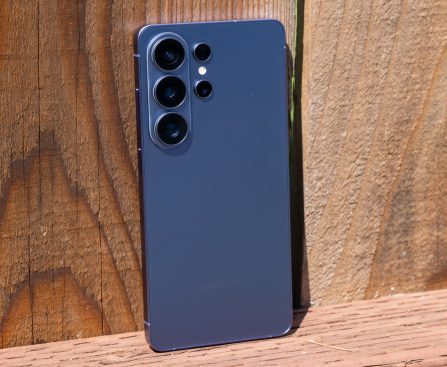
Visit the carrier’s website and add a line with the Better Value, Experience More, or Experience Beyond plan and you’ll receive enough promotional credits over 24 months to make the Pixel 10 Pro completely free. This Google device is poised to be a major competitor to the Galaxy S26 Ultra, so why hold off for Unpacked?

<div data-custom-promos="["FREE "]" data-image="https://cdn.mos.cms.futurecdn.net/GDvuEpuneFYQKQMvgu3z7C-200-100.jpg" data-link="https://tmobilepostpaid.pxf.io/c/1943169/3733642/38171?subId1=hawk-custom-tracking&sharedId=hawk&u=https%3A%2F%2Fwww.t-mobile.com%2Fcell-phone%2Fgoogle-pixel-10-pro" data-link-merchant="T-Mobile Postpaid" data-link-text="View Deal" data-merchant-id="619097" data-merchant-name="T-Mobile Postpaid" data-merchant-network="ImpactRadWalmart" data-merchant-url="t-mobile.com" data-model-name="Google Pixel 10 Pro 128GB:$999.99FREE with eligible unlimited plan at T-Mobile" data-show-fallback="button" data-webp-image="https://cdn.mos.cms.futurecdn.net/GDvuEpuneFYQKQMvgu3z7C-200-100.jpg.webp" data-widget-introduction="

Google Pixel 10 Pro 128GB: $999.99 FREE with eligible unlimited plan at T-Mobile

The <a href="https://www.androidcentral.com/phones/google-pixel-10-pro-review" data-link-merchant="androidcentral.com" data-merchant-name="android