Blog Posts

Blog Posts

Imminent Release of Four New Macs: Information on Specifications and Launch Dates

Apple has introduced three new Macs this year already, but there are still four additional Macs expected to make their debut in the coming months. Here’s what’s on the horizon.

## Mac Studio featuring M5 Max, M5 Ultra

The Mac Studio received an update just over a year ago, with the latest model equipped with M4 Max and M3 Ultra chips. There are speculations that a new Mac Studio will be unveiled soon, featuring M5 Max and an all-new M5 Ultra chip. While no design alterations are anticipated, the increasing demand for computing power due to AI advancements could make the M5 Ultra version of the Mac Studio particularly appealing.

## M5 iMac in New Color Options

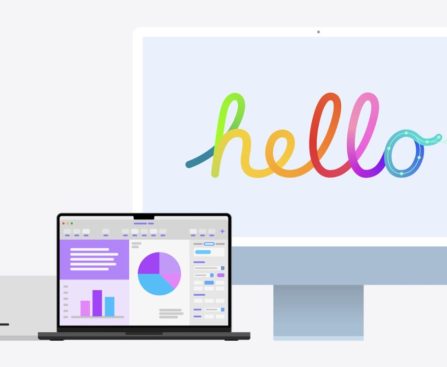
Apple’s iMac, the all-in-one desktop, is scheduled for an M5 upgrade later this year. The M4 model was released 18 months ago, and an M5 variant is expected to debut before reaching the two-year milestone. In addition to enhanced performance, the M5 iMac is rumored to present at least one other significant modification: a new selection of colors. The M4 iMac also featured new colors, making it surprising that there would be yet another fresh color range arriving so soon. Possibly, the M5 model will take inspiration from some of the color choices available in the MacBook Neo.

## Mac mini with M5, M5 Pro Options

While the MacBook Neo has garnered acclaim for its affordability, the Mac mini remains the cheapest Mac on the market—at least prior to factoring in a display, keyboard, and mouse or trackpad. An update for the Mac mini is anticipated this year, offering two chip variants: M5 and M5 Pro. Similar to the new Mac Studio, no visible design changes are expected. However, as the Mac mini gains traction as a choice for OpenClaw and Perplexity’s ‘Personal Computer,’ a straightforward chip upgrade should be well-received.

## M6 MacBook Pro with A Completely New Design

Having just released the MacBook Pro featuring M5 Pro and M5 Max, another MacBook Pro is on the way this year. The M6 MacBook Pro is expected to mark a significant advancement for the Mac. Rumored new features include:
– A completely new industrial design that’s both thinner and lighter
– An OLED display
– A touchscreen, the first ever on a Mac
– Dynamic Island replacing the current notch
– Possibly even a C2 cellular modem from Apple

While the MacBook Neo has ignited excitement among new Mac users, the M6 MacBook Pro could capture the interest of seasoned Mac enthusiasts.

Are you considering upgrading to one of the M5 or M6 models mentioned above? Share your thoughts in the comments.

Peloton, Stick to Your Lane

This is Optimizer, a weekly newsletter sent every Friday from Verge senior reviewer Victoria Song that dissects and discusses the latest gizmos and potions that swear they’re going to change your life. Opt in for Optimizer here. The camera zooms in on two well-formed cheeks clad in white shorts. These buns of steel belong to […]

South Korean President Engages in Quote-Post Diplomacy

“This is no different from Comfort Women or the Holocaust,” wrote South Korean President Lee Jae-myung on X last week, quoting a post with a video of Israeli Defense Forces soldiers throwing a body off a rooftop in Gaza. The president’s post kicked off an internet firestorm for a thousand different reasons, not least because […]

Ghost Orchid in the Machine

Vacuum cleaners, personal massagers, electronic baby rockers, and walking pads: These are the secondhand machines Rachel Youn sources to create their kinetic sculptures. Made with artificial flowers, metal hardware, and these used electronic components, each one possesses a humanlike presence. Slow Burn is made from an artificial orchid, a neck massager, bits of metal that […]

The Inescapable Design Defect of Star Trek’s Starship Enterprise

“The Kelvin timeline films of “Star Trek” have ensured that the Starship Enterprise — in its various forms — has left a significant mark on popular culture, owing to its distinctive design. Since 1966, this ship, which resembles a large dinner plate with two bent coat hangers protruding from it, has journeyed across the cosmos. However, there was a period when the Enterprise appeared quite different, as its designer attempted to break away from conventional spaceship aesthetics, only to eventually become ensnared in that same design convention.

The responsibility of launching the Enterprise from its initial stage fell to the art director of the show, Walter Matthew “Matt” Jefferies, who had to adhere to several guidelines set by Gene Roddenberry, the visionary behind “Star Trek.” The primary directive was to ensure that the ship did not resemble a flying saucer.

In a 2000 interview with Star Trek: The Magazine (as referenced by Starship Concept Art), Jefferies recounted the challenges of realizing the most cherished ship in all of Starfleet. “He had stipulated that there should be no fins, no wings, no smoke trails, no flames, no rockets.” Following this, Jefferies remembered generating numerous designs from which Roddenberry would select his preferred elements. “Gene favored a fragment of this and a fragment of that and a fragment of something else, so I aimed to figure out how I could combine those fragments.”

The Enterprise began its journey with a spherical shape

iOS 27 Anticipated to Bring Design Modifications in Two Key Domains

### Upcoming Features in iOS 27: Improvements to Liquid Glass Aesthetic

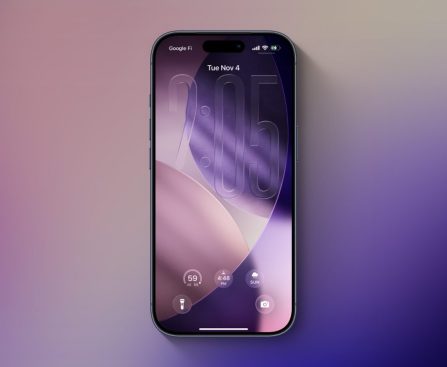
The eagerly awaited iOS 27 is expected to be revealed on June 8, with speculation indicating major enhancements to the Liquid Glass aesthetic. This article examines two key modifications that users can look forward to.

#### 1. New Universal Liquid Glass Slider

At present, iOS 26 provides limited personalization choices for the Liquid Glass interface, featuring just two styles: Clear and Tinted. The Clear choice delivers a completely transparent appearance, while the Tinted variant boosts opacity, reminiscent of the design from iOS 18.

As reported by Bloomberg’s Mark Gurman, Apple has been developing a universal Liquid Glass slider that would enable users to fine-tune the level of transparency and contrast. During the iOS 26 development process, Apple encountered engineering hurdles in executing this feature systemwide, including within app folders and navigation bars. If implemented successfully, this slider could transform how users engage with the Liquid Glass design, allowing for a more tailored visual experience.

#### 2. General Modifications and Improvements to iOS 26’s Design

Beyond the slider, Gurman has suggested that iOS 27 will feature a range of modifications to the Liquid Glass design, though these updates are not expected to be as comprehensive as the introduction of Liquid Glass in iOS 26. He foresees a series of gradual enhancements akin to those observed following the release of iOS 7.

While numerous users value the Liquid Glass design, certain interface choices have garnered critique. For example, concerns have been raised about the Music and Podcasts apps, where the MiniPlayer diminishes and essential controls become hard to access. Users have voiced a wish for increased control over the navigation tab bar, specifically the option to stop it from minimizing.

### Conclusion

As iOS 27 nears, the possibility of a new Liquid Glass slider and overall design modifications presents thrilling opportunities for users wishing for a more customizable experience. Community feedback will likely shape future updates, making it crucial for Apple to take user preferences into account as they enhance the Liquid Glass design.

Aqua Voice: The Highest-Ranked Dictation Application Now Accessible for iPhone

**Aqua Voice: Transforming Dictation on Mac and iPhone**

In the field of voice recognition technology, Aqua Voice has surfaced as an exceptional option for individuals seeking an enhanced dictation experience on their Apple devices. Originally implemented as an alternative to the integrated dictation option on Mac, Aqua Voice has since broadened its functionalities to the iPhone, greatly refining the dictation experience for users.

### Aqua Voice on the Mac

Aqua Voice has captured attention for its remarkable accuracy and smart features. Users have observed that it surpasses standard Mac dictation, especially regarding error rates. For example, a comparison test showed that while the traditional Mac dictation made 17 errors when transcribing a famous speech, Aqua Voice committed only one error. This significant difference underscores Aqua Voice’s capability to deliver a more dependable dictation experience.

One of the most attractive aspects of Aqua Voice is its proficiency in automatically managing punctuation and formatting, enabling users to concentrate on their content without needing manual modifications. This feature has made it the top choice for numerous users, including writers and professionals who heavily depend on dictation for their tasks.

Nevertheless, Aqua Voice’s dependency on cloud processing raises privacy issues. Although the organization assures users that it does not retain transcribed text unless synchronization is activated, the requirement for server-based processing might deter some users, especially those dealing with sensitive data. The app’s context awareness capability, which allows it to see what is displayed on the user’s screen, introduces additional privacy and security concerns.

### Aqua Voice for iPhone

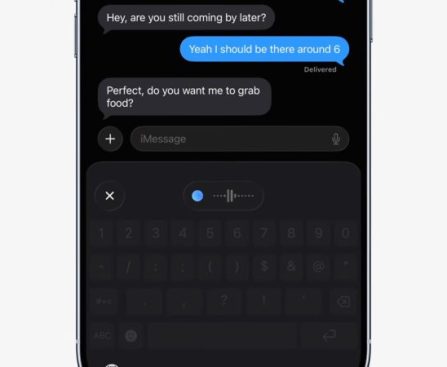
The launch of Aqua Voice for iPhone has transformed the experience for users who previously found mobile dictation lacking. Unlike most dictation applications that require users to speak in one app and then move the text to another, Aqua Voice acts as an additional keyboard. This smooth integration enables users to dictate directly within any app, boosting both convenience and efficiency.

Despite its benefits, the iPhone version presents a slight inconvenience: the first dictation session necessitates users switching to the Aqua Voice app before returning to their original app. This step, although quick, might create obstacles for users with disabilities, highlighting a potential area for Apple to enhance accessibility.

### Subscription Model

Aqua Voice functions on a subscription basis, a trend that has become prevalent for applications requiring cloud processing. While some users might feel fatigued by subscriptions, Aqua Voice provides a single plan that encompasses both Mac and iPhone applications. Users can register online and avoid extra expenses linked to in-app purchases on the iPhone.

For those contemplating the subscription, Aqua Voice offers a strong argument. With remarkable usage statistics, such as dictating over 352,000 words at an average speed of 126 words per minute in just a few months, the application clearly demonstrates its worth for regular users.

### Special Offer for 9to5Mac Readers

For readers of 9to5Mac, Aqua Voice is presenting a unique promotion: a one-month free trial of unlimited usage. This trial enables users to explore the complete features of Aqua Voice without any upfront costs, providing an appealing option for those interested in elevating their dictation experience.

In summary, Aqua Voice emerges as a powerful resource for dictation on both Mac and iPhone, offering exceptional accuracy and user-centric features. While there are privacy concerns and minor inconveniences, the overall advantages make it a valuable choice for anyone seeking to enhance their voice recognition skills.