Blog Posts

Blog Posts

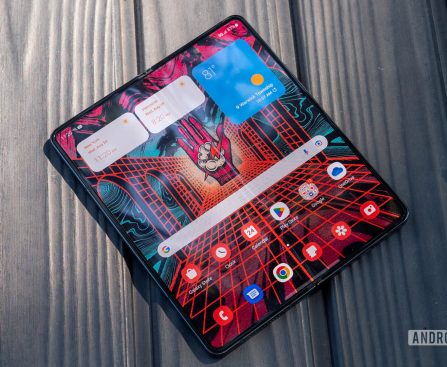
Information on Crease Depth and Folding Angle of the Next iPhone Fold Exposed

**Apple’s Initial Foldable iPhone: Anticipated Features**

Leaker Fixed Focus Digital has disclosed fresh information about Apple’s eagerly awaited foldable iPhone through Weibo, unveiling thrilling aspects of its design and specifications.

### Nearly Crease-Free Design

Recent findings, including one from UDN, indicated that Apple may have reached a major milestone in foldable technology, potentially leading to a crease-free iPhone Fold. Fixed Focus Digital has offered precise metrics showing that the crease in the gadget will be managed to under 0.15mm, with a bend angle beneath 2.5 degrees. This suggests that the crease could be almost undetectable both visually and to the touch, aligning with prior assertions of a design breakthrough.

To contextualize this, a typical sheet of paper has a thickness of about 0.1mm. Hence, the crease on the foldable iPhone might feel less pronounced than the experience of gliding a finger over two stacked sheets of paper.

### Manufacturing and Launch Schedule

Alongside the design specifics, Fixed Focus Digital affirmed that the production line has started to receive manufacturing orders for Apple’s foldable display, hinting that the device is poised to launch this year. This information supports earlier reports that indicated Apple’s schedule for the foldable iPhone is progressing as planned.

### Final Thoughts

As Apple gears up to venture into the foldable smartphone sector, the progress in crease-free technology and the confirmed manufacturing timeline hint at a bright future for the company’s inaugural foldable iPhone. Fans and customers are steadily anticipating more announcements and the official reveal of this groundbreaking device.
Apple’s iOS 26.4 Beta 2 Introduces Age Verification System in Less Than 30 Seconds

### Age Verification in iOS 26.4: Key Information for UK iPhone Users

The latest beta version of iOS 26.4 introduces a major update for iPhone users in the UK: an age verification step during setup. This requirement is a result of the UK’s Online Safety Act, which compels tech companies to confirm users’ ages before allowing unrestricted access to specific content.

#### The Age Verification Procedure

When installing the beta version, users will see a prompt in the Settings app requesting confirmation that they are 18 years or older. If Apple’s systems cannot automatically validate a user’s age, they might need to provide additional details, such as scanning a credit card or photo ID. Nonetheless, numerous users report that the procedure is quick and easy, often taking less than 30 seconds.

Apple has suggested that it may use existing information, like payment methods linked to the user’s Apple account or the length of account ownership, to verify age. For example, possessing a valid credit card can act as a verification method since individuals need to be at least 18 years old to obtain one.

#### Consequences of the Online Safety Act

The Online Safety Act was mainly enacted to prevent minors from accessing adult content online. As part of this law, adult websites must enforce age verification measures for users located in the UK. While the goal is to safeguard children, it also unintentionally motivates teenagers to find workarounds, such as employing VPNs to circumvent restrictions.

Since several applications available on the App Store are intended for users aged 18 and older, Apple must adhere to these regulations to offer unrestricted access to such content. This new verification step is a direct response to that requirement.

#### User Experience and Privacy Issues

The rollout of age verification has sparked debates regarding user privacy. Critics contend that mandating users to provide government-issued IDs or personal information to multiple developers presents significant privacy risks. Conversely, some propose that Apple should assume the responsibility of verifying age and simply notify developers that a user has been confirmed as an adult. This method would simplify the process, enabling users to verify their age once instead of repeatedly for each age-restricted app.

#### Conclusion

The age verification requirement in iOS 26.4 signifies broader regulatory movements aimed at protecting minors online. While the procedure seems user-friendly for many, it raises significant questions regarding privacy and the obligations of tech companies in safeguarding user data. As this feature is implemented, it will be essential for users to remain aware of their rights and the ramifications of such verification processes.

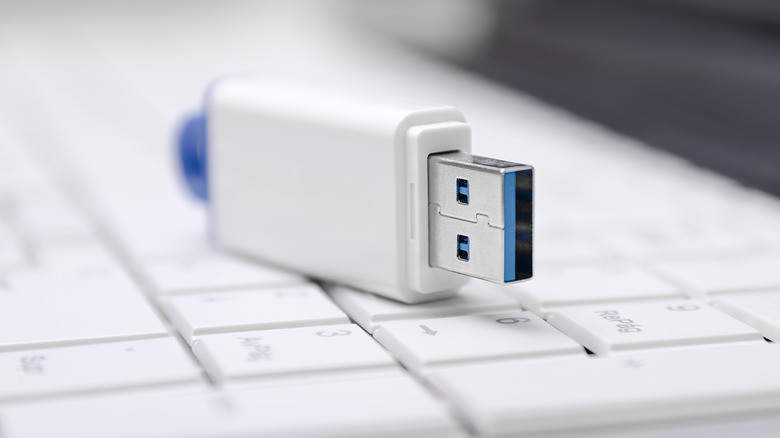
The Outdated Nature of USB Flash Drives: Factors Making Them Unessential

In the past, USB flash drives represented the simplest method for transferring files between computers and various devices. Almost everyone owned one, whether for data storage, file transfers, or as a straightforward backup option. However, in recent years, they have diminished in significance, as superior alternatives have become mainstream. Users now predominantly depend on cloud storage to maintain and synchronize files, providing immediate access across devices. Even for local backups, portable solid-state drives have taken precedence.

Nevertheless, flash drives did not become obsolete instantly. They faced challenges that were never effectively resolved, particularly concerning storage capacity, speed, and compatibility. Frequently utilized flash drives typically offer 64 to 128GB, which can be filled quickly for many users. For those with higher capacities, such as 1 to 2TB, transfer speed remains a notable limitation. Furthermore, in the last decade, numerous PC manufacturers have reduced their reliance on traditional USB-A ports in favor of USB-C ports, resulting in compatibility complications for USB-A flash drives. Thus, even if you possess a USB flash drive, its utility is not what it was a few years back.

USB flash drive alternatives make more sense today

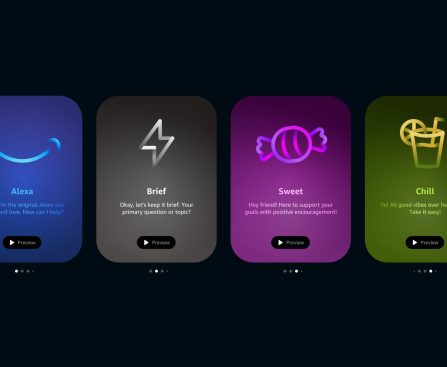
You can now adjust Alexa’s AI personality to be friendlier, blunter, or more relaxed.

Amazon is giving you more control over how Alexa behaves during conversations and responses. Three “personality style” presets are launching today for Alexa Plus users in the US that allow you to make the AI-powered voice assistant more concise, cheerful, or relaxed, depending on your personal preferences. “Alexa’s personality is one of the things customers […]

Martin Scorsese Engages Another A-List Star for Anticipated Apple TV Production

**Martin Scorsese’s “What Happens At Night” Incorporates Jared Harris into Its Star-Studded Ensemble**

Martin Scorsese’s forthcoming film, “What Happens At Night,” has recently invited Jared Harris to join its remarkable cast. This addition further enriches a lineup that already features prominent actors such as Leonardo DiCaprio, Jennifer Lawrence, Patricia Clarkson, and Mads Mikkelsen.

**Scorsese and Apple Collaborating Once More**

Per Deadline, Jared Harris, recognized for his performance in the Apple TV series “Foundation,” will be alongside the aforementioned stars in this Apple Original Films endeavor. The film draws inspiration from Peter Cameron’s 2020 novel of the same name and was originally scheduled to commence production last month.

The story revolves around an American couple who journey to a wintry European city to adopt a child. Their adventure takes them to the Borgarfjaroasysla Grand Imperial Hotel, a sprawling and hauntingly empty venue where the bar remains ever open, and the restaurant offers extravagant thirteen-course meals reminiscent of bygone eras.

“What Happens At Night” signifies yet another partnership between Scorsese and Apple, following the critically lauded “Killers of the Flower Moon,” which garnered ten Academy Award nominations, in addition to the captivating five-part documentary “Mr. Scorsese.” Scorsese has also featured in various Apple productions, including a comedic role in “The Studio” and a marketing campaign for the iPhone 4S showcasing Siri.

**Apple TV Subscription Information**

Apple TV is accessible for $12.99 per month and offers a range of popular shows and films, including “F1 The Movie,” “Pluribus,” “Severance,” “The Morning Show,” “Shrinking,” and “Silo.”

As excitement heightens for “What Happens At Night,” enthusiasts of Scorsese and the star-packed cast are keen to witness how this captivating narrative unfolds on screen.

Guide for Moving from 1Password to Apple Passwords

# The Transition to Apple Passwords: A New Chapter in Password Management

A password manager once stood as one of the most essential third-party applications available. It was the resource that made it feasible to maintain strong, individualized passwords for every app, website, and online service we utilized. However, with the introduction of Apple Passwords, the password management scene has started to evolve, prompting many users to rethink their dependence on paid applications and subscriptions.

## A Password Manager Is Necessary

In the initial stages of online services, it was typical for individuals to rely on a single password across several platforms. Typically, this password was weak and easily guessed, placing users at considerable risk. Alarmingly, many individuals who are not technically savvy still engage in this precarious habit today. This is worrisome because the security of all online services is only as robust as the least-secure site accessed. When data breaches transpire, hackers can take advantage of these feeble passwords, seeking to infiltrate high-stakes targets such as financial services and Apple accounts.

Utilizing a password manager to generate robust, unique passwords for each online service is vital in today’s digital realm. This recommendation has been promoted for over a decade and is now viewed as a core element of online security.

## An Increase in Users Transitioning to Apple Passwords

Apple has long included a built-in password manager via Keychain, which has progressed into iCloud Keychain. While it functioned adequately, third-party password managers frequently provided more functionalities and user-friendly designs. This shifted last year when Apple rolled out a specific Passwords app, improving the feature set and usability to rival paid third-party applications. Many users, myself included, have made the transition and have discovered it to be a seamless experience.

Recently, 1Password declared substantial price increases, with individual subscriptions jumping from $35.88 to $47.88 annually and family plans going from $59.88 to $71.88. This increase in cost has led many users to contemplate switching to Apple Passwords, as shown by numerous comments from readers indicating their plans to terminate their subscriptions.

## Steps to Switch

Transitioning from a third-party password manager to Apple Passwords is simple, even for 1Password users. The procedure includes exporting your database from 1Password and importing it into Apple Passwords. Below are the instructions tailored for Mac users, although the process can also be executed on iPhone.

### Export Your Passwords from 1Password

1. Launch and unlock the 1Password application on your Mac.
2. From the menubar, click on **File > Export** and select the account you wish to export.
3. Input your account password.
4. When asked to select a format, choose **CSV** and hit **Export Data**.
5. Designate a location to save your 1Password data and click **Open**.

### Import Your Passwords into Apple Passwords

1. Open the Passwords app and verify your identity.
2. From the menubar, click on **File > Import passwords from file**.
3. Select the CSV file you exported from 1Password.

### Securely Remove the CSV File

Following the importation of your passwords, it is essential to delete the CSV file immediately to safeguard your sensitive data. If you possess anything in your trash that you might want to retrieve, it is advisable to empty it at once.

In summary, the move to Apple Passwords marks a noteworthy transformation in password management, driven by the demand for improved security and the increasing expenses of third-party services. With its strong capabilities and user-friendly design, Apple Passwords is destined to become the preferred solution for numerous users aiming to protect their online accounts.

Apple Encounters Rising Component Expenses in Affordable MacBook Manufacturing

### Apple’s Upcoming Budget-Friendly MacBook is Close

Apple is set to introduce a new budget-friendly MacBook, with mass shipments projected to commence in March 2026. This reveal is part of a lineup of product releases slated for next week, culminating in a unique “Apple Experience” occasion for the media.

As per a report from Digitimes, Apple is making concerted efforts to address production setbacks that have delayed the mass manufacturing of the new MacBook from late 2025 to the early months of 2026. Notwithstanding these hurdles, supply chain insiders predict that Apple intends to dispatch between 15 to 16 million units of the product within the initial two years.

The report points out that Apple, similar to many other entities in the tech sector, is confronted with escalating component expenses, chiefly in memory and battery costs. This scenario prompts concerns about the pricing of the new MacBook, which was first speculated to be around $599. Nonetheless, current projections indicate a price range of $699 to $749.

The forthcoming budget-friendly MacBook is anticipated to incorporate the A18 Pro chip and will sport a 12.9-inch screen, making it the smallest laptop in Apple’s offerings, outstripping the MacBook Air’s 13.6-inch display. Apple has allegedly tested the MacBook in multiple shades, including light yellow, light green, blue, pink, classic silver, and dark gray.

As excitement mounts for this more accessible option, inquiries emerge regarding its possible effects on the MacBook Air and whether it will appeal to consumers in search of economical choices.