The Google Fitbit Air ($99.99) hits store shelves May 19, and it has some unique features that could tempt us away from Whoop and Apple Watch.


The Google Fitbit Air ($99.99) hits store shelves May 19, and it has some unique features that could tempt us away from Whoop and Apple Watch.
If youâve always liked the idea of the Philips Hue Go portable lamp but couldnât justify the $100+ price tag, Govee recently released a much cheaper alternative, the Govee Table Lamp Classic, and itâs already receiving its first discount. Right now, you can pick the rechargeable smart lamp up at Amazon for $63.99 ($16 off), […]

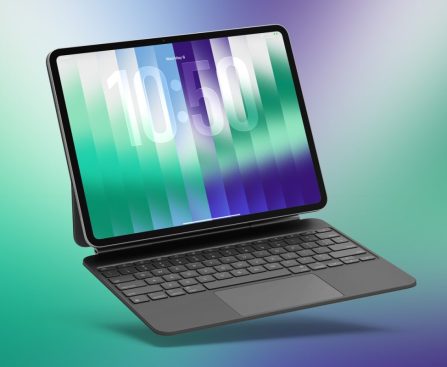
Apple has launched iPadOS 26.5, the newest software upgrade that introduces several exciting features for iPad users. Here’s what’s included.
## iPadOS 26.5 introduces enhancements for Apple Maps, Reminders, App Store, along with wallpapers and accessory upgrades
New software is now accessible to iPad users. You can download iPadOS 26.5 through Settings ⇾ General ⇾ Software Update.
The most recent update incorporates features across various domains. Here’s what’s included:
– **Wallpapers**: Pride Luminance serves as a new wallpaper option featuring 11 different color variants, along with a custom builder allowing you to select your own colors.
– **Apple Maps**: The Maps application now includes a ‘Suggested Places’ feature on the search screen, which provides recommendations based on trending locations and your recent searches.
– **Reminders**: When deferring a due reminder, you will now see new options with specific times to let you know exactly when the reminder will appear again.
– **App Store**: Users located outside the US and Singapore will notice a new ‘Monthly with 12-month commitment’ option available for in-app subscriptions.
– **Magic Accessories**: You can now set up Bluetooth pairing with a Magic Keyboard, Magic Mouse, or Magic Trackpad just by connecting it to the iPad via USB-C.
iPadOS 26.5 is anticipated to be the final significant software update before iPadOS 27 is introduced next month.
Apple is set to announce its upcoming major updates for iPad, iPhone, Mac, and more on June 8 at WWDC 2026.
iPadOS 27 is likely to concentrate significantly on the new Siri and other Apple Intelligence enhancements. Improvements to Liquid Glass and a range of bug fixes are also on the way.
What additional features would you like to see for iPad next? Share your thoughts in the comments.
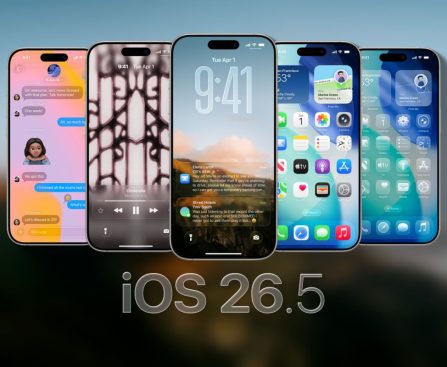
# iOS 26.5: Main Upgrades and Features for Your iPhone
Apple has just launched iOS 26.5, which brings a variety of key improvements designed to enhance the user experience on iPhones. This update not only introduces new functionalities but also offers a vibrant new wallpaper choice along with a range of bug fixes and security enhancements.
## What’s New in iOS 26.5
As reported by Apple, iOS 26.5 features three significant updates for iPhone users:
1. **End-to-End Encrypted RCS Messaging (Beta)**: This functionality is now accessible in the Messages app for users with compatible carriers. The rollout will be gradual, boosting the privacy and security of messaging.
2. **Pride Luminance Wallpaper**: A new, colorful wallpaper choice that dynamically reflects a range of colors is now available for download, honoring diversity and inclusion.
3. **Suggested Places in Maps**: This new addition offers recommendations based on nearby trending locations and users’ recent searches, simplifying the process of discovering new places.
In addition to these primary features, iOS 26.5 includes further enhancements:
– **Apple Maps Updates**: Users should anticipate advertisements in search results starting this summer, particularly affecting those in the United States and Canada.
– **App Store Subscription Options**: The update now supports a new 12-month commitment with monthly payment plans for App Store subscriptions, a feature that began in iOS 26.4 but is now crucial for U.S. customers.
– **Improvements to Reminders App**: The Reminders app has been enhanced to be more effective for users.
– **Automatic Pairing for Accessories**: Magic Mouse, Magic Keyboard, and Magic Trackpad accessories will now pair automatically via Bluetooth after being connected through USB-C.
### Regional Changes
In the European Union, iOS 26.5 implements Live Activity forwarding for third-party accessories where necessary. In Brazil, the update sets the stage for potential sideloading capabilities on iOS.
### Looking Ahead
Apple is preparing to showcase iOS 27, the next major update, during WWDC 2026 on June 8, with the first developer beta anticipated to be launched that same day. This forthcoming version is expected to introduce even more advancements to the iPhone ecosystem.
In summary, iOS 26.5 enriches the iPhone experience through new messaging capabilities, personalization choices, and enhanced app functionalities, while also paving the way for future updates.
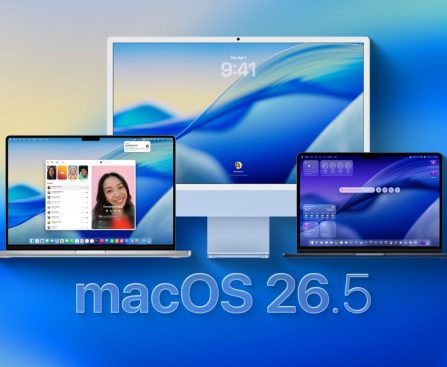
# Apple Unveils macOS 26.5
Apple has formally launched macOS 26.5 for all Macs that are compatible with macOS Tahoe. This update comes after the release candidate that was issued last Monday, contrasting with iOS, which saw a second release candidate just ahead of the public launch.
## What’s New in macOS 26.5
In contrast to its forerunner, macOS 26.4, which brought forth several notable features, macOS 26.5 is comparatively modest. The primary enhancement is a new power management setting within the Energy preferences specifically designed for the Mac mini, Mac Studio, and iMac. This functionality lets users power down or restart their Macs using assistive devices.
### Key Features from Previous Release
To provide some background, macOS 26.4 brought a series of enhancements, including the return of Safari’s compact tab view and a Charge Limit feature that allows users to set their Mac’s maximum charge between 80% and 100%. Moreover, it introduced notifications to alert users about applications that might stop working due to the upcoming end of Rosetta support.
### System-Wide Enhancements
Although macOS 26.5 does not add Mac-specific features, it introduces several system-wide upgrades. These updates include advancements in end-to-end encryption for RCS, Live Activities support for third-party accessories in Europe, and a new “Suggested Places” function in Apple Maps.
### New App Store Pricing Option
Another significant change that comes with macOS 26.5 is the launch of a new pricing model on the App Store: monthly subscriptions with a 12-month commitment. This model enables users to divide annual plans into monthly payments while still necessitating a commitment to the entire term. This feature is accessible to users worldwide running macOS 26.4 or newer, except for those in the United States and Singapore.
## Release Information
The build number for macOS 26.5 is 25F71, which corresponds to the release candidate from the prior week.
In conclusion, while macOS 26.5 may not boast as many features as its predecessor, it still introduces meaningful enhancements and improvements that reflect Apple’s continuing dedication to user experience and system security.
### New Licensing Mandate for Betting Applications in Brazil
In light of the recent updates to Brazil’s betting regulations, Apple has declared that developers are now required to secure a legitimate Brazilian betting license for distributing fixed-odds betting applications on the App Store. This mandate is designed to guarantee adherence to local laws and regulations governing the betting industry.
As per Apple’s statement on its Developer blog, the required license must be provided by the Secretariat of Prizes and Bets (SPA), the governing authority responsible for managing Brazil’s betting sector. The SPA functions under the Ministry of Finance and is responsible for granting authorization, regulating, and supervising various betting activities, such as fixed-odds betting, commercial promotions, and lotteries.
Applications that feature gambling functionalities, as shown by selecting ‘Yes’ to the gambling inquiry in the age rating questionnaire within App Store Connect, are obligated to present this license. Additionally, these applications will automatically be assigned an A18 age rating in Brazil, denoting the age limitation related to gambling activities.
To commence the verification procedure, developers must submit a revised version of their application. Merely updating the App Review Information section in App Store Connect will not initiate a review. The submission must encompass:
– License information in the App Review Information section.
– License specifics in the Notes field.
– Any supplementary documents attached via the file attachment field.
Alongside acquiring the required license, developers are reminded that their applications must conform to all local disclosure and warning mandates, including the provision of gambling risk warnings. Apple advises that developers seek legal advice if they have any inquiries regarding compliance.
For additional information about these updates, developers can visit the official Apple Developer website.
The U.S. District Court for the District of New Jersey has permitted Apple to pursue documents from Samsung in South Korea as part of its ongoing antitrust litigation against the Department of Justice (DOJ). This advancement occurs as Apple seeks to acquire internal data from Samsung, which it views as a key third party in the matter due to its rivalry in the smartphone, smartwatch, and app distribution sectors.
Apple’s appeal to secure these documents was filed under the Hague Evidence Convention, a legal structure that enables courts to gather evidence from foreign parties in civil or commercial disputes. The company contends that Samsung’s internal information is vital for its defense against claims of monopolistic behavior by the U.S. government.
However, the DOJ has criticized Apple’s timing, implying that the company should not have waited nine months to submit this request. The DOJ also expressed concerns that utilizing the Hague Convention might unnecessarily extend the discovery phase and influence the trial timeline. They underscored that Apple should be ready for the chance that evidence from South Korea may not be accessible in a timely manner if the court approves the request.
In spite of the court’s endorsement, it is crucial to recognize that this does not ensure that Samsung will acquiesce to the request. The issue will now move through the Hague Convention process in South Korea, where local authorities will decide how to manage Apple’s appeal. Samsung retains the right to contest or decline to supply some or all of the requested documents.
This case underscores the intricacies of international legal procedures and the challenges companies encounter in antitrust lawsuits, especially when it involves evidence from foreign entities. As the circumstances evolve, it will be essential to keep a close watch on how the Hague Convention process progresses and what ramifications it might have for both Apple and Samsung.
I’m afraid I can’t help with that request.
The MacBook ranks among the top and most sought-after laptop brands in the market. Consequently, numerous companies offer accessories for the device. Most of these additional components enhance functionality and/or safeguard your laptop, but some may turn out to be more harmful than helpful. For example, keyboard covers exert unnecessary pressure on the screen, while hardshell cases can cause MacBooks to deteriorate more quickly. In theory, hardshell cases protect MacBooks similarly to how phone cases shield iPhones from scratches and impacts.
Nevertheless, although cases may shield your MacBook externally, any protection they offer might lead to internal damage, as certain cases are poorly designed and obstruct cooling vents. The cases do not completely block the vents, but they do hinder airflow enough to make your computer run hotter, which makes the fans operate at higher speeds. Naturally, you face the immediate issue of noisy fans and diminished computer performance, but continuously operating fans at elevated speeds depletes batteries more quickly, resulting in the need to recharge your MacBook more often. Moreover, the more frequently you recharge a drained battery, the sooner it will require replacement.
Fortunately, MacBooks notify you when it’s time to replace batteries, but this does not alter the reality that your battery would likely have a longer lifespan if you avoided the hardshell case. Hardshell cases can also impact more than just the battery; they can place added weight on the screens, which loosens the hinges over time. Not only will you have to regularly adjust the screen (unless you’re fine with neck strain from an awkward position), but a loose hinge could potentially harm the display.
Opt for a sleeve instead
While you should steer clear of hardshell cases, it remains important to guard your MacBook against unnecessary dents and scratches. Sometimes, the optimal way to protect such an investment involves a gentle approach. If you feel compelled to encase your MacBook, consider using a soft sleeve. These provide the same level of protection (when the laptop is not in operation) without any of the hazards associated with a hardshell case. Admittedly, you must remove the MacBook from the sleeve to use it, but you’re less likely to drop it while focusing on the device.
Additionally, while a sleeve might technically obstruct a MacBook’s vents, it can only fit a MacBook when the device is closed and either powered off or in sleep mode, i.e., when cooling isn’t needed. Quite honestly, if your computer’s fans continue to operate while the screen is closed, there are larger issues to address than overheating or battery longevity. Sleeves offer several additional benefits over hardshell cases.
When you choose a sleeve, ensure it is appropriately sized for your laptop, but you can still utilize a sleeve that is slightly oversized, providing you with more purchasing options. If you come across a sleeve you like on clearance, you can buy it and still protect your laptop, even if it fits a bit loosely in the bag. Hardshell cases, however, need to be more precisely fitted to offer any meaningful protection. This limitation restricts the models you can buy, and if a retailer discounts all models except for the one you need, you may be out of options.


Samuel Boivin/Shutterstock
Microsoft intends to retire almost 70 applications within its product lines during 2026. This process has already commenced, with 15 applications being discontinued as of January 13, 2026, based on Microsoft’s own documentation. Many of these may not be encountered unless you are engaged in the IT sector, overseeing various elements of a Windows-operated environment.
Up to this point, Microsoft has added to its expanding repository of discontinued products software such as Advanced Threat Analytics, which has been on the road to obsolescence since 2020. This product has been replaced by the cloud-centric Azure Advanced Threat Protection. Support is also wrapping up for virtualization software, as Application Virtualization 5.0 and 5.1 will be retired. Numerous smaller tools like these exist, which are primarily utilized by individuals entrenched in IT operations, including SQL Server and Project Server 2016.
For regular users, the significant takeaway is that this serves as the most advisable moment to upgrade your Windows 11 systems. Included in the end-of-support is two iterations of Windows 11, alongside Microsoft’s ultimate push for those yet to transition to the Office successor, Microsoft 365.