Blog

GM Introduces Native Apple Music Application with Spatial Audio Capability

### GM’s Shift from CarPlay: The Arrival of Apple Music in Cadillac and Chevrolet Models

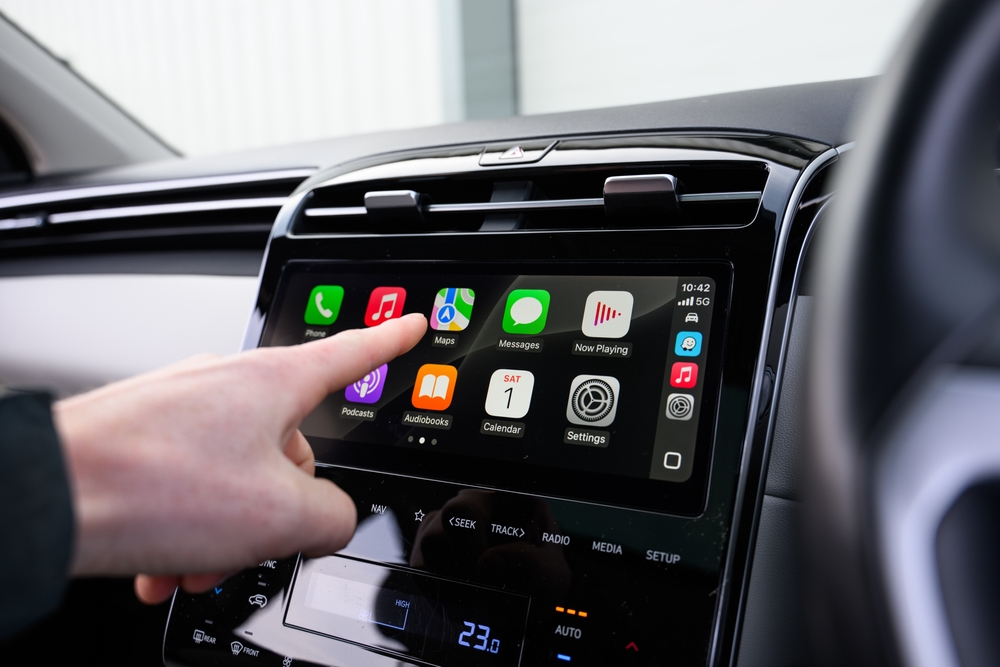
As General Motors (GM) nears the three-year milestone since initiating its shift away from Apple CarPlay, the automotive powerhouse has confirmed intentions to gradually remove the platform from more vehicles. This initiative, which first began with electric vehicles (EVs), has faced criticism from numerous consumers. Nevertheless, GM recently unveiled an encouraging update for its clientele: the launch of a new native Apple Music app for select Cadillac and Chevrolet models.

#### New Apple Music App Introduction

Starting Monday, the Apple Music app will be incorporated into the infotainment systems of selected 2025 and newer Cadillac and Chevrolet vehicles. While specifics about the models remain forthcoming, GM assures that the app will be integrated effortlessly, enriching the in-car entertainment experience for both drivers and passengers.

For Cadillac owners, the integration extends beyond basic functionality. The app will feature Spatial Audio with Dolby Atmos, developing an immersive three-dimensional sound landscape customized to the vehicle’s acoustics. This attribute intends to enhance the listening experience, making it akin to premium audio systems.

#### Standard Audio Streaming with OnStar Basics

Alongside the Apple Music app, GM is establishing audio streaming as a standard capability within its OnStar Basics service for all 2025 and newer vehicles. This indicates that customers will have the ability to stream popular services like Spotify and Apple Music at no additional cost for eight years post vehicle purchase. This initiative underscores GM’s dedication to increasing the value of its vehicles and aligning with consumer anticipations for in-car technology.

#### Industry Comparison and Consumer Responses

While the debut of the Apple Music app is a positive advancement, it may be viewed as a stopgap measure regarding GM’s overall exit from CarPlay. Analysts suggest that the transition could have been more fluid had GM’s infotainment system featured Apple Music support from the beginning.

In contrast, rivals such as Tesla have already integrated native apps for Apple Music and Apple Podcasts into their vehicles, and rumors indicate that Tesla may soon introduce CarPlay support as well. Rivian, another manufacturer that has opted out of CarPlay, has also rolled out a native Apple Music app complete with support for Spatial Audio and Dolby Atmos.

#### Conclusion

The introduction of the Apple Music app signifies an important advancement for GM as it strives to enhance its infotainment offerings amidst the ongoing transition away from CarPlay. While it may not completely resolve the concerns of customers yearning for the ease of CarPlay, the integration of widely used streaming services and advanced audio functionalities exemplifies GM’s commitment to refining the driving experience. The Apple Music app will be automatically provided to eligible vehicles through over-the-air software updates, with aspirations for broader availability across other GM brands in the future.

Read More
Threads Improves Communities Functionality with Badges, Extra Interest Subjects, and Additional Features

**Meta Enhances Threads Communities: An In-Depth Look at the New Features**

In October 2025, Meta’s Threads platform launched a substantial update, introducing more than 100 communities in response to user trends where in-app groups were often labeled as “Books Threads,” “NBA Threads,” and similar names. This month, Meta has further broadened the communities feature to cover upwards of 200 interests, enriching the user experience with added functionalities.

### Grasping Threads Communities

The idea of communities on Threads combines two vital elements: topic tags and personalized feeds. This synergy enables users to find communities effortlessly using the Search tool or their timeline, with communities marked by blue topic tags. The initial rollout included popular categories such as AI Threads, F1 Threads, Kpop Threads, Design Threads, and TV Threads. The latest expansion adds even more specialized groups, addressing niche interests.

For instance, basketball fans can now participate in team-oriented communities such as Lakers Threads, Knicks Threads, or Spurs Threads, creating a more customized experience for supporters.

### Innovative Features in Beta Testing

In addition to broadening community topics, Threads is actively experimenting with two groundbreaking features designed to boost user engagement within these groups:

1. **Community Champion Badges**: This feature recognizes users who are notably active and influential within their communities. These “community champions” help foster vibrant discussions and motivate participation, distinguishing themselves with a unique badge.

2. **Community Flair**: This functionality allows users to express their distinct interests within a community. For example, participants in the “Book Threads” community can specify their favorite genres, offering a quick reference for others. Community champions will have the power to set flair options, enabling members to choose tags that will be displayed on all their contributions within that community.

### Final Thoughts

Meta’s growth of Threads communities signifies a crucial advancement in shaping a more immersive and customized social media environment. By launching over 200 interest-based groups and introducing innovative features like community champion badges and flair, Threads seeks to deepen connections among users with common interests. As these features evolve, they promise to improve the way users interact and share on the platform.

Read More
Improvements to CarPlay in iOS 26.2 Boost Essential Functionality for Specific Users

**iOS 26.2: Overview of Enhancements and Features**

The official launch of iOS 26.2 brings a variety of thrilling updates and features aimed at enriching user experience across multiple applications. Notable enhancements have been implemented in Reminders, Apple Music, Podcasts, and particularly, CarPlay. The update emphasizes optimizing both functionality and user interface, especially for CarPlay widgets, though the advantages may differ based on the vehicle.

**Updates to CarPlay in iOS 26.2**

Earlier this fall, Apple unveiled a substantial update for CarPlay alongside iOS 26, introducing iPhone-style widgets. These widgets enable users to access information and controls right from their vehicle’s infotainment system. With the arrival of iOS 26.2, Apple has increased the availability of widget stacks for select vehicles, thereby improving the overall user experience.

Users have noted that while certain vehicles used to display only two widgets side by side, the latest update permits three widgets to be visible at the same time. This enhancement was highlighted by Tom Warren from *The Verge*, who pointed out the enhancement in his vehicle following the iOS 26.2 update.

**Expansion of Widget Stacks**

The broadened widget stacks in iOS 26.2 represent a welcomed upgrade, facilitating improved use of screen real estate in vehicles. Nevertheless, it is still uncertain how many vehicles will reap the benefits of this feature since Apple has not offered detailed documentation regarding compatibility. The company has suggested that the number of widget stacks shown is dependent on the CarPlay screen dimensions of the vehicle.

**Final Thoughts**

The launch of iOS 26.2 signifies a major advancement for Apple in enhancing the CarPlay experience. With the rollout of expanded widget stacks and upgrades across various applications, users can anticipate a more efficient and cohesive interface. As the update becomes available, it will be intriguing to observe how many vehicles can utilize these new functionalities. Users are encouraged to share their experiences regarding the updated CarPlay widget stacks to assess the broader implications of this update.

Read More
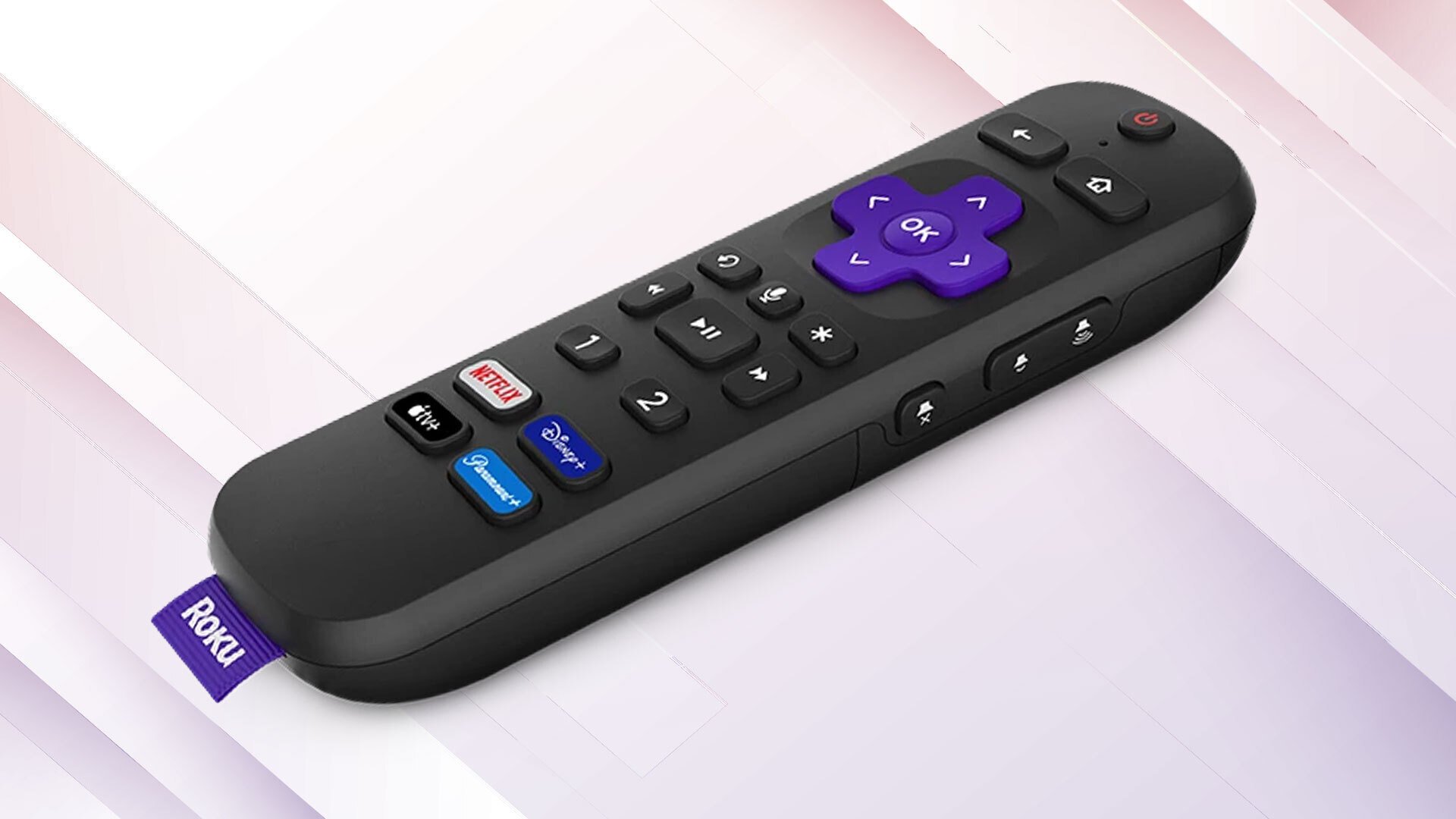
Two Methods to Make Use of the USB Port on Your Roku TV Streaming Device

top streaming gadgets for individuals eager to experience smart TV capabilities. The manufacturer provides five different streaming gadgets, each offering an intuitive interface along with a variety of useful and user-friendly functions that enhance your experience. Some features comprise private listening, compatibility with Apple AirPlay, and access to local television broadcasts. Nevertheless, the Roku Ultra and the Roku Streambar SE are significantly more robust (and pricier) options in the brand’s lineup, also offering a few additional perks — like a USB port.

Roku has incorporated a USB port in several of its older models, including the Roku 2 XS. Although the USB port on your Roku TV streamer lacks some versatility compared to a PC’s, it remains quite effective and can serve multiple purposes. If you’ve overlooked the USB port on your Roku, you might be missing valuable opportunities. Here’s how to utilize it to its fullest.

Play offline media files

If you prefer to keep media files stored offline and want to view them on your Roku streaming device, you’re in good fortune. You can utilize the integrated USB Type-A port on your Roku item to attach external storage units, such as a USB flash drive or an external hard disk, and access the saved files. The streaming device employs the Roku Media Player app for media playback. While this app is generally pre-installed, you can download it from the Roku Channel Store if it’s absent.

Roku accommodates a broad array of video, audio, image, and playlist formats, granting you extensive options for what you can enjoy. As anticipated, DRM-protected material is unsupported. Additionally, you can provide your own content artwork and subtitles within the USB drive to accompany your media. Another notable feature of

Read More
Steps to Access Your 2025 Apple Watch Fitness Summary on iPhone

even participate in your initial 5K is an exceptionally beneficial tool for monitoring your advancement over the year. Nevertheless, in contrast to Apple Music, which provides the Apple Music Replay, Apple does not furnish a summary of fitness endeavors throughout the year.

This is where Gentler Streak excels. As is customary, the fitness and wellness application presents a Spotify Wrapped-style summary of your workout sessions. The most noteworthy aspect of the 2022 Apple Watch App of the Year and the 2024 Apple Design Awards victor is that its 2025 Activity Recap is accessible to anyone who downloads the application. You don’t even need a subscription to access your data assessed over the year.

Gentler Streak focuses on your health. The application emphasizes rest when necessary and considers your personal information, the sports you engage in, and even how well you slept the previous night. However, even if the features offered by Gentler Streak do not pique your interest, it remains the optimal method to view your Apple Watch fitness summary for the year.

Gentler Streak’s 2025 Activity Recap

How to Convert Your Raspberry Pi into a Television

From arcade cabinets and retro gaming handhelds to repurposed vintage camera flash gadgets, you can bring old technology back to life using a Raspberry Pi computer. Initiatives like these 10 Raspberry Pi projects to explore in 2025 are an excellent starting point, but if you’re looking to equip your home with vintage tech, consider projects such as the TVArgenta, a CRT-style television powered by a Raspberry Pi computer.

TVArgenta, featuring elements like a classic TV casing and a channel-switching knob, is crafted by Ricardo Sappia. This endeavor is a heartfelt project aimed at showcasing beloved Argentinian commercials from his youth in the 1990s. Now residing in Germany, Sappia created TVArgenta to cherish those memories and introduce to children the advertisements that evoke his nostalgia. While initially made for commercials, TVArgenta offers numerous possibilities for those with a creative spirit. Although it’s a complex project that necessitates several components and 3D-printed elements, it remains a delightful, innovative demonstration of what can be achieved with a Raspberry Pi.

How does TVArgenta function?

If you’ve lamented discarding your old CRT television, TVArgenta resembles and operates similarly to the one you recall, albeit on a smaller scale. Simply power it on and use the knob to switch channels. However, the technology enabling this feature is far more advanced than that of traditional CRT TVs. For this creation, Sappia utilized the following components:

– Raspberry Pi 4
– 4.3-inch display
– Rotary encoder
– Compact audio amplifier and speaker
– Custom 3D-printed casing
– Power source, SD card, and mounting hardware

For a complete inventory of necessary components, alongside the 3D files for printing the enclosure on your 3D printer, you can visit the project on Maker World. Additionally, you can check out the TVArgenta project on GitHub to obtain the required files for the Raspberry Pi.

After configuring TVArgenta on your Raspberry Pi and assembling the display and other components within the enclosure, you can utilize the web UI to control content. As TVArgenta functions entirely offline, you’ll need to engage the web UI to upload content. You can also label content and create designated channels that organize material, which makes turning the knob on the TV feel authentic. Switching channels also generates a hint of static and noise to enhance the experience. If desired, you can arrange channel introductions that play every time you switch to a specific channel. Once you’ve tailored everything to your preferences, you’ll hardly need to adjust it again unless you want to add more material or create new channels.

What can you do with TVArgenta?

The main purpose of TVArgenta is to play nostalgic commercials in the background, but if commercials don’t catch your interest, there are alternatives. TVArgenta is not restricted in terms of content types it can present. The device stores information locally, allowing you to upload any video content through the web UI, including films, anime, iconic football games, F1 races, or your preferred YouTube videos. The potential is virtually limitless.

TVArgenta is undoubtedly impressive. It serves as a conversation piece that merits a distinguished spot in your home or workplace. You can keep the device running on your desk with classic “Simpsons” reruns, or place it on your kitchen counter to stream “Iron Chef” episodes that inspire you to cook. Regardless, once you construct a TVArgenta, how you choose to utilize it is entirely your decision — it’s a delightful way to repurpose an old Raspberry Pi.

Read More
GM Vehicles Now Support Apple Music Without CarPlay

In an unexpected turn of events, GM has declared that Apple Music will now be a native application on GM vehicles, effective today. At the outset, Apple Music will be accessible on the latest Cadillac and Chevrolet models, with plans to extend this availability to other GM brands in the future. With the integrated Apple Music app, GM vehicle owners can enjoy a vast library of songs, expertly curated playlists, podcasts, and all the features that standard Apple Music subscribers appreciate.

GM highlights that access to Apple Music will be granted to GM owners for a period of eight years without extra charges, courtesy of an 8-year complimentary subscription to OnStar Basics. Currently, this complimentary access seems to be restricted to 2025 models. “We are introducing the Apple Music app to GM vehicles in a manner that fully utilizes our top-of-the-line audio capabilities,” stated GM’s VP of global product management, Tim Twerdahl, in a press announcement.

Of course, GM emphasizes that Apple Music will fully leverage GM’s “advanced audio systems,” featuring Spatial Audio and Dolby Atmos. Overall, GM asserts that this collaboration will turn GM vehicles into “an immersive, three-dimensional sound environment,” crafted to optimize a car’s audio system and acoustics.

GM adopts Apple Music while sidestepping CarPlay

Google’s Dark Web Data Leak Checker Tool is Being Phased Out

The firm will cease searching for newly leaked information in January and will eliminate previous reports by February 2026.

(Image credit: Nandika Ravi/Android Central)

Essential information

  • Google is phasing out its dark web reporting utility with scans concluding on January 15, 2026.
  • All reports will be deleted by February 16, 2026 due to the tool not providing actionable steps.
  • Google will shift its attention to more robust security features like security checkup, passkeys, and password audits.
Notice

Read More

Black Apple Watch Ultra 2 Reduced by $250, iPhone 16 Pro Max Discounts Surpassing $600, Along with Offers on Mac mini and AirPods

### Holiday Shipping and Pricing on Apple Gear: Best Offers Available

As the festive season nears, consumers are hurrying to grab the top offers on Apple items. This article showcases some of the most notable reductions available on sought-after Apple gadgets, helping you make educated buying choices ahead of the holiday shipping cutoffs.

#### Apple Watch Series 11: $100 Discount

The Apple Watch Series 11 is presently offered at a $100 discount, with prices beginning at **$299**. This promotion is accessible through both Amazon and Best Buy, which has initiated a “Get it by Christmas” section to support timely deliveries. While certain colors may already be out of stock, many alternatives remain, making this an excellent chance for last-minute gifting.

#### Apple Watch Ultra 2: $250 Discount

Best Buy has launched a **24-hour Tech the Halls sale**, featuring the Apple Watch Ultra 2 at an impressive **$250 off**. This discount pertains to multiple configurations and shades, including the favored Black and Natural Titanium case options. Although the Ultra 2 isn’t the newest model, it still stands as a solid wearable device and is now available at a considerably reduced price, making it an appealing choice for those wanting premium features without the Ultra 3 cost.

#### Apple EarPods and AirPods: Budget-Friendly Choices

For those seeking wired alternatives, Apple’s EarPods are currently available for just **$9.99** on Amazon. This classic accessory is ideal for users who enjoy a wired listening experience. Furthermore, AirPods are also up for grabs at competitive rates, with the AirPods Pro 3 priced at **$209.99**, serving as a great option for wireless audio fans.

#### iPhone 16 Pro Max: Up to $612 Discount

Amazon’s Renewed Premium program has revealed considerable cuts on the iPhone 16 Pro Max, with reductions surpassing **$600** off the original list price. This deal encompasses various color selections, ensuring that shoppers can find a model that matches their tastes. The renewed devices come with a one-year warranty, providing reassurance along with remarkable savings.

#### Accessories and Charging Offers

Alongside the major product discounts, numerous accessory and charging promotions are also available. These include various cases and charging solutions that enhance the Apple ecosystem, ensuring users can augment their devices with quality accessories.

### Conclusion

With the holiday season in full swing, it’s the perfect moment to seize these outstanding offers on Apple products. Whether you’re purchasing a gift or indulging yourself, these discounts provide a fantastic opportunity to obtain high-quality devices at lowered prices. Be sure to act swiftly, as inventory may vary and shipping cutoffs loom.

Read More
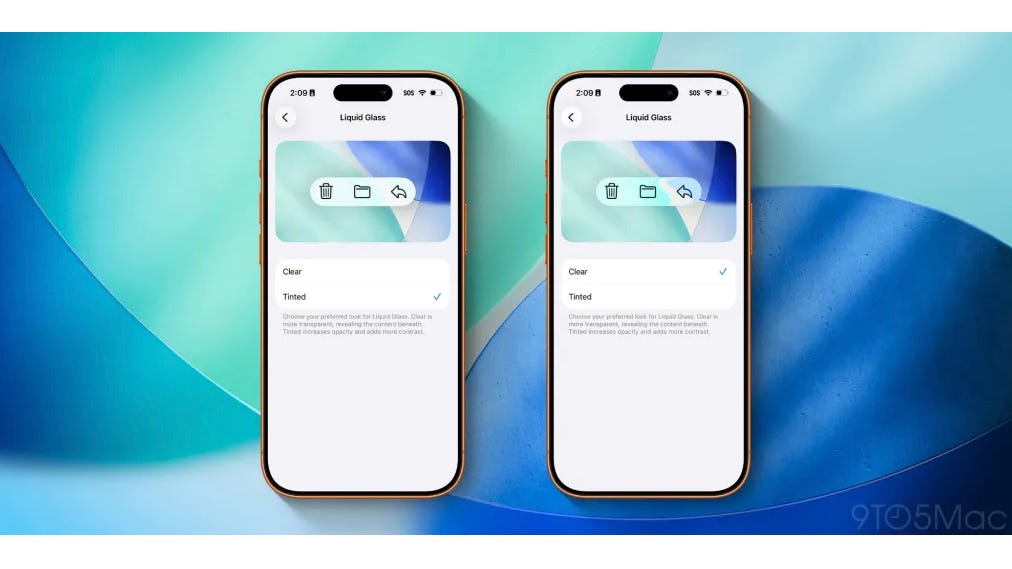
iOS 26.2 Brings Three New Improvements to Liquid Glass Capabilities

# iOS 26.2: Fresh Features and Liquid Glass Enhancements

iOS 26.2 has launched, offering a range of new functionalities for iPhone users and broadening the cutting-edge Liquid Glass design. Here’s an in-depth overview of what’s included in this update.

## Lock Screen Clock Slider

Since the introduction of iOS 26 in September, Apple has permitted users to modify the opacity of the Lock Screen clock. With the rollout of iOS 26.2, this opacity slider has been refined, allowing users to achieve a more striking Liquid Glass effect.

To utilize the new slider, users can enter the wallpaper editing mode by long-pressing the Lock Screen, selecting ‘Customize,’ tapping on the clock, and confirming the ‘Glass’ option is enabled. This enables further tweaks to the clock’s look, improving its opacity and overall design.

Apple’s release notes emphasize this feature:

> “Additional Lock Screen time customization option allows you to adjust its appearance further, giving the Liquid Glass material greater or lesser opacity.”

## Enhanced Animations

The Liquid Glass effect was initially presented at WWDC, but previous versions of iOS did not fully embody its desired fluidity. iOS 26.2 introduces fresh animations for popup menus and controls that resonate with the original concept, introducing a whimsical and dynamic vibe to the user interface. These improvements are system-wide, benefiting third-party applications that utilize Apple’s native APIs, thus enhancing the overall iPhone experience.

## Measure App Update

The Measure app has also undergone a notable update with the Liquid Glass effect. The integrated Level tool now boasts a striking new design that interacts with the numbers and grid background as users shift their iPhones. This update not only enhances functionality but also elevates visual appeal, making the app more enjoyable to utilize.

## Conclusion

iOS 26.2 presents thrilling new features and extends the Liquid Glass design across various system applications, including the Lock Screen and Measure app. These updates enhance customization choices and elevate the overall user experience with fresh animations and effects. As Apple persists in its innovation, users can anticipate even more upgrades in upcoming releases.

Read More