Blog

Anticipated Launch of Popular Apple TV Suspense Show Stars Idris Elba Addressing Feedback in Fresh Video

**Idris Elba Featured in Apple TV’s Popular Thriller “Hijack”**

Idris Elba is set to reprise his role as the protagonist in the celebrated Apple TV thriller “Hijack,” with a new season approaching its premiere. The series has attracted considerable interest since its launch in 2023, engaging viewers with its distinctive real-time narrative format, wherein the story progresses alongside actual time.

**Synopsis of “Hijack”**

The inaugural season of “Hijack” has received accolades, noted for its gripping storyline and Elba’s captivating portrayal. The show depicts a high-stakes hijacking of a commercial airline, merging tension with detailed character exploration. As the plot unfolds, audiences are immersed in the psychological and emotional challenges encountered by the passengers and crew.

**Forthcoming Season and Marketing Material**

In advance of the eagerly awaited second season, slated to debut on January 14, Apple has shared a light-hearted clip featuring Idris Elba. In this clip, Elba amusingly critiques various reviews of the first season, offering fans a delightful glimpse into the series’ reception and his reflections on the feedback.

**Watch-Worthy Suggestions**

For those wishing to familiarize themselves before the new season, the entire first season of “Hijack” is accessible for streaming on Apple TV. Moreover, viewers interested in more exhilarating content can check out other series on the platform, such as “The Last Frontier,” which chronicles a U.S. Marshal on a quest to capture dangerous fugitives, and “Down Cemetery Road,” with Emma Thompson portraying a detective inspired by a novel by Mick Herron.

**Subscription Details**

Apple TV is currently providing a promotional subscription price of $5.99 monthly, granting access to a wide array of popular shows and movies, including hits like “Ted Lasso” and “Severance.” Fans can also choose the Apple One bundle for extra services.

As excitement mounts for the comeback of “Hijack,” viewers are encouraged to share their opinions and critiques, promoting a community of fans eager to discuss the thrilling developments of the series.

Read More
TerraMaster’s Ultimate M.2 SSD Enclosure Now Offered at Cyber Monday Savings

The TerraMaster D4 SSD serves as a multifunctional SSD enclosure that can accommodate up to four 8TB M.2 2280 drives, delivering a total storage capability of 32TB. Featuring a 40Gbps bandwidth, it enables rapid data transfer, positioning itself as a perfect choice for enhancing the storage of Windows or macOS laptops. The D4 SSD connects through USB-C and is compatible with multiple USB standards, such as USB 3.0, 3.1, 3.2, USB 4, and Thunderbolt 3/4/5, ensuring it works seamlessly with a variety of devices.

While the D4 SSD necessitates external power and lacks portability, it shines in offering solid storage options for fixed setups. It boasts an active cooling system with a built-in fan, which guarantees effective heat management while in use. This enclosure is especially ideal for users who require fast external storage for activities such as video editing, where swift data transfer is essential.

At present, the D4 SSD is offered at a reduced price of $239, down from its regular price of $299, making it a compelling choice for those in search of a high-capacity, high-performance SSD enclosure.

Read More
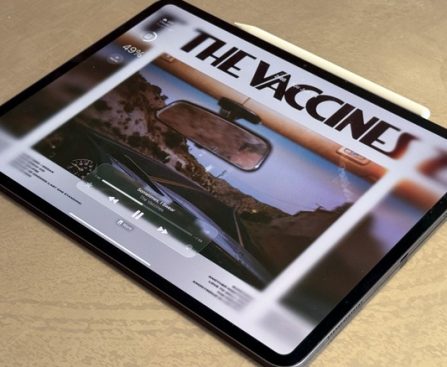
M5 iPad Pro Evaluation: Examining Its Future-Proof Features After a Month of Usage

### Apple’s M5 iPad Pro: A Month of Impressions

Apple’s M5 iPad Pro was released last month, and I transitioned from an M4 iPad Pro. My initial impressions of the updated model were favorable, but here’s how my 13-inch M5 iPad Pro has performed after a complete month of usage.

#### M5 iPad Pro: The Minor Details Count

Examining a side-by-side comparison of the M5 iPad Pro versus the M4 model, the improvements might appear somewhat minor. There’s no significant external redesign, and not many flashy enhancements apart from the M5 chip. However, after a month with my 13-inch model, I’ve discovered that all the smaller tweaks indeed accumulate.

Here’s a comprehensive list of what’s genuinely new:
1. M5 chip
2. Enhanced RAM, and increased capacity
3. C1X 5G modem
4. N1 wireless chip
5. Rapid charging
6. Cellular battery improvements
7. 120Hz support for external displays

Nothing in this list echoes a “must have,” particularly if you already possess an M4 model. But as someone who relies on the M5 iPad Pro for work day in and day out, I’ve been quite pleasantly surprised by the upgraded model.

#### New M5 and C1X Chips Deliver Performance and Efficiency Boosts

Apple incorporated its new C1X modem into the iPad Pro, which has provided stellar performance thus far. I usually work on cellular for hours each day, and while I haven’t conducted formal assessments, my cellular connectivity has been better than ever. While I had no issues with the M4 model, the M5 connection has proven even more dependable for me.

I’ve also significantly noticed improvements in battery life due to C1X’s enhanced efficiency. While part of the enhancement can be attributed to having a new battery, I am convinced that it does not explain all the gains I’m experiencing. The M5 iPad Pro’s battery life has been a considerable enhancement for my particular usage.

Although Apple doesn’t officially promote increased battery life on the M5 iPad Pro’s specifications page, its announcement press release states that C1X provides active cellular users “up to 30 percent less power consumption than the iPad Pro with M4.”

In addition to C1X, the new M5 chip and RAM enhancements have certainly made iPadOS 26 feel more responsive and fluid than before. The stutters and performance lags I occasionally faced on my M4 have vanished. This iPad feels better optimized for Apple’s iPadOS updates compared to last year’s model.

Lastly, I’d like to highlight fast charging as another appreciated enhancement. Even though battery life has been significantly less of a concern than on my M4 model, the M5 iPad Pro’s fast charging capability has been advantageous during many brief moments when I was home before heading back out to work remotely.

#### Future Ready, But Not Like Previous iPad Pro Models

A recurring theme in reviews of earlier iPad Pro models was that the hardware outpaced the software, rendering it “future proof.” This description applies to the M5 iPad Pro as well, though in a more positive and distinct manner. iPadOS 26 finally aligns with the power of the iPad Pro’s hardware, and forthcoming updates will elevate things even further.

For the first time, the iPad Pro hardware and software are in perfect harmony. The new M5 chip, RAM enhancements, and cutting-edge C1X and N1 chips also position the M5 iPad Pro for a promising future. Regardless of what new features and upgrades Apple plans for iPadOS, this iPad is prepared for them. It possesses computing capacity that prior models arguably lack with the latest OS.

If you’re transitioning from an older iPad, the M5 iPad Pro is an excellent upgrade. If you already have the M4, you might want to skip the M5 to maximize value from your current model. However, for my specific requirements, the M5 iPad Pro has proven to be a surprisingly effective upgrade.

Have you been using the M5 iPad Pro? What’s your assessment of the product? Share your thoughts in the comments.

#### Best iPad Pro Accessories

Read More
iOS 26.1 Brings Subtle Animation Enhancement to Clock Icon

### Apple Revamps Clock App Icon in iOS 26.1

With the launch of iOS 26.1, Apple has unveiled a significant alteration to the Clock app icon, bringing it in closer alignment with the functionality of the Apple Watch. This update signifies a major advancement in how the app icon signifies time on the home screen.

#### Dynamic Clock Icon

Since iOS 7 debuted, the Clock app icon has displayed an animated representation of the current time. This animation features a sweeping seconds hand that moves fluidly, imitating the action of a classic mechanical clock. This functionality has become a hallmark of the Clock app, offering users a lively visual depiction of time.

#### Adjustments in Low Power Mode

In this recent update, Apple has changed the performance of the seconds hand when the device enters low power mode. Rather than the uninterrupted sweeping action, the seconds hand now ticks with each second that passes, resembling the functioning of a quartz clock. This subtle yet ingenious modification improves the user experience by presenting a more authentic representation of time under low power conditions.

#### Parallels with Apple Watch

The design choice mirrors characteristics of the Apple Watch’s functionality. When the watch face is active, the Apple Watch showcases a continuously moving seconds hand. However, in always-on mode, the seconds hand usually becomes inactive. This behavior has progressed with the latest Apple Watch Series 10/11 and Ultra 3, where the seconds hand stays visible even in always-on mode, but it ticks instead of sweeping.

#### User Preference

Numerous users, including several Apple fans, have voiced a preference for the ticking seconds hand rather than the continuous motion. The ticking motion can instill a sense of calmness, rendering it a more appealing choice for those who favor a more serene depiction of time.

#### Conclusion

The updated behavior of the Clock app icon in iOS 26.1 showcases Apple’s enduring dedication to improving user experience. With this enhancement, users can revel in a more polished and considerate portrayal of time on their devices. The modifications are part of a wider array of updates featured in iOS 26.1, which was released earlier this month. Users can investigate these new amenities and appreciate the understated yet considerable changes made to the Clock app icon.

Read More
Orion: A Fresh Mac Browser Focusing on Speed, Privacy, and WebKit Inspired by Apple

**Orion Browser: A Fresh Competitor in the Mac Ecosystem**

The digital realm is in a state of perpetual change, with new web browsers frequently surfacing, often revolving around artificial intelligence. Nevertheless, the Orion browser, crafted by the creators of the Kagi search engine, adopts a unique strategy. Constructed on WebKit, Orion highlights speed and user privacy, focusing mainly on Apple aficionados. Following an extensive beta testing phase, the Orion Mac application has officially debuted, joining its iPhone and iPad siblings.

### Introduction of Orion for Mac

Kagi has revealed the official release of Orion for Mac as a version 1.0 application, available for download from their website. In contrast to many contemporary browsers that significantly emphasize AI features, Orion is committed to providing a swift browsing experience while keeping user privacy a top priority.

### Main Features of Orion

Orion aims to enhance the browsing journey on Apple devices with several distinctive attributes:

– **Focus Mode**: This functionality enables users to convert any website into a distraction-free web app, making it perfect for activities like documentation or writing.

– **Link Preview**: Users can preview content from various applications—such as email or chat—without completely opening a new tab, assisting in maintaining an organized workspace.

– **Mini Toolbar, Overflow Menu, and Page Tweak**: Orion furnishes tools to personalize each page’s look and controls, allowing web experiences to align with user preferences.

– **Profiles as Apps**: Users can establish individual profiles for work, personal, and leisure browsing, each with its own extensions, cookies, and configurations.

The browser is available at no cost, including 200 free Kagi searches without necessitating account registration.

### Subscription Model and Extra Features

Kagi provides an optional subscription service, Orion+, at a cost of $5 per month, which unlocks extra features:

– **Floating Windows**: This feature permits users to keep a video or window on top of other applications.

– **Customization Options**: Users have the ability to program buttons and alter application icons for a tailored experience.

– **Early Access**: Subscribers gain entry to new features exclusive to supporters, currently under development for the upcoming year.

### Prospective Developments

Kagi’s roadmap for Orion entails plans for more profound customization options, improved stability, enhanced performance for complex web applications, new features for Orion+, and tighter integrations with Kagi’s smart tools.

### Final Thoughts

Orion offers a novel alternative in the browser landscape, especially for Apple users in search of speed and privacy. The combination of innovative features and a dedication to user experience positions Orion as a significant competitor among web browsers. Users can download Orion for Mac, iPhone, and iPad from the official website. For additional insights, Kagi’s CEO has shared opinions in an interview on the Apple @ Work podcast, available for listening online.

Read More
Review: This MagSafe Power Bank Delivers Flexible Charging Solutions for All Your Apple Devices with an Exclusive Feature

### Kuxiu K1 Ultra: An Exceptional MagSafe Power Bank

Brands and companies are becoming increasingly inventive in the MagSafe accessory realm, aiming to set themselves apart from others. The Kuxiu K1 Ultra distinguishes itself with its distinctive design and effectiveness. Here’s what you should know about this groundbreaking product.

#### Premium Design and Features

The K1 Ultra makes an immediate impression with its high-end appearance and texture, fashioned from CNC-machined aluminum and showcasing a frosted glass back that resembles an iPhone. The layout incorporates a text format that highlights all vital specifications at a glance, reminiscent of Off-White branding. Its notable feature is the twist mechanism, which unveils an Apple Watch charger with a satisfying snap.

#### Specifications

– **Battery Capacity:** 10,000mAh
– **Wireless Charging:** Qi2.2 25W magnetic wireless charging (25W for iPhone 16 and later, 15W for previous versions)
– **Apple Watch Charging:** 5W
– **AirPods Charging:** 5W
– **USB-C Input/Output:** 20W
– **Pass-Through Charging:** Yes

Although the K1 Ultra is somewhat bulky because of its battery capacity, it remains compact enough to fit in pockets, fanny packs, or small handbags. Its functionality as a pass-through charger is a major benefit.

#### User Experience

The K1 Ultra shines as a travel charging solution, enabling users to power multiple devices without the stress of running out of battery. In contrast to its predecessor, the original K1, which offered a 5,000mAh capacity, the K1 Ultra alleviates battery worries. The iPhone connects magnetically, while the Apple Watch utilizes the rotating charger, and AirPods can charge on either pad without the need for wires.

Furthermore, the K1 Ultra comes equipped with a sturdy kickstand, converting it into a compact desk or nightstand charging hub. This allows for easy content viewing and maintains support for standby mode with the iPhone.

#### Pricing and Availability

The K1 Ultra is priced at **$79** on Kuxiu’s website, featuring a **25% discount** available with a Black Friday code. Pre-orders for a Cosmic Orange version, designed to complement the iPhone 17 Pro, are also available. Kuxiu has packaged the K1 Ultra with extra accessories in a gift box for **$99**, offering excellent value.

#### Final Thoughts

The K1 Ultra impresses with its capability to serve as a portable MagSafe charger. It effectively powers an iPhone, Apple Watch, and AirPods, functions as a stand, and boasts a quality build similar to Apple products. This innovative accessory is an attractive option for those seeking a versatile charging solution.

Read More
Becca Farsace Substitutes Conventional Displays with Apple Vision Pro for a Month

YouTuber Becca Farsace has shared a new video chronicling her journey with the M5 Apple Vision Pro, where she substituted all her other non-smartphone screens for a month. Here’s how it unfolded.

### Utilizing Vision Pro as a Comprehensive Replacement for Other Displays

If you’re not subscribed to YouTuber Becca Farsace (previously with The Verge), you should definitely add her to your list. Farsace ranks among my favorite tech YouTubers, and I valued her measured, insightful perspective on Apple Vision Pro in her latest upload.

By using an M5 Vision Pro, Farsace swapped her desktop monitor, laptop, and TV for the Apple Vision Pro. How did this turn out? There were both advantages and disadvantages. Farsace highlights the Vision Pro’s benefits as a substitute for her compact laptop screen and for providing an outstanding TV experience. However, it also presented challenges, such as feeling isolated in a headset and various practical concerns.

[Here’s the complete video](https://youtu.be/G5FmHkhNll0?si=96bvqPrR6aw5qpHp).

### 9to5Mac’s Insights

I’ve found myself equally conflicted by the pros and cons of Vision Pro. From a display and technology standpoint, it’s hard to surpass Apple Vision Pro. But is the enhanced screen experience worth the hassle of messing up your hair, inducing feelings of isolation, and diminishing the enjoyment of your coffee? It all comes down to trade-offs.

What are your insights from Farsace’s experience with the Apple Vision Pro? Share your thoughts in the comments.

### Top Vision Pro Accessories

*FTC: We utilize income-generating auto affiliate links.

Read More
Beats Powerbeats Pro 2: Key Wireless Earbuds for Fitness Aficionados on Cyber Monday

The Powerbeats Pro 2 are incredible earbuds, and you should consider purchasing them now.

Black Friday and Cyber Monday present the ideal opportunities to snag fantastic discounts on our favorite gadgets, and if you’re searching for the finest wireless earbuds, this Powerbeats Pro 2 offer could be just what you need. It’s actually the very item that I decided to buy.

At a $50 discount, the Powerbeats Pro 2 are reduced from $250 to $200. While it’s not as low as what we witnessed during Prime Day, a sale remains a sale, and I really couldn’t hold off any longer, particularly because I’m unsure about when they might go on sale again.

✅Recommended if: You are a runner or a regular gym enthusiast seeking durable earbuds that will stay securely in place and deliver excellent ANC.

❌Skip this deal if: You are an Android user looking for features such as Fast Pair or Google’s Find My Device network.

Remarkable everyday and workout earbuds

The Powerbeats Pro 2 were effortlessly the nearest alternative I could find to replace the now-unavailable Jabra Elite series. One reason is the inclusion of physical buttons, which are not very common even in the top wireless earbuds. I’m not keen on capacitive buttons, so this is a significant benefit for me. Beyond the standalone volume controls, the ‘b’ buttons can be configured for switching audio modes or activating your AI assistant.

Similar to the Jabra Elite 8 Active Gen 2, these earbuds are designed for fitness and other physical activities, making them among the best exercise earbuds we have evaluated. The earhooks ensure they fit exceptionally well while you’re running, and you receive five eartip sizes for a proper seal.

I’ve had the Powerbeats Pro 2 for a few days, and I’m currently enjoying them immensely. The audio quality is amazing, and the ANC is better than I anticipated. I also appreciate the transparency mode, which is simple to engage and makes voices distinctly clear, allowing me to keep my earbuds in while conversing with others.

The battery life is quite impressive, and the charging case provides up to 45 hours of battery life. Oh, and did I mention it can track your heart rate and connect to additional apps/workout equipment? Indeed, the Powerbeats Pro 2 come with integrated heart rate sensors for improved workout monitoring, adding even more value to an already outstanding pair of earbuds.

I use Android, so the functionality of the Powerbeats Pro is somewhat restricted, but I still find them enjoyable to use. However, if you are an iPhone user, there are even more incentives to appreciate them. One of my friends with an iPhone mentioned that they preferred these over Apple’s AirPods Pro, and I have already persuaded another friend to buy them as she is very active.

The only downside I see with these earbuds is the size of the charging case. I would dislike having to carry these without a bag or purse to store them in.

Read More
Apple confronted with legal action regarding purported violations of conflict mineral regulations in Congo and Rwanda

**Apple Confronts New Lawsuit Over Allegations of Conflict Minerals Usage**

Once again, for the second occasion in a few years, the nonprofit group International Rights Advocates (IRAdvocates) has initiated a lawsuit against Apple, accusing the tech behemoth of engaging in the utilization of conflict minerals originating from the Democratic Republic of Congo (DRC) and Rwanda. This legal action brings to light persistent worries about human rights abuses connected to the extraction of minerals utilized in electronic gadgets.

### Context of the Accusations

The matter of conflict minerals, especially cobalt, tin, tantalum, and tungsten, has been a divisive issue for Apple and other tech firms. Earlier in 2024, IRAdvocates had previously taken legal action against Apple together with four other tech entities regarding claims of unlawful cobalt sourcing. Nonetheless, that lawsuit was dismissed. Furthermore, last year, the DRC accused Apple’s subsidiaries in France and Belgium of employing minerals sourced from operations linked to human rights violations.

In reaction to these claims, Apple announced that it had directed its partners to cease sourcing from the DRC and Rwanda earlier this year, highlighting concerns about independent auditors’ capacity to guarantee adherence to their rigorous standards.

### The Present Lawsuit

The recent lawsuit, lodged in the Superior Court of the District of Columbia, asserts that Apple’s supply chain still incorporates minerals associated with child labor, forced labor, and armed factions in the DRC and Rwanda. The complaint alludes to a report from the University of Nottingham, which purportedly connects certain Apple suppliers to illicit labor practices.

IRAdvocates is pursuing a court declaration that Apple’s conduct breaches consumer protection laws, a mandate to stop what they label as misleading marketing tactics, and reimbursement for the group’s legal costs.

### Apple’s Reaction

Currently, Apple has not publicly addressed the most recent allegations. The company has a history of releasing reports regarding its supply chain practices, human rights policies, and supplier code of conduct, all of which are made available to the public.

### Conclusion

The continued legal challenges encountered by Apple concerning the procurement of conflict minerals highlight the intricate issues tied to ethical supply chains within the tech sector. As the lawsuit unfolds, it will be vital to observe how Apple responds to these accusations and what effects they may have on the company’s operations and reputation.

Read More
Comparison of the M5 MacBook Pro and M4 MacBook Air: Holiday Season Purchasing Guide

Apple provides two entry-level MacBook options: the MacBook Air and the basic version of the MacBook Pro. There’s a few hundred dollars separating the two, raising the question – is the MacBook Pro worth the extra cost, or should you economize and choose the MacBook Air?

### M5 vs M4 Chip

The primary discussion centers on the chipset. Is an M5 chip necessary for your work?

In brief, here’s what’s different with the M5:
– 15% enhancement in multithreaded CPU performance versus M4
– 45% improvement in GPU performance compared to M4
– 30% boost in unified memory bandwidth
– 4x peak GPU compute performance for AI

Generally, M5 represents a major advancement in GPU performance, and given Apple’s emphasis on local models for AI, this could be significant in the future. Nonetheless, M4 remains quite capable, and buying decisions shouldn’t depend entirely on anticipated AI features.

### Air vs Pro: Is the Premium Justified?

With the 14-inch MacBook Pro, you’re investing in several appealing features: extra ports, a proper active cooling system, and a miniLED display that supports HDR. The MacBook Pro features a 14.2-inch screen, in contrast to the 13.6-inch on the MacBook Air.

The MacBook Air offers only MagSafe and two Thunderbolt/USB-C ports, both situated on the left side. The MacBook Pro boasts MagSafe, three Thunderbolt/USB-C ports (two on the left, one on the right), an HDMI port, and an SD card slot.

Thermals also play a crucial role in differentiation. The MacBook Air operates without a fan and depends on passive cooling, which can result in thermal throttling during CPU/GPU-heavy activities. Furthermore, macOS Tahoe isn’t fully optimized yet, with many MacBook Air users indicating their devices can run hot.

The MacBook Pro showcases a better display as well. While the MacBook Air’s display is decent, the MacBook Pro’s miniLED panel facilitates HDR content, with a standard brightness of 1000 nits compared to 500 nits on the Air, making it more suitable for outdoor use.

### Conclusion

Typically, there’s about a $400 price difference between a MacBook Air and a MacBook Pro once equivalently equipped. The MacBook Air has 256GB of storage as standard, whereas the 14-inch MacBook Pro starts at 512GB. When compared at the same specifications, the MacBook Air costs $1199, while the MacBook Pro is priced at $1599.

With current Black Friday promotions, you can acquire a 512GB M4 MacBook Air for $949, in contrast to $1399 for the 512GB M5 MacBook Pro. If you’re willing to settle for less storage, the M4 MacBook Air is available for $749.

The final decision rests with you. While the 14-inch MacBook Pro is a robust device, it’s wise to evaluate your requirements for thermals, display, or ports rather than simply focusing on the newer chip. For many users, particularly considering the price benefit, the M4 MacBook Air is a fantastic option, especially with the current offers.

Read More