HBO deleted and re-uploaded a “Euphoria” Season 3 trailer with changes to an NSFW Sydney Sweeney scene that earned backlash.


HBO deleted and re-uploaded a “Euphoria” Season 3 trailer with changes to an NSFW Sydney Sweeney scene that earned backlash.
After a deal with AI company Perplexity fell apart, Snap CEO Evan Spiegel said the company will eliminate 16 percent of its staff.

How to watch the Champions League for free. Watch Arsenal vs. Sporting CP in the Champions League for free from anywhere in the world.

As of April 15, save 30% on TurboTax Deluxe for your last-minute Tax Day needs.

On April 15, thousands of users reported problems accessing Claude AI. An Anthropic spokesperson confirmed service was down.

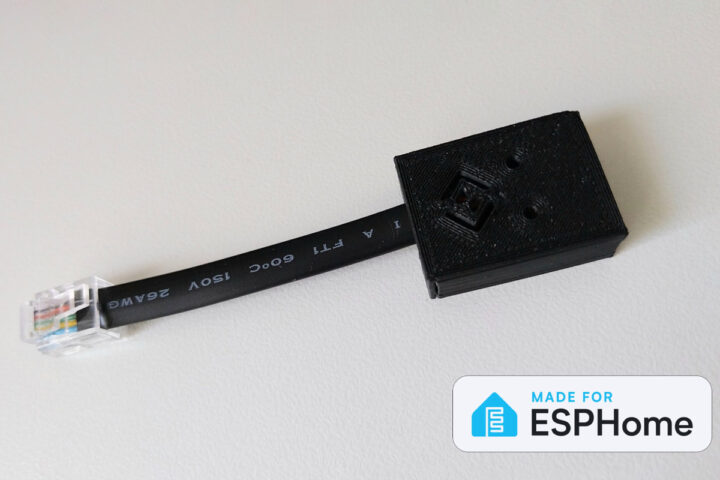
Designed by SmartHomeGuys in the UK, the DeskUp Pro is an ESP32-based standing desk controller compatible with Home Assistant, Homey Pro, and other Smart Home hubs, using the desk’s standard RJ11/RJ12 connection. Many modern standing desks come with a controller from Jiecang or another company featuring an RJ12 port. The DeskUp Pro plugs directly into this port, draws power without an external USB supply, and bridges the desk’s controls to your 2.4 GHz Wi-Fi network. This allows you to automate your desk height, set health-focused standing reminders, or use voice assistants like Google Home and Alexa, all while keeping the desk’s original physical keypad fully functional. DeskUp Pro specifications: MCU â Espressif Systems ESP32-C6 or ESP32-S3 microcontroller with 2.4GHz Wi-Fi and Bluetooth LE Desk connectivity â Built-in RJ11/RJ12 cable for data and power USB â USB Type-C port for initial setup and firmware flashing Misc Supported Jiecang control boxes JCB36NE2 (used […]
The post DeskUp Pro smart standing desk controller integrates with Home Assistant and Homey Pro Smart Home hubs appeared first on CNX Software – Embedded Systems News.
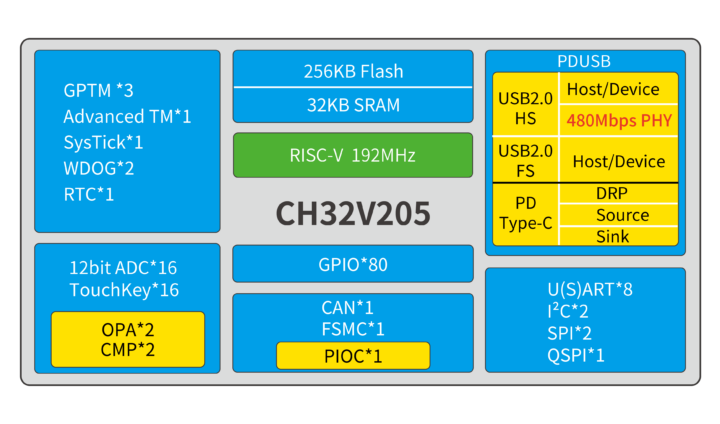
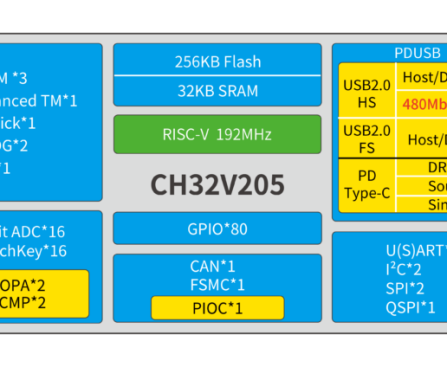
WCH CH32V205 is a 32-bit RISC-V MCU clocked at up to 192 MHz with 32KB SRAM, 256KB flash, and a USB 2.0 high-speed Host/device interface with a 480 Mbps PHY. The new microcontroller also features another USB 2.0 full speed (12 Mbps) Host/Device interface, a USB PD port, eighty GPIOs, a 16-channel 12-bit ADC, a 16-channel touchkey interface, and other interfaces such as CAN Bus, USART, I2C, SPI, and QSPI. WCH CH32V205 specifications: MCU core – QingKe 32-bit RISC-V3B core processor up to 192 MHz Memory & Storage 32KB SRAM 256KB Flash Flexible Static Memory Controller (FSMC) Peripherals USB 480Mbps high-speed USB 2.0 controller and PHY Full-speed USB 2.0 controller and PHY USB PD and Type-C controller and PHY 8x USARTs, 2x I2C, 2x SPI , 1x QuadSPI 1-wire (default)/ 2-wire serial debug interface 1x CAN 2.0B Up to 80x GPIO with 16 external interrupts Programmable Protocol I/O Controller (PIOC). Note: […]
The post 192 MHz WCH CH32V205 RISC-V MCU offers a 480 Mbps USB 2.0 interface appeared first on CNX Software – Embedded Systems News.
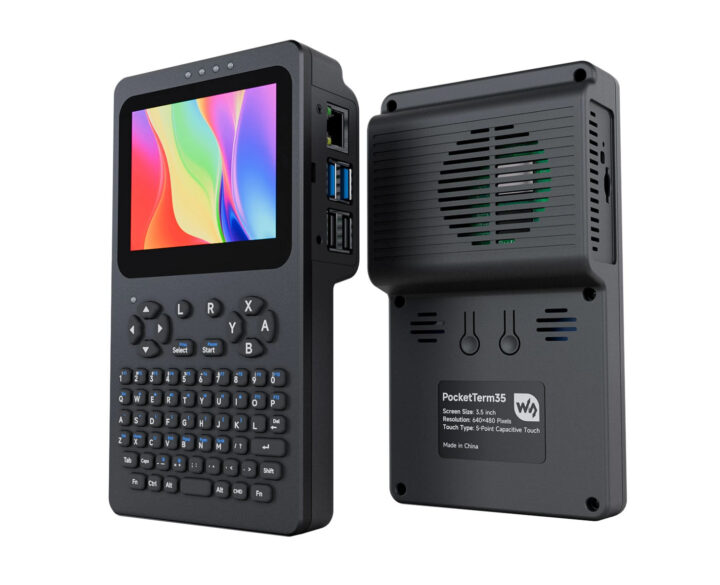
Waveshare PocketTerm35 is a portable handheld terminal for the Raspberry Pi 4 or 5 single board computers featuring a 3.5-inch touchscreen display and a built-in QWERTY keyboard. The device also features Gigabit Ethernet and USB 3.0/2.0 ports from the Raspberry Pi SBC, gaming buttons, a built-in stereo speaker, a 3.5mm audio jack, a USB Type-C port for power, and an optional 5,000 mAh battery. PocketTerm35 specifications: Compatible SBC – Raspberry Pi 4 Model B and Raspberry Pi 5 MCU – Raspberry Pi RP2040 MCU for keyboard, brightness, and volume Storage – Optional 64GB microSD card with OS Display – 3.5-inch 640 à 480 IPS display with 5-point capacitive touch; toughened glass panel, 6H hardness Audio Built-in 8Ω 2W stereo speaker 3.5mm audio jack Networking – Gigabit Ethernet ports (on Pi 4/5) USB â 2x USB 3.0 ports, 2x USB 2.0 ports (on Pi 4/5) User Input 67 keys QWERTY silicone keyboard […]
The post PocketTerm35 – A Raspberry Pi 4/5-based handheld Linux terminal with 3.5-inch touch display and built-in keyboard appeared first on CNX Software – Embedded Systems News.
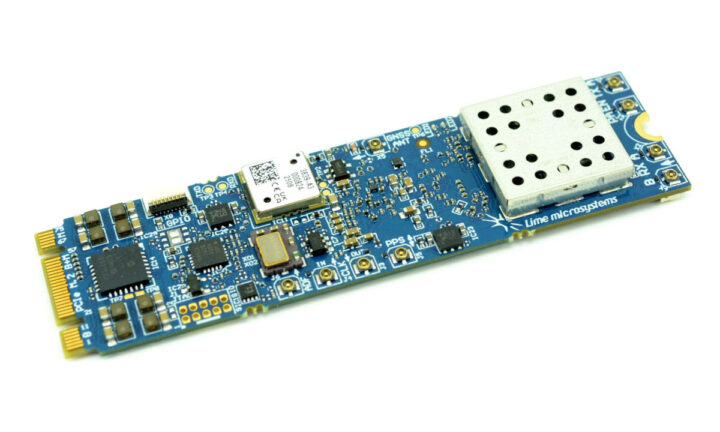
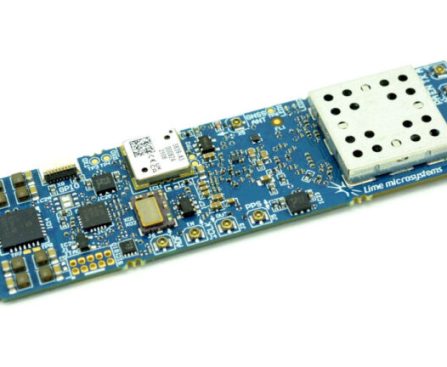
The LimeSDR Micro M.2 2280 software-defined radio (SDR) card combines an NXP LA9310 baseband processor and a Lime Microsystems LMS7002M transceiver, and targets integration into portable or embedded solutions with a spare M.2 PCIe Gen3 x1 socket. The module is offered in a 1T2R configuration by default, but can be expanded to 1T4R via an FPC connector, supports a 30 MHz to 3.8 GHz frequency range, and up to 100 MHz bandwidth. Target applications include 4G LTE/5G, future RAN research, custom user equipment/modems, drone communications, IoT, satellite communications, and custom waveform generation. LimeSDR Micro M.2 SDR card specifications: SoC â NXP LA9310 programmable baseband processor Vector Signal Processing Accelerator (VSPA) Gen 2 up to 80 GFLOPs Control Processor – Arm Cortex-M4 at up to 307 MHz Storage â 512 Kbit EEPROM memory for NXP LA9310 initial configuration RF Lime Microsystems LMS7002M RF transceiver Channels – 1T2R expandable to 1T4R via […]
The post LimeSDR Micro M.2 2280 SDR card pairs NXP LA9310 baseband processor with LMS7002M RF transceiver (Crowdfunding) appeared first on CNX Software – Embedded Systems News.
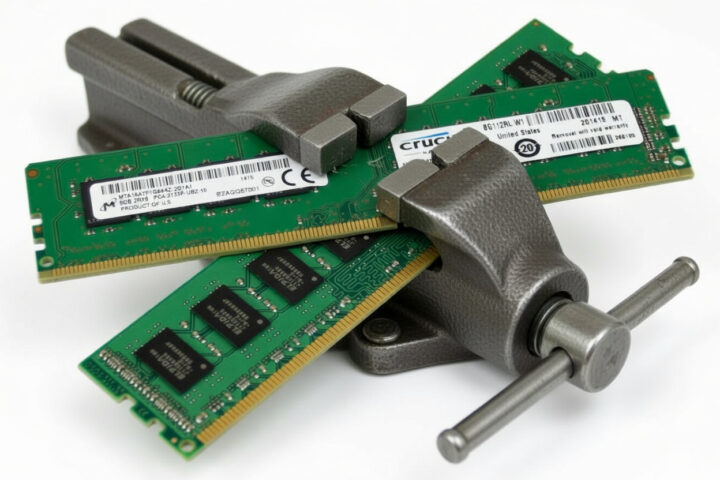
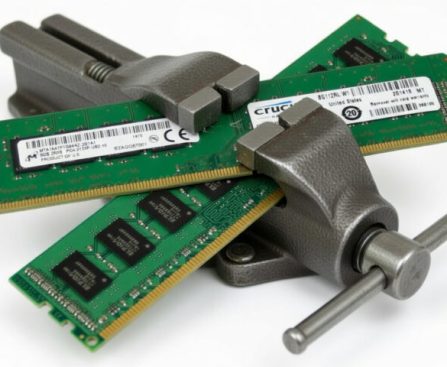
With the price of RAM getting out of control, it might be a good idea to remind Linux users to enable ZRAM so they can get better performance without upgrading memory, or save money on their next single board computer by selecting a board with the right amount of memory.
I had already written about the subject when I enabled ZRAM on a ODROID-XU4Q in 2018 using zram-config, and did the same on my Ubuntu laptop at the time. In recent days, I found Firefox crashing often due to running out of memory on my system with 16GB of RAM, and the Linux 7.0 release reminded me about ZRAM, since there were some related changes. So I decided to check the current swap configuration on my Ubuntu 24.04 laptop:
The post Reminder: enable ZRAM on your Linux system to optimize RAM usage (and potentially save money) appeared first on CNX Software – Embedded Systems News.