

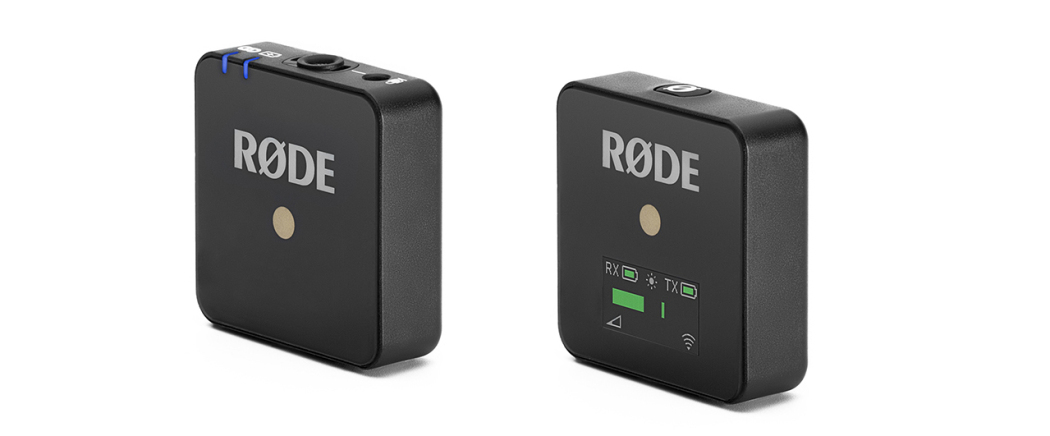
### Rode Wireless Microphones Unveil Direct Connect Functionality for iPhone Users
The Rode Wireless Micro has transformed how users link their wireless microphones to devices by launching a feature known as Direct Connect. This groundbreaking capability enables microphones to connect directly with an iPhone through Bluetooth, removing the necessity for a conventional receiver. This functionality is now being made available to users of the Rode Wireless Pro and Wireless Go models via a firmware update.
#### The Advancement of Wireless Microphone Technology
Historically, wireless lavalier microphones needed a compatible receiver that relays audio signals to devices like iPhones, cameras, or other recording gear. The Rode Wireless Micro has streamlined this approach by allowing Bluetooth pairing directly to an app on the iPhone, simplifying the audio recording arrangement for users.
As per reports from Engadget, Rode is launching a firmware update for the Wireless Pro and Wireless Go (third-generation) microphones, enabling them to access the Direct Connect feature that was once limited to the Wireless Micro.
#### Firmware Update Instructions
To utilize the Direct Connect feature, users must execute a firmware update on their microphones. Here’s an easy-to-follow guide to help with the update:
1. **Download the RØDE Capture App**: Make sure that you have the most recent version of the RØDE Capture app on your iPhone. You can confirm this via the App Store.
2. **Link the Receiver**: Connect the receiver to your iPhone. Ensure both transmitters are taken out of their charging case, turned on, and linked with the receiver.
3. **Launch RØDE Capture**: Open the app. If a firmware update is present, you will receive a prompt to install it. Follow the on-screen steps to finalize the update.
4. **Remove the Receiver**: After the firmware update is finished, disconnect the receiver from your iPhone and place it back in the charging case.
5. **Navigate to Audio Menu**: Access the audio menu in the upper-left corner of the app and select “Direct Connect to TX” to search for available transmitters.
6. **Sync the Transmitter**: Ensure your transmitter is in pairing mode, which is signaled by flashing lights.
7. **Connect and Start Recording**: When your transmitter shows up in the app, tap to connect. You are now set to record wirelessly without requiring a receiver.
#### Quality Assurance
While Bluetooth audio connections have often faced criticism regarding quality, Rode guarantees users that the Direct Connect feature retains the broadcast-quality audio that their wireless systems are recognized for. This improvement not only enhances user convenience but also maintains the quality of audio recordings.
In summary, the launch of the Direct Connect feature for the Rode Wireless Pro and Wireless Go microphones represents a significant advancement in wireless audio technology, offering users a more streamlined and high-quality recording experience.