
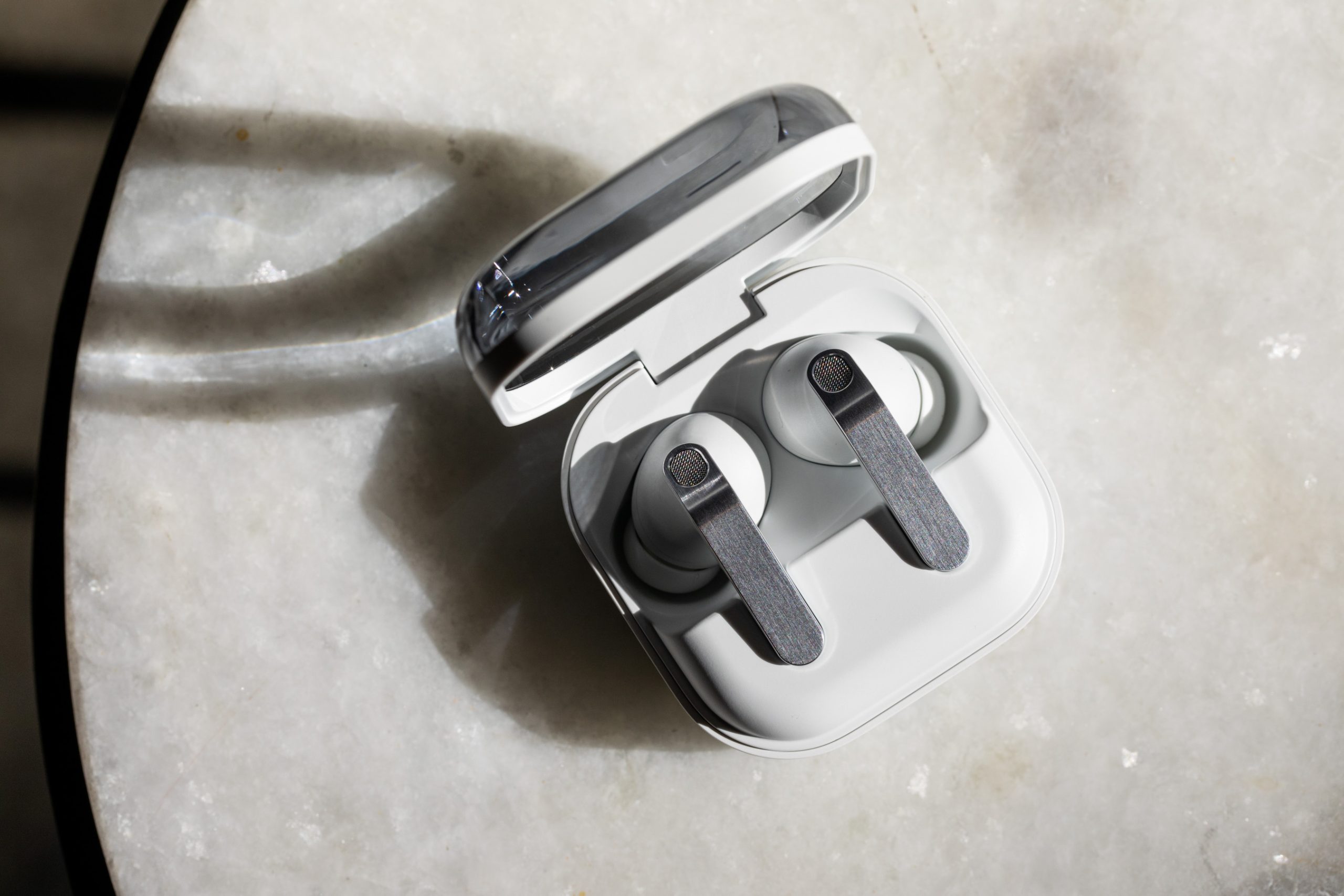

Sound and ANC performance improve with the Buds 4 Pro, but you still need a Galaxy phone for full functionality.
Samsung promised “more than a design refresh” for its new top-end Galaxy Buds – it added upgraded woofers for improved, dual-amped hi-fi sound, a new blade design, clearer call performance, and better noise cancellation. Ultimately, while the $249.99 Galaxy Buds 4 aren’t a huge leap forward over the previous model, they keep what was good about the Buds 3 and improve on most of what wasn’t — as long as you use Samsung Galaxy devices.
That’s because, much like the AirPods Pro 3 with Apple gear, the Buds 4 Pro still work best when paired with another Galaxy device. This unlocks all of the functionality of the Buds 4 Pro, including hi-res audio support, Gemini and Bixby voice wakeup, head gestures for call and Bixby control, the interpreter translation, Auracast, auto switch, and HD voice calling. Some of these are available with an Android device running the Galaxy Wear app, but for iPhone, Windows, and game consoles, the buds can only handle standard audio, calls, and toggling ANC on and off. It might be a good business decision, but it limits who can fully enjoy the Galaxy Buds 4 Pro.
One of the improvements I was happy to see from the Galaxy Buds 4 Pro over the previous version is a better, more consistent sound profile. I found the Buds 3 Pro to be a bit shouty, where certain frequencies in vocals stuck out more than they should. There was a similar problem with the high end, and I didn’t want to listen to them for long periods of time. But the Buds 4 Pro fixed that. The midrange in particular is smoother, which allowed me to just sit back more and enjoy Chris Cornell’s soaring vocals on “Black Hole Sun” and “Superunknown.” And Matt Cameron’s hi-hat helps to drive the groove while his cymbals punctuate rhythmic hits throughout without being piercing.
The bass levels on the Buds 4 Pro are right on the edge for me, and it really depends on the music whether it’s adding an extra driving punch or is overkill. The kick drum during the verses of Tracy Chapman’s “Fast Car” is a little more present than it should be, but it also gives an extra pulse and depth before the whole band comes in for the chorus. But the thumping toms and driving bass of “Uprising” by Muse is a bit too much for what I’m used to. It’s in no way excessive or out of control — and I’m sure many will love the extra low end and think I’m foolish— but it can start to cover some of the midrange presence. Luckily, it’s easily adjusted with a 9-band EQ in the app.
If you have a Galaxy device, the Buds 4 Pro support 24-bit / 96kHz hi-resolution audio from streaming apps that offer it (my app of choice is Qobuz). The differences are minor and depend on the track, but with Pink Floyd’s “Brain Damage,” the hi-res version was a bit more spacious. As the song opens up with the entry of the organ and fantastic backup singers, you can feel the individual character that each voice provides.
Another point of improvement is the buds’ active noise cancellation. They do an excellent job with the low end, so rumbles of airplane engines while on trips will be properly tamed, and a decent job with the pesky midrange frequencies that almost all earbuds have trouble with. The performance isn’t quite as good as the AirPods Pro 3, Bose Ultra, or Sony WF-1000XM6, but it’s a significant improvement over the Buds Pro 3. In the app, it’s possible to adjust the intensity of both the ANC and transparency mode to give you more awareness options when out in the world.
The Galaxy Buds use an array of six microphones and a voice pickup unit that helps the mics focus on your voice, and during calls they do an excellent job isolating my voice and blocking out things like wind, traffic, nearby people, or loud noises. So much so that my friend wasn’t able to hear a car alarm across the street during our call, or any of the traffic as I walked down a busy San Fernando Valley street. The tradeoff was a hefty dose of compression added to my voice, but I was still easily intelligible.
For those with a Galaxy device, Samsung includes a super wide band for voice option, which increases the bandwidth of calls to 16kHz and can be turned on in the Buds 4 Pro menus. I recorded multiple phone call samples — one with the super wide band turned on with a Galaxy S26 Plus, one with