
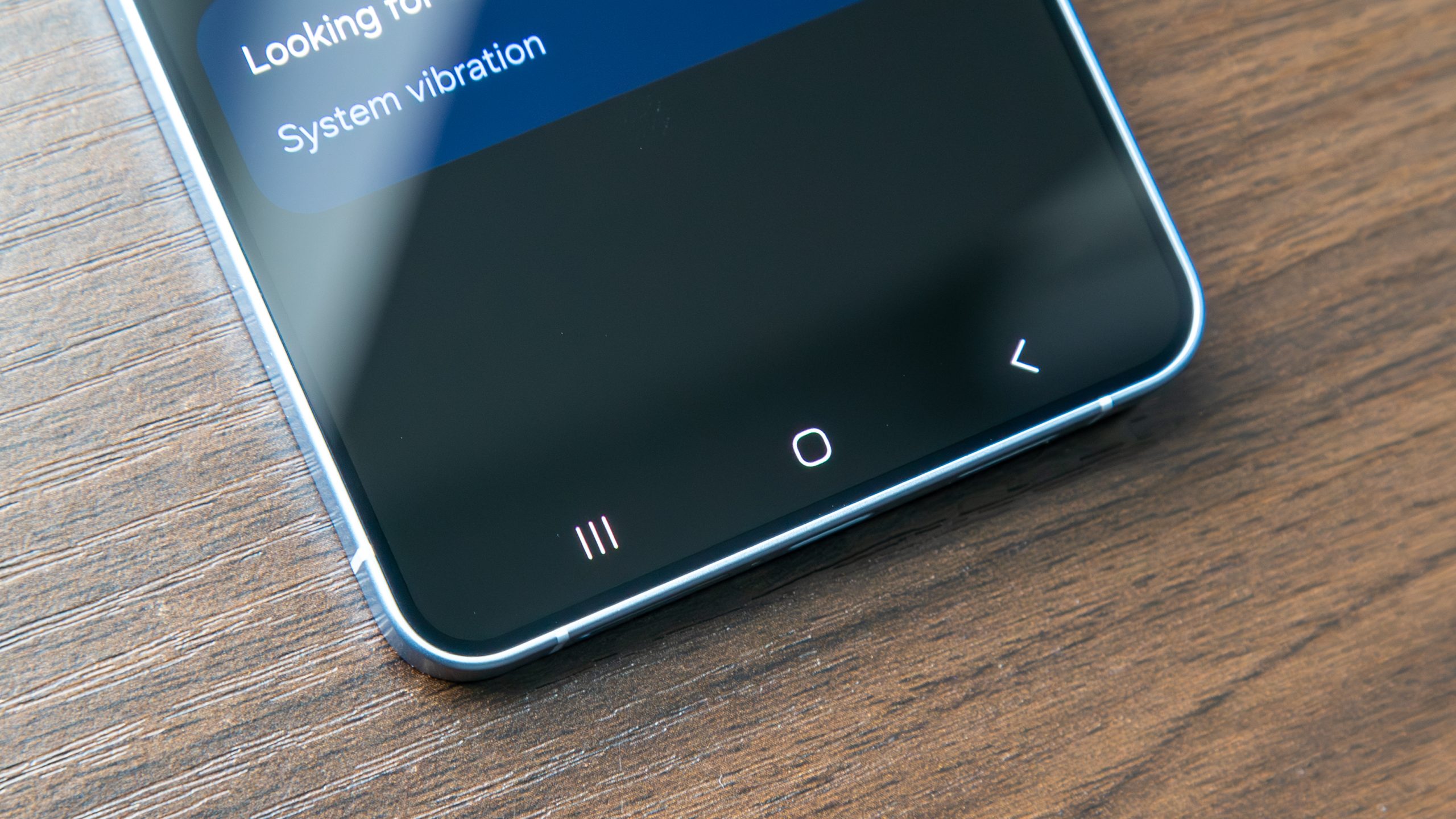

How many of you are still utilizing 3-button navigation on your Android devices?
For many years, Android smartphones have allowed users to select their desired navigation style. Choosing between gestures and buttons can significantly impact how you interact with your smartphone’s interface. Gesture navigation is the “more recent” approach compared to the three-button setup that characterized earlier Android devices, yet some individuals still favor the arguably more straightforward button navigation.
Which navigation style do you favor on your Android device?
3-button vs. gesture navigation
Upon initial phone setup, you are presented with the option to use either 3-button navigation or gesture navigation.
In 3-button navigation, the primary home button sits centrally and will consistently return you to your home screen when pressed, or activate Gemini with a long press. On one side is the back button, which simply returns you to the previous screen you were on, or allows you to dismiss your on-screen keyboard. Lastly, there’s the Recent Apps button, which may present itself as a square, a three-line symbol, or something similar, depending on the manufacturer. Tapping this button will display your currently open apps.
Numerous manufacturers even permit you to rearrange the order of the buttons.
With gesture navigation, the same functionalities exist; however, the buttons are absent and are instead replaced by a single bar at the bottom of the screen. To return home from an application, swipe up and quickly release, similar to flicking the app upward and away. To navigate back, swipe from either side edge of the screen, or swipe and hold to preview the upcoming screen (you can cancel the back gesture by moving your finger back toward the edge of the display).
Lastly, you can access the Recent Apps view by swiping up from the bottom of the screen and holding for a moment before releasing.
Android fully embraced gesture navigation after the launch of Android 10, alongside the rise in popularity of the iPhone X, which transformed Apple’s iPhone range by eliminating the physical button present in earlier versions. It may have appeared as a complex shift for some, but many adapted to it and still primarily use gesture navigation. One advantage of this style is that it offers a full-screen experience, as the bottom navigation buttons do not occupy space.
However, there are certainly those who appreciate the ease of the three-button style, as they spend less time inadvertently swiping out of an app or encountering unsuccessful attempts to perform a gesture. Certain individuals with specific motor disabilities may find gesture navigation challenging, though the same can apply to others with three-button navigation.
Of course, you can adjust this later in your phone’s settings, but as creatures of habit, we typically stick with what we are accustomed to. So, which navigation approach do you prefer? Leave us a comment and share your thoughts!