
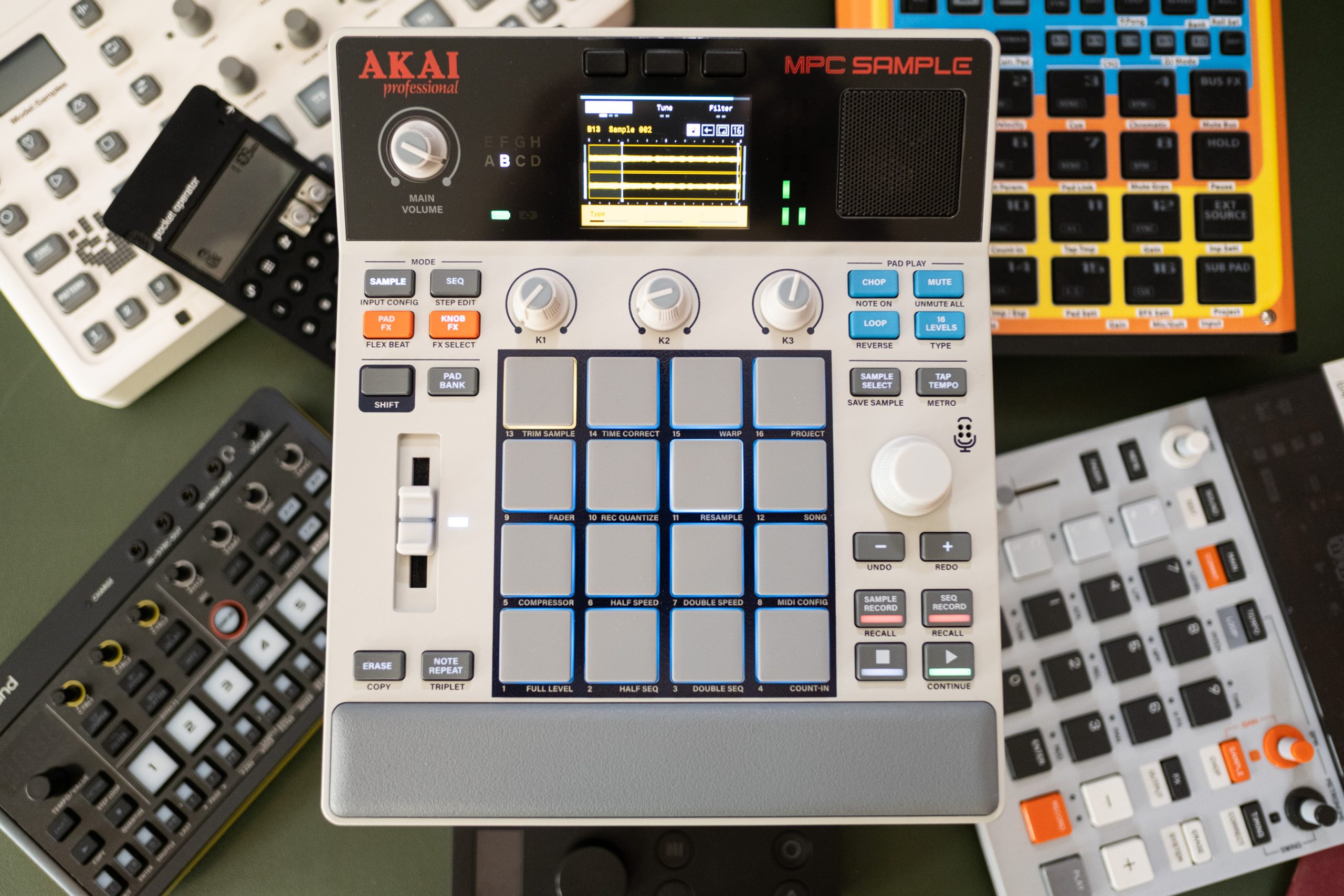

A tribute to Akai’s glory days, showing the competition how it’s done.
Akai MPC is a legendary name in music history. In recent years, however, it’s moved away from its sampler origins, evolving into a device with virtual synthesizers, complex arrangement tools, and large touchscreens, making it more like a computer with a DAW than the original MPC60. The MPC Sample is a return to basics and a bold entry into the market for portable, battery-powered, and affordable music gear.
The MPC Sample is equipped with all you need to create beats from the get-go. It features a 2.4-inch color screen for sample editing and UI navigation, a built-in speaker, a sensitive mic, and a rechargeable battery, with hundreds of preloaded samples.
Choosing the MPC Sample over other models like the Live III or One+ often comes down to price ($399, as opposed to the One+ at $699) and functionality. It allows users to record, edit, playback, and arrange samples into patterns, making its limitations appealing.
The MPC Sample draws inspiration from the MPC 60 in design and workflow. It retains the classic look with a vintage-styled logo and a fader but is significantly more compact, fitting easily into a backpack for on-the-go music-making.
MPC’s hallmark 16 velocity-sensitive pads are present, but due to the Sample’s smaller size, they are downsized. While better than pads on many MIDI controllers, they don’t match those on larger MPC devices, impacting the drumming experience.
Connectivity is robust, with 1/4-inch stereo ins and outs, MIDI, analog sync, headphone jack, USB-C, and a microSD slot to expand the 8GB storage.
Some workflow quirks can be annoying, like limited resampling and a cumbersome step sequencer. Despite these, the MPC Sample is a joy to use. Its intuitive design allows easy music creation without needing complex commands or extensive menu navigation.
Chopping samples and rearranging them on pads is seamless. The Sample offers various chopping options and ample storage, supporting eight banks of samples per project, with many sequences that can be arranged and exported.
The MPC Sample is not entirely old-school; it includes modern features like time-stretching, re-pitching, and numerous effects. Though slightly confusing to set up, you can customize effects to individual pads or entire sequences, with some providing pitch and time-based manipulations too.
In a competitive landscape with models like Roland SP-404 MKII, Teen Engineering KO-II, and others, the MPC Sample stands out for its intuitive workflow and balanced features. While not the best at any specific function, it’s excellent generally, making it suitable for budding beat makers.