Apple Stops App Store Updates for Mac App That Substitutes Discontinued Launchpad Function

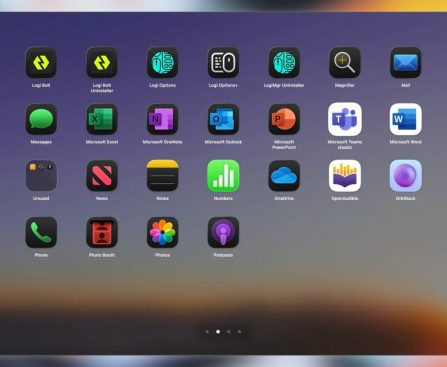
Apple has recently taken a contentious position by preventing updates to AppGrid, an app intended to replicate the now-obsolete Launchpad feature that was eliminated in macOS Tahoe. This choice has sparked concern among both users and developers, as it underscores the difficulties encountered by third-party developers when their applications bear resemblance to features of Apple’s own software.

### Background on Launchpad and AppGrid

Launchpad was a well-liked feature in previous versions of macOS, enabling users to arrange and launch applications in a grid format. However, with the launch of macOS Tahoe, Apple opted to remove Launchpad, prompting many users to look for substitutes. In reaction, developer Attila Miklosi developed AppGrid, which aims to reinstate the traditional grid layout for browsing and launching applications. The app swiftly gained popularity among users who longed for the functionality of Launchpad.

### Apple’s Decision to Block Updates

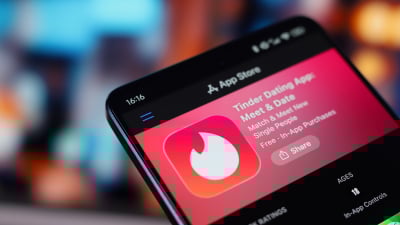
Despite its popularity, AppGrid has not been updated in the last four months due to Apple’s interference. The company asserts that AppGrid is too similar to Launchpad, which they have eliminated from their operating system. Miklosi has voiced his frustration regarding this decision, mentioning that Apple has effectively placed the app in a “zombie state.” Although AppGrid is still available for purchase on the App Store, Miklosi cannot implement updates, resolve bugs, or introduce new features, while Apple continues to take a 30% cut on sales.

### The App Store Review Guidelines

Apple’s App Store Review guidelines forbid developers from making apps that are “confusingly similar” to existing Apple products or interfaces. This guideline has been interpreted by Apple to indicate that any app resembling a discontinued feature may face restrictions. Miklosi has sought to appeal Apple’s ruling but has been unsuccessful. He was informed that updates would be granted if he modified the app’s appearance to distinguish it from Launchpad. However, he believed that doing so would betray the expectations of the users who had already bought the app.

### Alternative Distribution

In response to these restrictions, Miklosi has chosen to distribute an alternate version of AppGrid outside the App Store. This version features capabilities that are not allowed in App Store-distributed apps, such as hot corner and pinch gesture activation. Users interested in these extra functionalities can find more details on the AppGrid website.

### Conclusion

The situation surrounding AppGrid highlights the complexities involved in app development within the Apple ecosystem. While Apple seeks to ensure a cohesive user experience, the blocking of updates for apps that resemble discontinued features raises concerns about the balance between safeguarding intellectual property and encouraging innovation. As developers like Miklosi navigate these obstacles, users are left to explore alternative solutions to address the gaps created by Apple’s choices.
iOS 26.4 Security Release Notes: Important Features and Significant Modifications

On Tuesday, Apple launched iOS 26.4, featuring important security updates that tackle over 35 vulnerabilities. This upgrade is vital for users, as it includes solutions for several significant issues that could jeopardize device security.

### Key Vulnerabilities Addressed

1. **Protection Bypass for Stolen Devices (CVE-2026-28895)**: This flaw permitted individuals with physical possession of an iPhone to bypass biometrically secured apps simply by using the device’s passcode, even when Stolen Device Protection was activated. This feature is intended to make a stolen iPhone ineffective, even with the correct passcode. Apple has now introduced enhanced checks to rectify this problem.

2. **Vulnerability in Keychain Access (CVE-2026-28864)**: A local attacker could access Keychain items due to inadequate permissions verification. The Keychain saves sensitive data like passwords and encryption keys, rendering this a significant local privilege escalation threat.

3. **Issue with Mail Privacy Settings (CVE-2026-20692)**: This vulnerability indicated that the “Hide IP Address” and “Block All Remote Content” functionalities in Mail may not have operated properly, potentially putting users’ IP addresses at risk and permitting remote content to load, disregarding user preferences.

4. **Printing-Related Sandbox Escape (CVE-2026-20688)**: This problem enabled an app to escape from its sandbox through a defect in the Printing framework, which is part of AirPrint. Escaping the sandbox is critical, as it can lead to further exploitation.

5. **WebKit Vulnerabilities**: The update resolved seven CVEs connected to WebKit, including a Same Origin Policy bypass and a Content Security Policy bypass. One alarming issue allowed a malicious site to process restricted web content beyond the sandbox.

### Conclusion

Although none of these vulnerabilities were indicated as actively exploited, their seriousness demands prompt action. Users are strongly encouraged to update to iOS 26.4 to safeguard their devices against these potential threats. For a comprehensive list of patches, users can check Apple’s security releases page.

How to Broadcast MLB Matches in 2026: An In-Depth Manual

After a lengthy winter, Major League Baseball has returned. The initial game of the season will be available on Netflix (New York Yankees vs. San Francisco Giants) at 8:05 pm ET on Wednesday, March 25 (also known as Opening Night). On Thursday, March 26 – MLB’s official Opening Day – 22 teams will compete, and all games will be streamed on NBC and Peacock. The remaining 8 teams will play on Friday, including the Yankees and Giants once more. Two of those games will be shown on Apple TV.

To catch every game this season, you’ll need to subscribe to a few streaming services and have access to live television. Unfortunately, figuring out where to stream an MLB game on a specific day can be as confusing as mud after a rain delay. Although there is a general schedule, there are numerous exceptions, unique deals, and broadcast clashes to navigate. We have the essentials here, but we suggest visiting MLB’s website for detailed game information.

How to watch your preferred MLB team’s games

If you reside near your beloved team’s stadium, you’ll be dealing with in-market games, which should be straightforward to find. Depending on the day of the week, you can watch the game on the team’s home network. For instance, the Mets (my favorite team, alas) are on SNY, while the Yankees are featured on YES Network and the Gotham Sports app. If you don’t live close to your team, you’ll need access to out-of-market games, which are offered with an MLB.TV subscription. Regardless of your location, you cannot stream every game through a single service due to local and national broadcast blackouts.

For those living far from their team, an MLB.TV subscription provides access to out-of-market games, although blackouts will apply for local matchups. For instance, if you’re in Los Angeles and a Yankees fan, you’ll be able to view most Yankees games— except when they play the Dodgers (your local team). However, you can catch home games on local channels as you are within the market. Cable subscribers can reduce costs by adding the MLB Extra Innings package, which includes out-of-market games and access to MLB.TV for streaming.

In addition to local networks and MLB.TV, some MLB broadcasts and streams can be found on Apple TV, Fox, ESPN, NBC/Peacock, and TBS throughout the season. Fubo will also air some broadcasts. For regular-season games, the broadcast schedule is as follows: TBS on Tuesdays; Apple TV on Friday evenings; Fox on Saturday nights; Peacock on Sunday morning starting May 3; and NBC on Sunday nights. However, if there is scheduling conflict with NBA or NFL games on NBC, then those games will be streamed on Peacock. ESPN will also air 30 regular-season games.