
Uncover Concealed Functions of Your iPad

Uncover Concealed Functions of Your iPad

2 Min Read


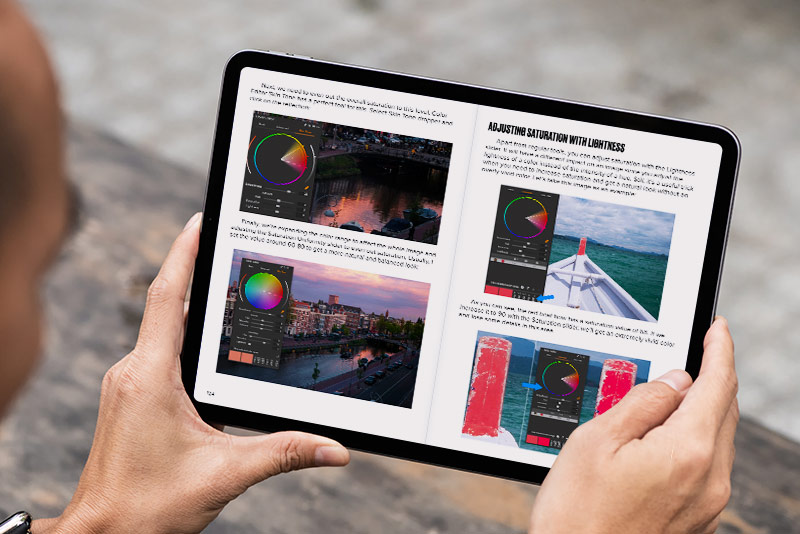
use your iPad as a substitute for a laptop. The updated windowed application feature allows you to launch numerous apps and resize and position them just like you would on a computer.

Your iPad also features clever tools for taking notes. For example, you can activate a setting in the Notes app to enhance your handwriting and add grids or lines as a backdrop. Additionally, there are other useful iPad features like the floating keyboard option, full-screen screenshot capabilities in Safari, and multi-finger navigation gestures for everyday activities.

In addition to these iPad tips and tricks, there are several lesser-known functionalities you may have overlooked. They’re apparent but, once uncovered, can significantly alter how you interact with your device. With that in mind, here are five impressive functions you likely didn’t know your iPad could perform.
Combine files into a PDF using the Files app

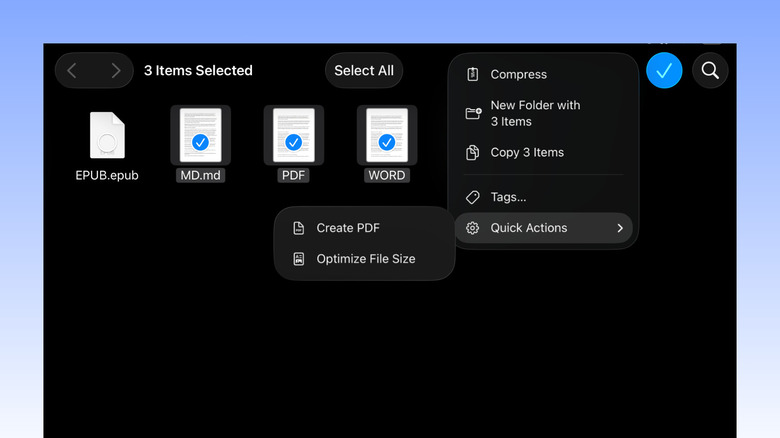
There are occasions when you may need to merge several files into a single PDF. Perhaps you’re sending various artwork samples to a client. Or you might prefer to have all your bills and receipts consolidated in one location. Rather than managing multiple files, you can unify them into a single PDF. This approach helps you tidy up your storage and simplifies sharing the file.

To merge files into a PDF, you would typically rely on a third-party application. However, on an iPad, you won’t need to install anything extra. A built-in feature exists within the Files app that enables you to swiftly convert a collection of files into a PDF. You can utilize it to generate a PDF from the same type of files, such as only JPGs or all DOCs. It also accommodates combining different file formats — for instance, one JPG, one PDF, and one TXT file. Here’s how to merge files using this feature:

  1. Open the Files app.
  2. Find the files you wish to merge into a PDF.
  3. Tap Select at the top.
  4. Select the files.

You might also like