

**Gemini in Chrome: Unveiling the New Skills Feature**
Gemini in Chrome on desktop is about to elevate user experience with the launch of a new Skills feature. This groundbreaking addition enables users to swiftly execute commonly used prompts, optimizing workflows and conserving precious time. Additionally, it acts as an educational resource, illustrating the functionalities of Gemini while engaging with various webpages.
**Grasping Skills**
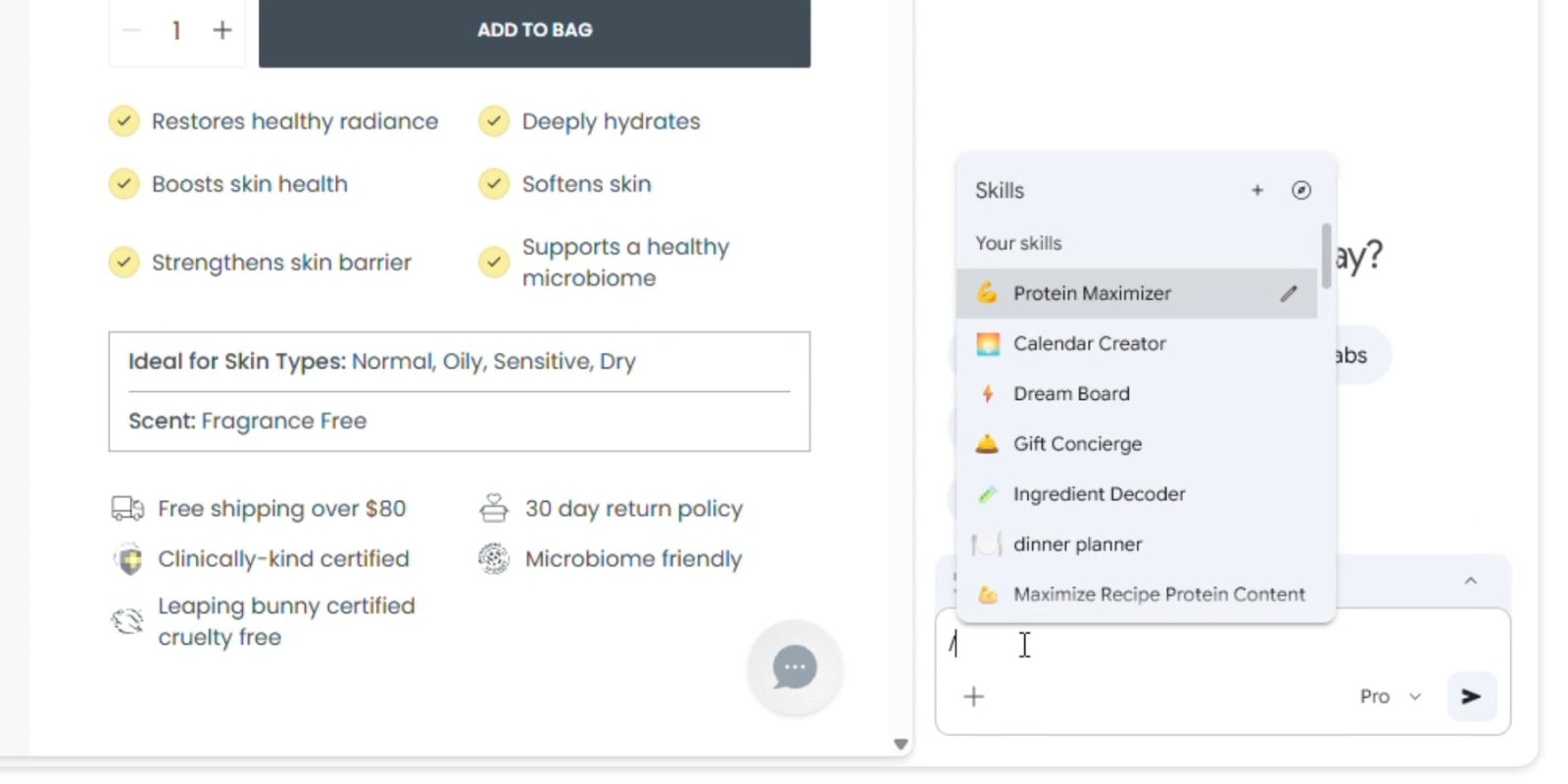
Skills are primarily one-click workflows that can be initiated by entering a forward slash (/) in the prompt box. This feature functions on the current webpage being viewed and can also reach other selected tabs via the ‘+’ button. By easing the execution of routine tasks, Skills strive to enhance user interactions with Gemini.
**Preserving and Organizing Skills**
Google motivates users to save prompts they consider useful for later reference, removing the need to search through chat history for repeated actions. At the end of chats, Gemini will encourage users to save their Skills, letting them assign a name and an identifying emoji for effortless recognition. This personalization element boosts user engagement and simplifies the management of frequently utilized prompts.
**Skills Library**
Alongside creating personalized Skills, users can browse a repository of existing Skills accessible at chrome://skills/browse. This library organizes Skills into various categories such as Learning, Research, Shopping, and Writing, offering users a selection of options for frequent tasks and workflows. For example, users can effortlessly calculate protein macros for recipes under Health & Wellness, produce side-by-side product comparisons in Shopping, or examine lengthy documents for critical information in Productivity.
**Practical Applications**
The Skills feature unveils a multitude of practical uses. Users can analyze product ingredients, choose gifts by aligning budgets with recipient preferences, and transform data into infographics for enhanced understanding. The adaptability of Skills allows users to customize their browsing experience based on their unique requirements.
**Safety Protocols**
To ensure user safety, Skills prompts will necessitate confirmation before carrying out sensitive actions, such as adding events to calendars or dispatching emails. This measure helps preserve user control over their interactions with Gemini.
**Accessibility and Management**
The Skills feature is being introduced to Gemini in Chrome on desktop starting today. Users can reach their stored Skills on any signed-in Chrome desktop device by typing the forward slash (/) in Gemini and clicking the compass icon for management features.
In summary, the new Skills feature in Gemini for Chrome signifies a major improvement in how users can engage with web content. By offering quick access to frequently used prompts and enhancing user knowledge about Gemini’s functionalities, this feature is set to boost productivity and streamline online tasks.