

**Introduction**
In Salesforce, we enhance the UI through the declarative approach and Aura/LWC (Lightning Web Components). Additionally, we leverage SLDS for a superior UI experience.
**Why SLDS?**
SLDS offers pre-built HTML and CSS UI elements for custom Salesforce UI development.
**Design Principles**
In front-end development, focus on these areas:
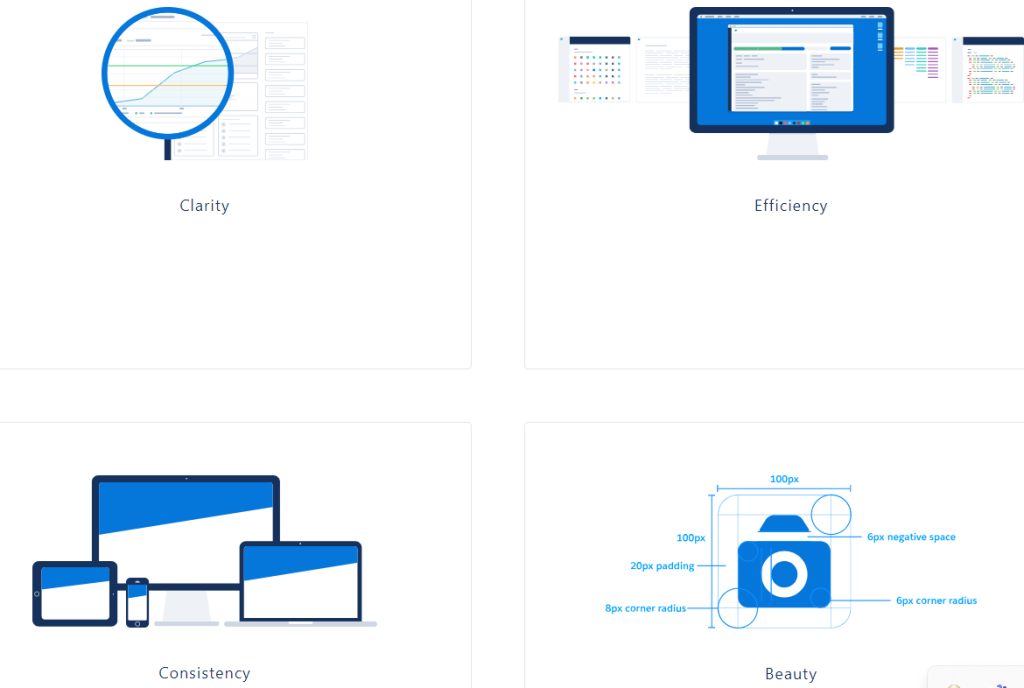
– _Clarity_ – Empower users to understand and act confidently.
– _Efficiency_ – Anticipate needs to enhance productivity.
– _Consistency_ – Foster intuition by applying uniform solutions to recurring problems.
– _Beauty_ – Show respect for users’ attention through thoughtful and elegant craftsmanship.
**Customize – Do Not Change the Core**
Be cautious of custom CSS that overrides Lightning Design System styles—ensure you’re customizing, not overriding.
_Example:_
_LWC_
_In LWC, custom CSS is applied to padding, initially overriding SLDS core padding._
_Aura_
_In Aura, custom CSS is used for margin, with initial lines overriding SLDS core settings—recommend best approaches are provided._
**Design Tokens**
Design tokens store visual attributes like margins, font sizes, or color codes. LWC can utilize any globally accessible Lightning Design System token. Use the –lwc- prefix and camelCase to reference them in CSS.
_Example:_
Demonstrates applying design tokens in web components.
**Why is Design Token Important?**
For community portals, maintaining properties like font colors and margins in design tokens ensures a clean CSS structure.
**CSS Styling**
Good CSS practices:
– Avoid type selectors with classes to prevent dependency issues.
– Refrain from long, nested selectors to avoid specificity problems.
– Avoid universal selectors due to their unpredictability.
– Limit the use of !important—it’s a sign of underlying issues.
Bad CSS should be avoided to maintain clean structure.
**Focus Areas**
– _Follow SLDS documentation:_ Use the Salesforce Lightning Design System developer guide.
– _Design for responsiveness:_ Ensure components are adaptable across devices.
– _SLDS CSS and utility classes:_ Stick to these to maintain consistency.
– _Use SLDS components:_ Leverage pre-built, accessible components for user consistency—buttons, forms, modals, etc.
– _Web Accessibility:_ Adhere to accessibility guidelines, ensuring all users can access components.
– _Web Performance optimization:_ Minimize HTTP requests, use SLDS CDN, and optimize custom code.
– _Keep up with SLDS updates:_ Incorporate new components, features, and guidelines.
– _Test across browsers and devices:_ Ensure functionality across platforms.
– _Document your customizations:_ Clarify component modifications for developer comprehension and maintenance.
By adhering to these practices, you can craft effective, maintainable, and user-friendly web applications with SLDS.