
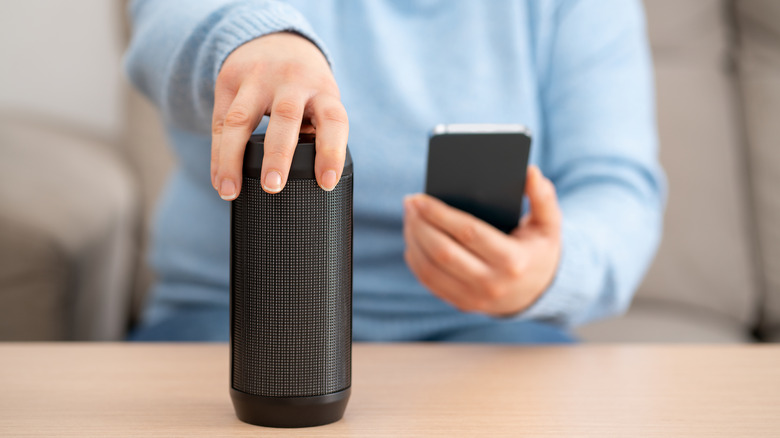

In the last twenty years, Bluetooth has evolved into a crucial element of our everyday existence, effortlessly managing tasks from device connections to file sharing. However, you may occasionally observe frequent connection drops or inadequate signal strength, alongside other [common Bluetooth issues](https://www.bgr.com/2077672/how-to-fix-most-common-bluetooth-problems/). These problems may stem from various objects and appliances within your home interfering with Bluetooth connections.
In addition to concrete and wooden barriers, typical gadgets like Wi-Fi routers, microwave ovens, certain smart home devices, and even USB 3.0 ports can disrupt Bluetooth signals. Bluetooth usually functions within the 2.4 GHz frequency band, which is also utilized by numerous Wi-Fi routers and other domestic devices.
The challenge is that the cause of these interferences isn’t always apparent, leading many to overlook the solution to Bluetooth disturbances. Frequent connection drops are often mistaken for low battery issues or hardware failures, though a device close by may actually be the culprit. Thus, when experiencing Bluetooth connectivity troubles, it’s essential to survey your home for appliances that might be interrupting the signals.
### Wi-Fi routers
A prevalent source of Bluetooth interference in households is the Wi-Fi router. Many older models operate exclusively within the 2.4 GHz spectrum, while newer ones support both 5 GHz and 2.4 GHz frequencies, which coincide with Bluetooth’s band. With numerous devices linked to the Wi-Fi, a scenario can arise where signals continuously clash, resulting in frequent disconnections.
The interference becomes more evident when a Bluetooth device is situated near a Wi-Fi router. For example, if your Bluetooth-enabled speakers or headphones are located at your workspace alongside the router, connectivity issues may arise.
As more appliances in homes demand stable and speedy internet, avoiding Bluetooth interference can be challenging. Nevertheless, by strategically placing devices and routers—keeping Bluetooth gadgets at least three feet from the Wi-Fi router and switching your router to the 5 GHz band—you can significantly reduce signal disruptions. Additionally, if your [router only functions on the 2.4 GHz band, an upgrade may be necessary](https://www.bgr.com/2055815/why-2-4-ghz-router-upgrade-necessary/) to eliminate signal interference.
### Microwave ovens
Microwave ovens are a familiar household item associated with Bluetooth interference. You may have experienced frequent connectivity drops when using Bluetooth gadgets like headphones close to a microwave. This occurs because microwaves emit electromagnetic radiation in the 2.4 GHz spectrum. Although they are designed to contain this radiation, some waves inevitably escape, [causing Wi-Fi interference](https://www.bgr.com/2040999/home-wifi-interference-tech-features/) as well. This issue tends to be more apparent in smaller kitchens where waves are trapped in a confined area, while larger kitchens may not exhibit as much disruption.
The solution is straightforward. First, avoid operating Bluetooth devices like headphones near microwaves, particularly when they are in use. For stationary items such as speakers, try to position them further away from the microwave. Simply putting a few feet of distance between them will likely resolve the issue for most users. If neither option is feasible, consider upgrading to Bluetooth 5.0 or newer devices, as these provide enhanced connectivity.
### Smart home devices
Today’s homes are packed with smart technology, including security cameras, voice assistants, baby monitors, and smart plugs and lighting, most of which operate on the same 2.4 GHz band as Bluetooth. Consequently, an excess of these devices can lead to Bluetooth connectivity problems. Even older fluorescent lights might emit waves that disrupt Bluetooth signals, although this effect is generally less significant.
To reduce Bluetooth interference from smart devices, switch compatible devices to the 5 GHz band on your router, alleviating congestion on the 2.4 GHz band. Additionally, try to keep devices spaced apart when feasible. Lastly, power down devices that are not in use. For example, consider turning off fluorescent lights during the day. If you have a baby monitor, switching it off when the child isn’t present will minimize disruptions, prolong the device’s life, and also help lower your electricity bill.
### Large aquariums or water tanks
It may be surprising, but Bluetooth signals have difficulty penetrating water and tend to be absorbed. Thus, if there is a large water feature or aquarium near a Bluetooth device, you are likely to encounter some degree of interference. The human body, which is significantly comprised of water, can also impact connectivity. You may have noticed that merely standing between two Bluetooth devices can weaken the connection. Water is the underlying factor behind this. Even an