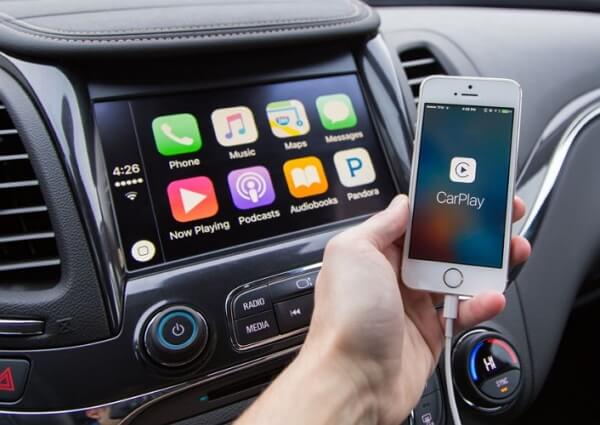
Refrain from turning your iPhone off and on again, as this likely won’t restore Apple CarPlay if it’s become disconnected, particularly if this problem arose after the main iOS 26 update, which many users experienced. TikTok user Charly gained popularity this week by sharing a public service announcement concerning unforeseen CarPlay connectivity issues and potential resolutions. Regrettably, users cannot rectify the bug that hinders a wireless connection, but they can utilize a USB-C cable equipped for data transfer to connect their iPhone to the vehicle and regain CarPlay functionality.
“If your iPhone’s CarPlay has ceased functioning after the latest update, you require a data cable,” Charly stated in a now-viral video, as other iPhone users faced similar dilemmas. She informed Motor1 that she arrived at the solution through “a lot of trial and error.” After discovering online that others were encountering identical issues, she theorized that the problem stemmed from data transfers and attempted to link her iPhone to the car using a data cable.
You might already possess a data cable compatible with CarPlay. Charly’s test was fruitful. She restored the CarPlay connection utilizing a data cable, which is simply a USB-C cable that also transfers data. The TikToker mentioned that she tried every USB-C cable in her possession, but none were effective until she connected a data cable. Other iPhone users experiencing the wireless connectivity issue might find themselves in a similar situation. Since not all charging cables can transfer data, CarPlay will not function if you use a charging cable to connect your iPhone to the car, as it won’t transmit the necessary data to your vehicle’s infotainment system.
If you still have the original USB-C cable that came with your iPhone, you are fortunate to already have a data cable. If your iPhone is from the 11 to 14 series, the original Lightning to USB-C cable included also facilitates data transfer.
You have likely acquired additional USB-C cables if your iPhone isn’t brand-new, thus arbitrarily selecting one does not guarantee CarPlay functionality. While you can test each cable individually, it’s more efficient to look for markings indicating data transfer support (such as transfer speeds). If those markings are absent, you might check if the iPhone initiates a data transfer with your computer when connecting the two devices. If none of these options work, consider purchasing a third-party data cable from an electronics retailer and keep it in your car for emergency CarPlay connectivity.
There are other solutions that might restore your CarPlay connection. CarPlay is meant to “just work,” as Apple often claims when discussing new products and features. The iPhone should automatically and wirelessly connect to your car. It remains uncertain which of the recent iOS 26 updates triggered the CarPlay connectivity issues. Apple launched the new main build in mid-September and subsequently released two smaller updates, iOS 26.1 featuring new additions and iOS 26.2 with further enhancements and adjustments. The beta version of iOS 26.3 is already available for installation. Charly does not specify which software version she’s using. If iOS 26 is the latest update installed, upgrading to iOS 26.2 may resolve the problem. This is also something to consider before opting for the wired CarPlay alternative.
If your vehicle only has USB-C ports and your iPhone has a Lightning port, you will require a USB-C to Lightning adapter, such as the one Apple offers for $29. This particular accessory facilitates both data and power transfer, making it suitable for CarPlay. Apple notes in a support document that “certain combinations of adapters, cables, and vehicle entertainment systems might interfere with the wired CarPlay connection.” Apple recommends USB-A to USB-C cables for such instances. If your vehicle only accepts USB-A cables, an adapter that supports data transfer will be necessary.
