
USB Drives Could Be The Optimal Method For Enjoying Music In Your Vehicle – Here’s The Reason
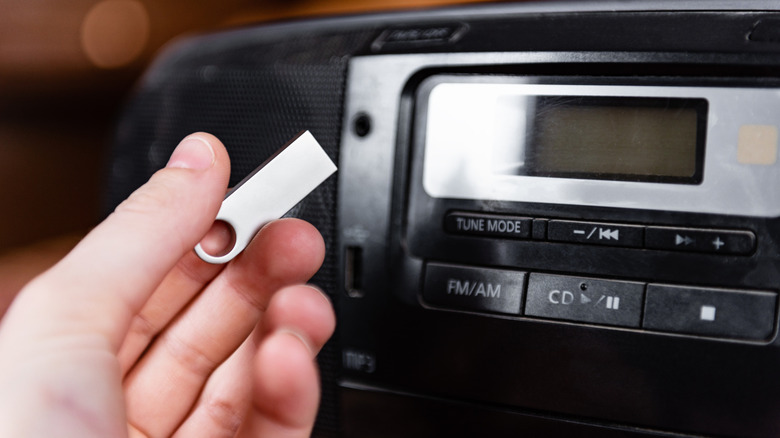
Some individuals will never experience the joy of curating a mixtape — a genuine cassette mixtape — or converting your preferred playlist onto a CD prior to setting off. Both were oddly pleasurable, but they also infused a unique charm into music playlists. Of course, today you can launch an app, select a bunch of songs with a few taps, and be on your way. However, if you wish to enjoy music in your vehicle, Bluetooth isn’t the most effective means to do so. The wireless connection is handy and quick, but you’ll receive far superior audio quality if you connect your phone directly to the system using USB. There’s another method that closely resembles the mixtapes of the past. You can utilize a USB drive and fill it with your favorite tracks.
Why is this? Firstly, depending on your music source, you may not have to subscribe to any services to listen. Furthermore, you can play FLAC and lossless audio with their authentic fidelity through USB. Bluetooth fails to support lossless audio except via very specific codecs, such as Qualcomm aptX Lossless.
Additionally, you have the freedom to create your own collection, including any artists, tracks, genres, and playlists you desire. With the high capacities of USB drives, you can store a substantial amount of music on a solitary drive. A 256GB USB drive can accommodate over 83,000 songs at 3MB each. You can also detach the USB at any time to add additional tracks, or keep it connected to your car’s port permanently. Most vehicles provide this capability, but if your car lacks a USB port, you will require an adapter or a device with an aux-output like a DAC. If your car’s USB port is malfunctioning, you will need to address that issue first.
How to transfer music to a USB drive for playback in your vehicle?
I strongly suggest loading a single MP3 or music file onto your new USB drive and testing it in your car before adding a multitude of tracks. Aim to use the file format that you will mostly have, whether that is MP3, AAC, OGG, FLAC, or another format. Ensure to format the USB drive using a standard file system, such as FAT or FAT32. Transfer a single track to the drive when it’s prepared, connect it to your car’s audio-related USB port, as there might be several USB ports available, and be sure to select the right input. If the track plays successfully, you’re ready to proceed. Make certain you use the same file format for forthcoming tracks.
It’s also advisable to organize the tracks on the drive, rather than placing them all in a single root directory. It’s beneficial to establish a logical structure, with folders such as artist > album for each group or artist. You may be able to use your phone for this, but managing it will be simpler on a computer or laptop. It is undoubtedly easier to arrange the file structure using a computer. Once your music is transferred and structured, you’re all set.
Besides playing music, there are some really exciting gadgets you can use in your vehicle’s USB port, even some that enhance your car’s safety, but nothing quite as enjoyable as crafting your own playlists and experiencing high-fidelity audio while driving along the highway.