Cars Now Equipped to Stream Xbox Games, Beyond Just Smart TVs

major portable gaming consoles, smartphones, virtual reality headsets, and even some smart TVs. In 2025, Microsoft and LG established a collaboration to integrate Xbox Game Pass into select vehicles featuring webOS-based infotainment systems.

WebOS is LG’s smart television platform that enables users to stream films and series via apps like Netflix, Hulu, and Disney+. Thanks to the partnership between Microsoft and LG, vehicles from the Hyundai Motor Group outfitted with LG’s Automotive Content Platform (ACP) can access Xbox Cloud Gaming. Microsoft states that Xbox Cloud Gaming complies fully with driving safety standards. This implies that drivers don’t have access to gaming functionality while the vehicle is in motion, but passengers using infotainment screens should still be able to engage in gameplay.


Gaming in vehicles necessitates a Game Pass Ultimate subscription

There are several “fine print” details gamers need to be aware of regarding Xbox Cloud Gaming in vehicles. Most importantly, Game Pass members are required to have the $30 monthly Ultimate subscription for access to gaming while on the road. Subscribers will also need an automotive data plan from providers like AT&T, T-Mobile, and Verizon. From there, simply connect a Bluetooth game controller to your car’s infotainment system and you can start playing.

While wireless Xbox controllers are compatible, if you prefer a specific car controller, third-party Bluetooth options, such as the 8BitDo Ultimate, are available both online and in retail stores. It’s uncertain how many additional vehicles will support LG’s ACP technology in the future, but we are in an era where even a short 30-minute stop at an EV charging station is sufficient time to squeeze in a game of “Fortnite.” Furthermore, with reports that Sony and Honda are scaling back on their PlayStation-compatible EV, Microsoft seems to be at an advantage — at least for now.

Star Wars Unveils Critical Anti-Drunk Driving Public Service Announcement for Enthusiasts

YouTube.

The Star Wars franchise has a plethora of thrilling ventures on the horizon, yet this PSA indicates that even after the debut of its first film, it was already expanding into various marketing channels. The National Highway Traffic Safety Administration (NHTSA) supervised this PSA to leverage well-known characters for delivering a significant public message.

Public service announcements are created to advocate for public initiatives, share information, and highlight various activities through media platforms. They occur without incurring fees for television airtime. In the scenario of this “Star Wars” PSA, it served as an effort by the NHTSA to address the problem of impaired driving by engaging with the popular culture of the era, aiming to capture attention by showcasing the iconic “Star Wars” cantina.

Historical Context of this Star Wars PSA

[embedded content]

“Star Wars” premiered in

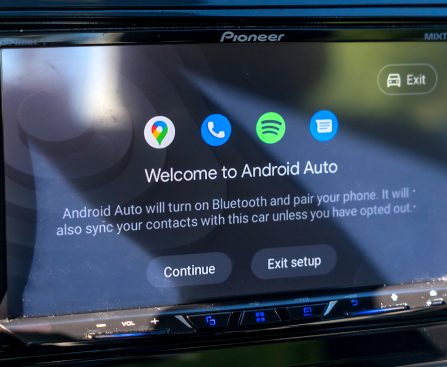
Five Key Android Auto Configurations to Modify on a New Android Device

Implement these essential quality of life upgrades in Android Auto immediately for a more enjoyable journey.

Android Auto has existed for over ten years, and it serves as a fantastic tool for staying connected with your smartphone securely while on the road. The majority of vehicles offer support for a wired Android Auto connection, so ensure you have the best cables available. Wireless Android Auto is becoming increasingly prevalent in various new automobile models, not solely high-end ones. Moreover, Google continues to enhance Auto with fresh features, such as compatibility with Google Meet in Android Auto.

While it performs excellently right from the start, there are certain settings I consistently adjust whenever I use a new phone in my vehicle. These are straightforward toggle options that can significantly improve your daily experience with Android Auto, and all adjustments can be made directly from your phone. Here are my top five suggestions for settings and modifications to apply if you’ve just completed the setup.

Disable automatic music playing upon connection

One of the most frustrating default features of Android Auto is its tendency to play music right away when your phone connects to your car. This can be quite startling at night, especially if the volume was turned up high during your last drive. It can also become quite awkward, depending on who’s in the vehicle with you, if your secret guilty pleasure playlist suddenly starts blasting. Retain your composure by simply turning off this toggle option.

On your phone, navigate to Settings, and search for Android Auto. In the settings menu, scroll down to the Start-up subsection and turn off Start music automatically. That’s all there is to it. Now, the next time you connect your phone, your music will remain paused.

Reduce notification interruptions from applications

By default, most messaging and certain media apps (YouTube Music, Spotify) installed on your phone will show up in the Android Auto app drawer. Any alerts from these apps will also display on your screen. When driving, the last thing you want is to be distracted by notifications from insurance companies. You have two options to turn off notifications.

To lessen the sound alerts, go to the settings menu of Android Auto, scroll down to the Messaging subsection, and just disable Play message chime. This will at least stop sound notifications, but incoming messages will still appear. If you want to stop these as well, you can disable the first item in the submenu called Show message notifications.

Another method is to remove any unwanted apps from the app drawer to automatically eliminate their notifications. In the same settings menu on your phone, scroll up to Customize Launcher, and simply uncheck the apps you do not want to utilize with Android Auto.

Stop Android Auto from launching automatically

One of the fantastic features of Android Auto is its ability to start automatically when you turn on your vehicle; however, not everyone may desire this configuration. Android Auto can drain your battery faster when connected wirelessly to your car’s head unit, and you might not always need it if you prefer listening to the radio or do not require navigation for short journeys.

Unfortunately, there is currently no specific option for this within Android Auto itself. None of the selectable choices in the Start Android Auto automatically menu allow you to disable this feature. One workaround that has worked well for me is to disable the toggle for Start Android Auto while locked.

By doing so, your phone will connect to your car via Bluetooth (for calls), but Android Auto will not launch, as long as your phone is locked. If you do wish to activate Android Auto during your drive, you should receive a notification on your phone stating “Android Auto is available,” and tapping it should open the app. Alternatively, you can enable it manually through your car’s dashboard.

Set Up Shortcuts for regular tasks

You can use voice commands with Google Assistant to call a contact or search for locations on your route. If you’re among the fortunate ones…

Judge Rules Against Trump’s First Amendment Violation in ICE-Tracking Dispute

Jorge L. Alonso, a federal district court judge for the Northern District of Illinois, said that the Trump Administration violated the First Amendment when it pressured Facebook and Apple to remove ICE-tracking groups and apps. Judge Alonso granted the plaintiffs, Kassandra Rosado, who runs the ICE Sightings – Chicagoland Facebook group, and Kreisau Group, the […]

Audiophiles Highlight 3 Sound Enhancements That Squander Cash

unexpectedly budget-friendly options to satisfy your inner audiophile, you’re still likely to spend money when acquiring new audio gear. Nonetheless, that doesn’t imply that every potential enhancement you might consider is worth your hard-earned cash. There are certain sound system upgrades that audiophiles often advise against wasting your funds on.

Performing basic research is always crucial when making these kinds of purchases. If your aim is to assemble a sound system that genuinely enhances the way you enjoy music, films, and games, you want to invest in items you trust will help you reach that objective. It’s essential to think about when you could be spending money on something you don’t really require. Audiophiles specially point out these instances of typical financial mistakes consumers can make when selecting new gear.

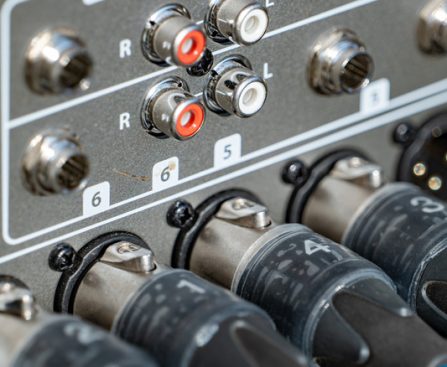
You probably don’t require the high-priced wires and cables

Crucial Devices for Raspberry Pi Aficionados: Leading 5 Essentials

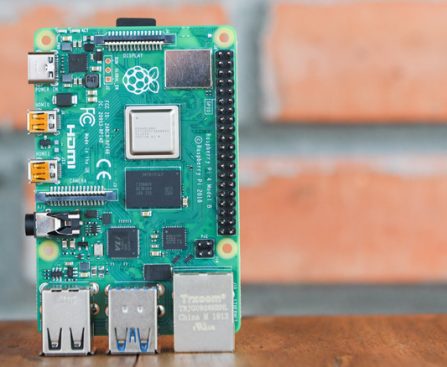
exciting Raspberry Pi ventures, you will require more than merely the SBC. Indeed, engaging with a Raspberry Pi involves having a collection of vital tools that are either utilized directly in the undertaking or enhance its functionality. Below are some of those essential items that every Raspberry Pi aficionado ought to possess.

Touch Display 2

While connecting the Raspberry Pi to a monitor, keyboard, and mouse is a straightforward approach for beginners, this compromises mobility. You cannot simply transport the entire configuration whenever necessary. In such instances, you’d prefer something more portable and compact. This is where the Touch Display 2 comes into play.

This touchscreen is an official accessory for the Raspberry Pi, boasting a 720×1280, 24-bit RGB TFT LCD with an anti-glare coating. It supports five-finger gestures, and like any standard touchscreen, includes an on-screen keyboard for ease of use. By default, the Touch Display 2 is set to portrait mode, making your Raspberry Pi resemble a tablet. However, if you favor the conventional computer layout, you can easily rotate the screen to landscape mode as desired.

The Touch Display 2 is available in both five-inch and seven-inch options. Both are perfect for display projects such as smart home controllers, retro gaming systems, and digital photo frames. Additionally, they can effortlessly serve as a replacement for your home monitor if you simply wish to operate your Raspberry Pi as a computer.

Examination of ClickFix Malware Creators Bypassing Apple’s Recent Terminal Paste Alert

### The Changing Terrain of Mac Malware: ClickFix and Its Alternatives

In the past few weeks, the realm of cybersecurity for macOS has undergone notable changes, especially with the launch of new security features aimed at preventing malware intrusions. Apple’s most recent release, macOS Tahoe 26.4, introduces a warning notification in Terminal that informs users when they try to paste potentially dangerous commands. This functionality is intended to counter ClickFix attacks, which have surfaced as a major method for transmitting malware on Mac devices.

#### Grasping ClickFix Attacks

ClickFix is not classified as a malware family but rather a method of delivery that leverages social engineering strategies. It generally involves deceiving users into pasting harmful code into Terminal, which subsequently runs dangerous payloads, often manifesting as infostealers or trojans like Atomic Stealer. The emergence of ClickFix can be linked to the launch of macOS Sequoia in 2025, which established stricter security protocols, making it more challenging for users to evade Gatekeeper safeguards. This change compelled malware creators to adjust their tactics.

#### The Latest Alternative

In spite of Apple’s vigilant actions, malware developers have swiftly created alternatives to circumvent the new security protocols. A recent article from Jamf Threat Labs emphasizes a new variant of ClickFix that entirely avoids the Terminal. Rather than prompting users to paste commands, this method utilizes a phony Apple-themed webpage that purports to assist users in “Reclaiming disk space on your Mac.”

When users click the “Execute” button on this fraudulent page, it activates an `applescript://` URL scheme, which launches the Script Editor with a pre-populated script. This technique efficiently sidesteps the Terminal alert introduced in macOS Tahoe 26.4. While Script Editor does show a notice about “unidentified developers,” users can easily ignore this message, enabling the harmful script to run and download the latest variant of malware such as Atomic Stealer.

#### The Continuing Conflict

This ongoing tug-of-war between Apple and malware creators highlights the difficulties in ensuring cybersecurity within an ever-changing digital environment. As Apple persists in strengthening its security measures, malware developers are equally quick to invent new methods to take advantage of weaknesses. The integration of features like the Terminal alert marks progress, but as shown, it remains an imperfect defense.

#### Final Thoughts

The rise of ClickFix and its alternatives underlines the necessity of vigilance and education in cybersecurity, particularly for Mac users. As malware strategies evolve, so too must the countermeasures against them. Users are urged to stay informed about potential dangers and to utilize robust security solutions for safeguarding their devices from malicious incursions.

Apple’s AirPods Pro 3 Anticipated to Launch Groundbreaking New Functionality

### Apple’s Purchase of Q.ai: The Future of AirPods Pro and Silent Speech Technology

Earlier this year, Apple grabbed attention by purchasing the enigmatic startup Q.ai for more than 2 billion dollars, marking its second-largest acquisition to date. This strategic decision prompts inquiries regarding Apple’s long-term ambitions and the possible uses of Q.ai’s groundbreaking technology.

#### The Significance of Q.ai in Apple’s Ecosystem

Q.ai focuses on analyzing micro-movements of the face and patterns to decode speech without relying on audible sound. This technology fits well with the increasing interest in augmented reality and smart devices, especially smart glasses. Nonetheless, there are speculations that this technology could also improve existing Apple products, particularly the forthcoming AirPods Pro 3.

#### AirPods Pro 3: A New Horizon

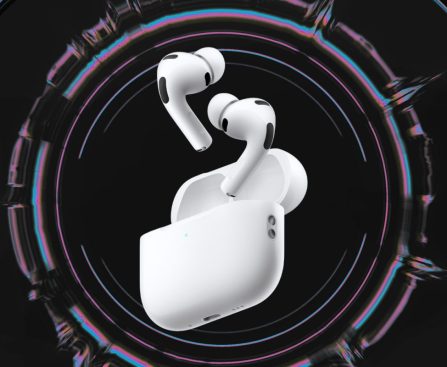
Reports suggest that Apple is working on a new iteration of AirPods Pro that might feature infrared (IR) cameras. While the precise function of these cameras is not yet clear, some propose that they could serve “Visual Intelligence.” However, the placement of the cameras brings up concerns about their efficacy for this application.

Incorporating Q.ai’s technology into AirPods Pro could enable users to practice “silent speech,” facilitating communication with their devices without the need for vocalizations. This feature would be particularly advantageous in settings where speaking out loud is infeasible.

#### Advancing AirPods with Sophisticated Technology

Current AirPods versions already consist of a variety of technologies, such as accelerometers, skin detection sensors, and heart rate monitors. The integration of IR cameras could create a formidable combination that supports silent communication. With effective software development, Apple could transform how users interact with their devices, allowing for fluid communication with smart assistants without the requirement for typing or loud speech.

#### Looking Ahead

Speculation indicates that the new AirPods Pro model equipped with IR cameras could launch by the end of the year. This news has sparked enthusiasm among Apple fans, who are keen to discover the possibilities of silent speech technology.

As Apple continues to push the boundaries of innovation, the incorporation of Q.ai’s functionalities into AirPods Pro could herald a new era of user-device interaction. The potential for silent communication with gadgets is not only fascinating but also meets the rising demand for more subtle and efficient methods to interact with technology.

In summary, Apple’s acquisition of Q.ai represents a bold move towards enhancing user experience throughout its product range. Whether via smart glasses or AirPods Pro, the promise of silent speech technology to revolutionize communication with devices is an exciting trend to observe.