
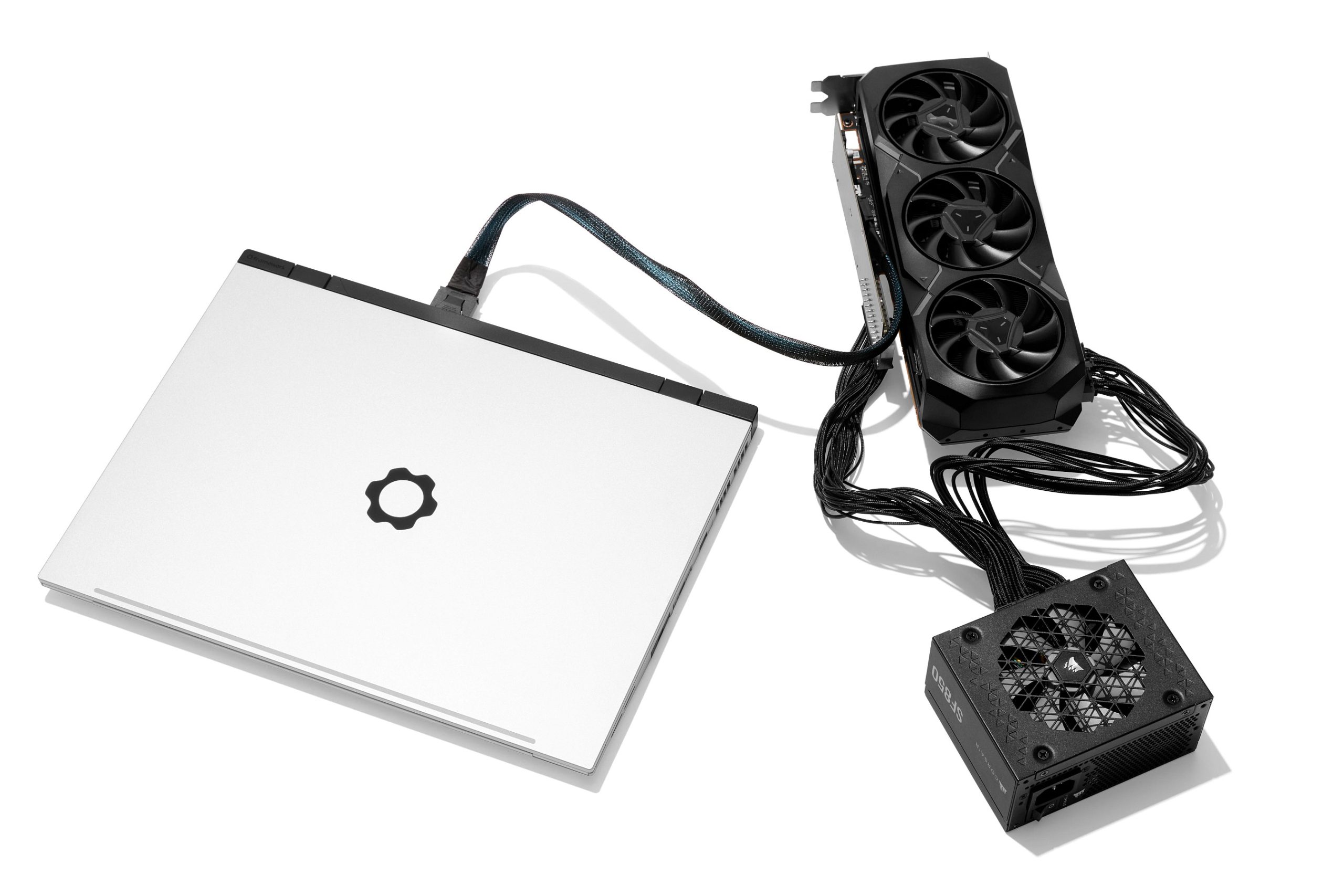

Only power users need apply — and you’ll have to shut down the laptop before you plug or unplug.
Remember when Framework made the first laptop where you can easily upgrade its entire internal video card in three minutes flat? The company’s getting into the external graphics game, too. As promised last August, you’ll be able to convert the Framework Laptop 16’s GPU modules into external ones instead. Alternatively, you can connect a desktop graphics card (or network card, or other PCIe cards) for more power than most laptops ever dream of having, using eight lanes of PCI-Express bandwidth.
Framework calls it the OCuLink Dev Kit because it uses the OCuLink standard to transmit data between your CPU and the external GPU, and because the company wants you to know this isn’t exactly a consumer-friendly product. “It’s not like Thunderbolt where it’s a simple plug-and-play solution,” Framework CEO Nirav Patel tells The Verge. “It’s for that enthusiast or power user.”
As I discovered when I plugged an RTX 5090 into a gaming handheld last year, the benefit of OCuLink is that even a relatively weak laptop can become a GPU powerhouse with a robust direct link to the external card. The downsides are that OCuLink connectors aren’t particularly robust, only transmit PCIe data (no USB, no power for your laptop), and generally can’t be hotplugged. “Our recommendation to users is you’re going to need to shut down and power back up,” says Patel.
The other reason it’s labeled a Dev Kit is because what Framework offers is intentionally barebones to keep costs low. Framework provides the GPU adapters, but it’s a bring-your-own desktop computer power supply and possibly 3D-print your own docking stand. “We’re releasing design files for people to be able to 3D print their own solutions,” says Patel.
You will be able to choose as many (or as few) of the three components that Framework is building, though, if you want to mix and match with other OCuLink solutions already on the market. Those three components are:
– An add-in card that fits inside the Framework Laptop 16’s default Expansion Bay Shell to give it an OCuLink port
– An adapter to add an OCuLink port and board power to a Framework Laptop 16’s removable graphics card
– An adapter to add an OCuLink port and board power to a desktop graphics card
Framework isn’t sharing price or release date for these parts yet, but Patel says they should ship this year. There’s no solution here for Framework’s other laptops, only the Laptop 16, but there are some other computers with an OCuLink port, including various relatively inexpensive mini-PCs and that GPD Win Max 2 that I reviewed. Maybe this could help Framework Laptop 16 discrete GPUs get a second life after their owners upgrade.
Theoretically, a Thunderbolt 5 eGPU connection might be more useful than an OCuLink one, but most laptops that could really benefit from a discrete GPU don’t have Thunderbolt 5 ports, among other considerations. There’s also CopprLink for those who absolutely must have a PCIe x16 connection to an external card, but that’s a hefty, pricey, and currently rare connector.
We’ll try to get a look at these OCuLink items in action at Framework’s event today — but we’re prioritizing a first look at the company’s new 13-inch “Pro” notebook and maybe its couch keyboard.