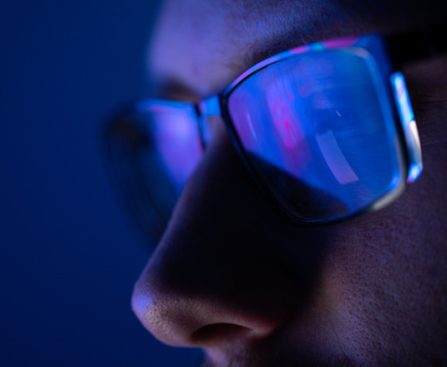
In 2017, Season 9 of Shark Tank highlighted a product aimed at enhancing customers’ vision. It was a set of glasses engineered to filter out blue light from devices like computers and mobile phones. The brand was Gunnar Optics, and the product was known as Gunnar glasses. Although a deal was reached during the Shark Tank episode, it ultimately did not materialize during the due diligence phase following the filming. Regardless of this, Gunnar glasses have persisted in sales, and the company remains operational.
Gunnar Optics was established by Joe Croft and Jennifer Michelsen. Their mission was to shield individuals’ eyes from fatigue and possible harm caused by the blue light emitted from screens. The company was launched in 2006, more than a decade before appearing on Shark Tank.
Often, when a deal is not finalized on Shark Tank, the company may struggle to survive. This was true for Trunkster in Season 7, which couldn’t fully launch and left many dissatisfied customers. In contrast, Gunnar Optics has flourished, and these glasses can be found at various retailers today. They are ideal for desk work, computer gaming, or simply for use throughout the day.
The particulars of the Shark Tank deal
There exists a selection of blue light blocking glasses already on the market, and Gunnar aimed to become a significant competitor in this arena. Founder Joe Croft appeared on Shark Tank detailing the established nature of Gunnar Optics. The company was generating millions in annual sales and had a group of investors, each holding a portion of the business. Collectively, they had also infused millions into the company. Croft sought $750,000 for a 5% equity stake in Gunnar from the Sharks to assist with marketing initiatives.
The potential investors on the panel were not entirely convinced by the proposal. One concern raised was the involvement of multiple existing investors in the company’s ownership. Nevertheless, Lori Greiner was intrigued enough to extend an offer. She suggested a $375,000 investment along with an additional $375,000 as a loan. However, the agreement did not finalize after the show. It remains uncertain whether it failed to pass the due diligence phase or if Croft and the other owners opted to withdraw. Nonetheless, Joe Croft and Gunnar Optics persevered, generating millions in revenue. The company is still thriving today.
The current status of Gunnar glasses
Gunnar operates an active website where you can buy the glasses. Prescription lens options are also available if desired. They are not typically inexpensive. Available in various styles, some models featured on the website at the time of this writing are priced at $84, $99, and even $110. The company offers glasses for both adults and children, with specific models tailored for distinct purposes, like gaming glasses versus reading glasses. The glasses can also be found on Amazon and generally receive very positive reviews, averaging nearly five out of five stars for different models.
Gunnar is also active on social media platforms. They post daily on their X account, promoting different styles of glasses. Their Facebook page is engaged, with users sharing images of themselves wearing the glasses. From these channels, there are occasional updates on sales or promotions, so if you’re looking to purchase at a discount, those may be worthwhile to follow.
For some businesses, success follows Shark Tank even without investment, as illustrated by the LARQ water bottle from Season 12. Despite the Gunnar deal not materializing, it stands as another success story of a product featured on Shark Tank.