

### The Airversa QliQ: An Intelligent Button for the Apple Home Ecosystem
Smart buttons are becoming more common in the Apple Home ecosystem; however, locating one that fulfills all needs can still prove difficult. The newly released [Airversa QliQ](https://amzn.to/4tooQKM) distinguishes itself by tackling two significant issues: it employs a Thread connection rather than Bluetooth and substitutes disposable coin batteries with a rechargeable alternative. This article examines the characteristics and advantages of the Airversa QliQ to assess whether its premium hardware warrants the expense.
#### Overview of the Airversa QliQ
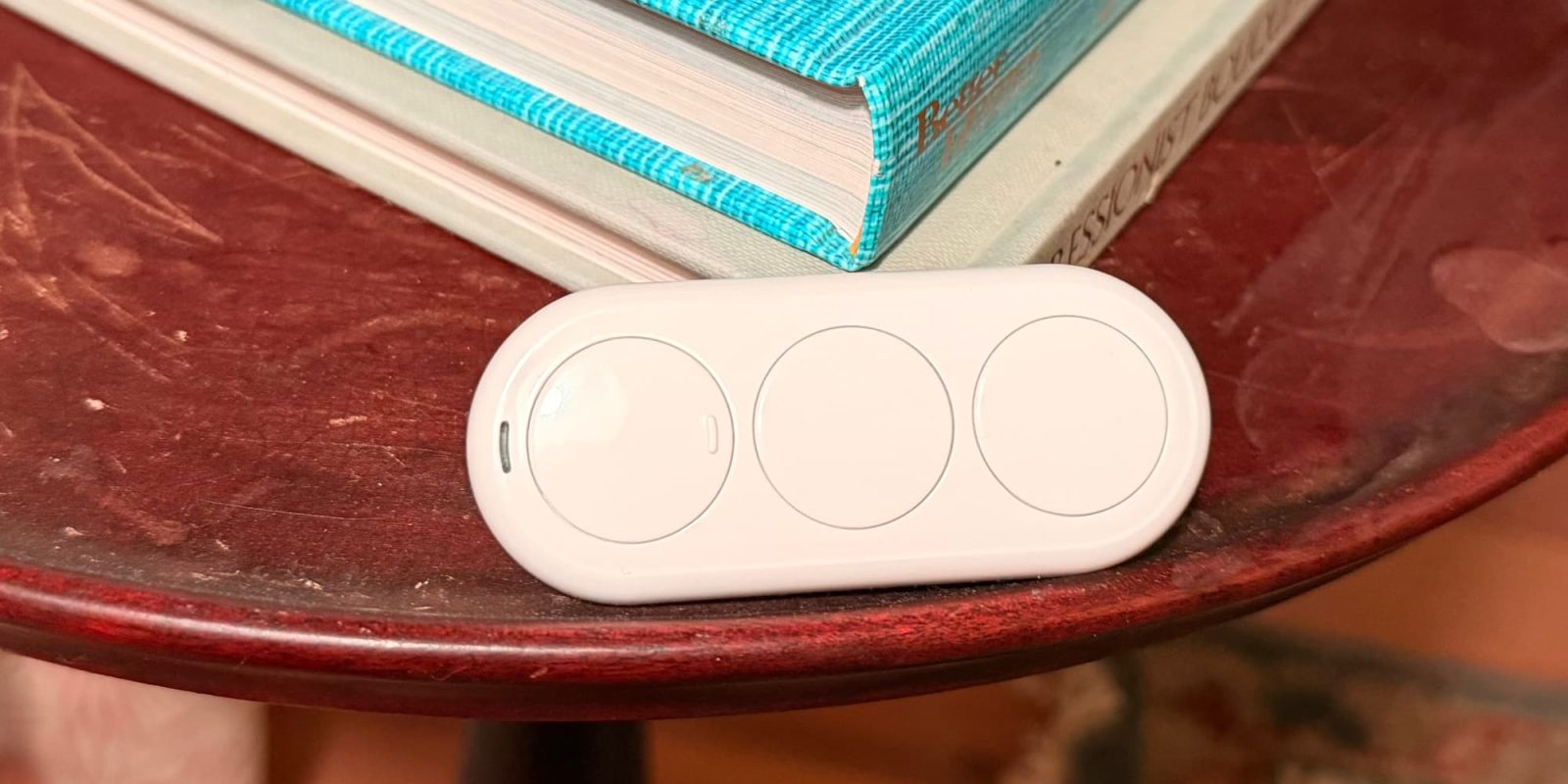
The Airversa QliQ is a controller with 3 buttons that can trigger up to 9 automations via single, double, and long presses. This adaptability enables users to perform simple actions like switching lights on or off as well as more intricate routines, such as initiating a morning scene that opens curtains, activates lights, and plays music. However, it is the device’s connectivity and accessibility features that notably increase its worth.
#### Tech Specifications
– **Battery and Power**: The Airversa QliQ has a rechargeable battery built-in, lasting up to two months per charge. It comes with a USB-C port for charging and a red LED indicator to notify users of low battery.
– **Connectivity**: This device functions using Thread, necessitating a Thread-enabled Apple Home hub like an Apple TV or HomePod mini.
– **Design and Usability**: The 3-button configuration permits single-click, double-click, and long-press actions. It provides both tactile and audible feedback, where each press triggers a slight vibration and beep, improving usability.
– **Mount**: The Airversa QliQ is equipped with a magnetic wall plate, facilitating easy attachment to any magnetic surface.
#### Onboarding Process
The setup of the Airversa QliQ is simple, owing to its compatibility with HomeKit via Thread. Users can scan the HomeKit code directly in the Apple Home app, assign the device to a specific room, and start programming the buttons. While Airversa provides an [app](https://apps.apple.com/us/app/sleekpoint/id1600179654) for further customization—such as turning off the beep or vibration—this is not necessary for basic use.
#### Use Case Ideas
The ability to have nine triggers on a single remote creates a plethora of opportunities within the Apple Home network. For instance, the magnetic plate can be positioned near a front door, allowing a long press of the top button to engage an “Arrive Home” scene that illuminates entryway lights and modifies the temperature.
Another practical use includes employing the middle button to start a reading scene, dimming the lights close to a favorite reading chair. Moreover, the Airversa QliQ can be placed on a nightstand to activate a “Bedtime” scene that could lock doors, trigger an alarm system, switch off all lights, and lower the thermostat.
#### Conclusion
After several weeks of usage, the Airversa QliQ has demonstrated itself to be a valuable addition to the Apple Home ecosystem. The transition from disposable batteries to a rechargeable USB-C system is praiseworthy, and the Thread connectivity guarantees rapid automation responses. The tactile feedback and vibrations enhance the overall user experience.
The Airversa QliQ is available for purchase in single or 2-pack configurations directly from [Amazon](https://amzn.to/4tooQKM).