
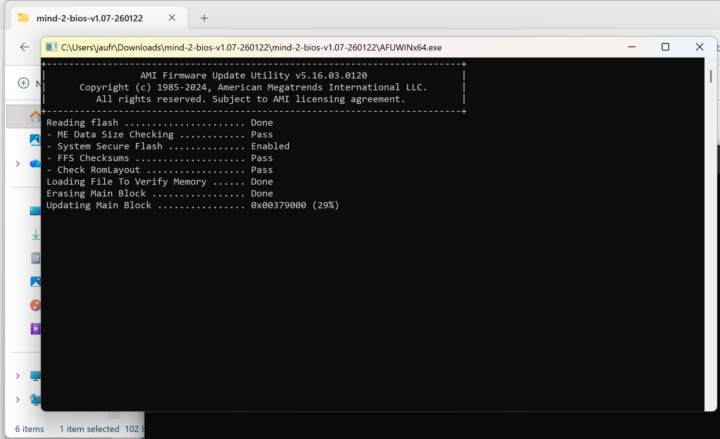

I rarely update my system’s BIOS, but when I do, it often ends up taking hours. The last update I did was in 2020, and it happened again when I updated the BIOS for the Khadas Mind 2 to test it with the Mind xPlay display and Mind Graphics 2 dock.
Khadas provides the BIOS and instructions to update the Mind 2 mini PC, which should take five minutes, but it took me about two hours. The process involves downloading and extracting a zip file, then launching the Flash_BIOS upgrade program, and waiting for it to complete.
The initial part was smooth, but after rebooting, I encountered a BitLocker screen asking for a recovery key. This is an expected security measure since BitLocker is enabled, and the BIOS change prompts Windows 11 to verify the action. I retrieved the 48-digit recovery key from aka.ms/myrecoverykey on another device.
Notably, whether the Windows setup prompts you to log in with a Microsoft account can relate to BitLocker. Without a Microsoft account and with BitLocker enabled, recovering access requires the key unless saved otherwise. If not, you may need to wipe the drive upon reinstall.
I tried entering the recovery key, but the screen rebooted every 5 seconds—insufficient time to enter the digits. My workaround involved selecting options to reach the Command Prompt, where I could unlock the drive without interruption.
I temporarily disabled BitLocker protection using:
“`
manage-bde.ext -protectors -disable
“`
Afterward, exiting and continuing the boot led to another issue: the Windows PIN was unavailable. Although there is documentation on fixing it, it’s simple to resolve by setting a new PIN. I set it using the phone recovery method to scan a QR code.
I logged into Windows 11 Pro, with device encryption temporarily suspended, anticipating resumption next boot. After twice seeing the suspension message, I manually re-enabled encryption using:
“`
manage-bde -protectors -enable C:
“`
The suspension message disappeared after a reboot confirmed normal operation. While I appreciate security measures, there should be a better way to secure BIOS updates on Windows 11 with BitLocker. Ironically, I might disable BitLocker again for an Ubuntu 26.04 installation on the Mind 2.