
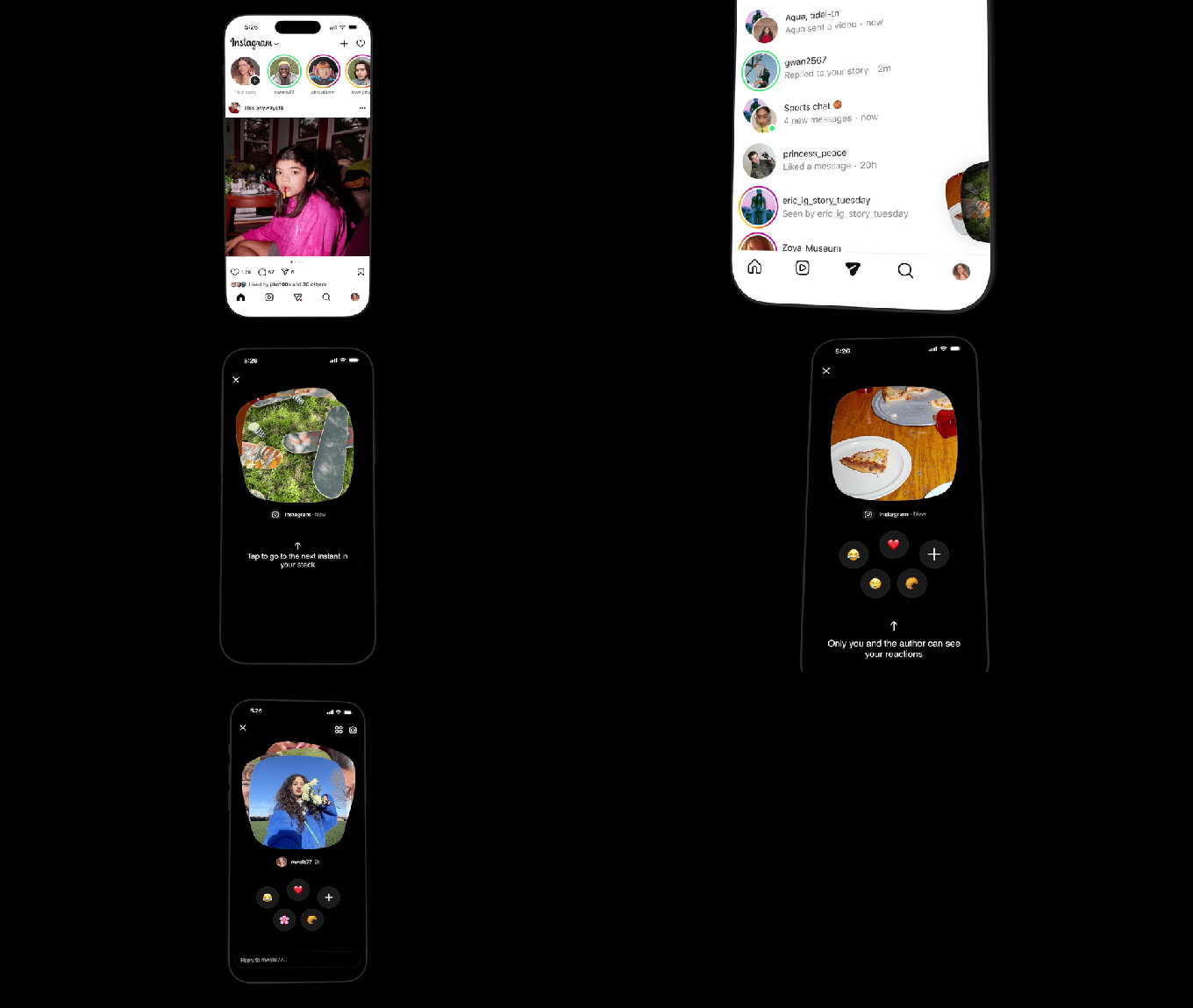

Yesterday, Instagram launched a new feature called “Instants” for sharing disappearing photos. Although it’s marketed as a way to share real-life moments, users are trying to turn off the feature after accidentally sending images due to unfamiliarity.
When you access Instants by tapping the photo stack in the inbox, you’ll get an introduction explaining that Instants disappear, lack a viewers list, and have private reactions and replies. You’ll be guided on viewing and responding to Instants.
Below the camera is a shutter button with a toggle for “Friends” or “Close Friends,” defaulting to “Friends.” Tapping the shutter automatically sends the photo to your Friends list, unless switched to “Close Friends.”
The unclear process leads to accidental sends. Meta offers an “undo” option, but it can be overlooked due to the surprising exposure. The instant-send nature frustrates users who prefer curating content, raising privacy concerns.
To disable Instants, go to your profile, open settings via the three-line menu, scroll to “Content Preferences,” and toggle “Hide Instants in Inbox.” This prevents you from seeing Instants or receiving them.
For temporary disabling, hold and swipe right on the Instants pile in your inbox. If an Instant is sent, an “Undo” option appears beneath the shutter to retract it quickly. You can also delete it from the archive using the four-box icon to unsend it to unopened recipients.