
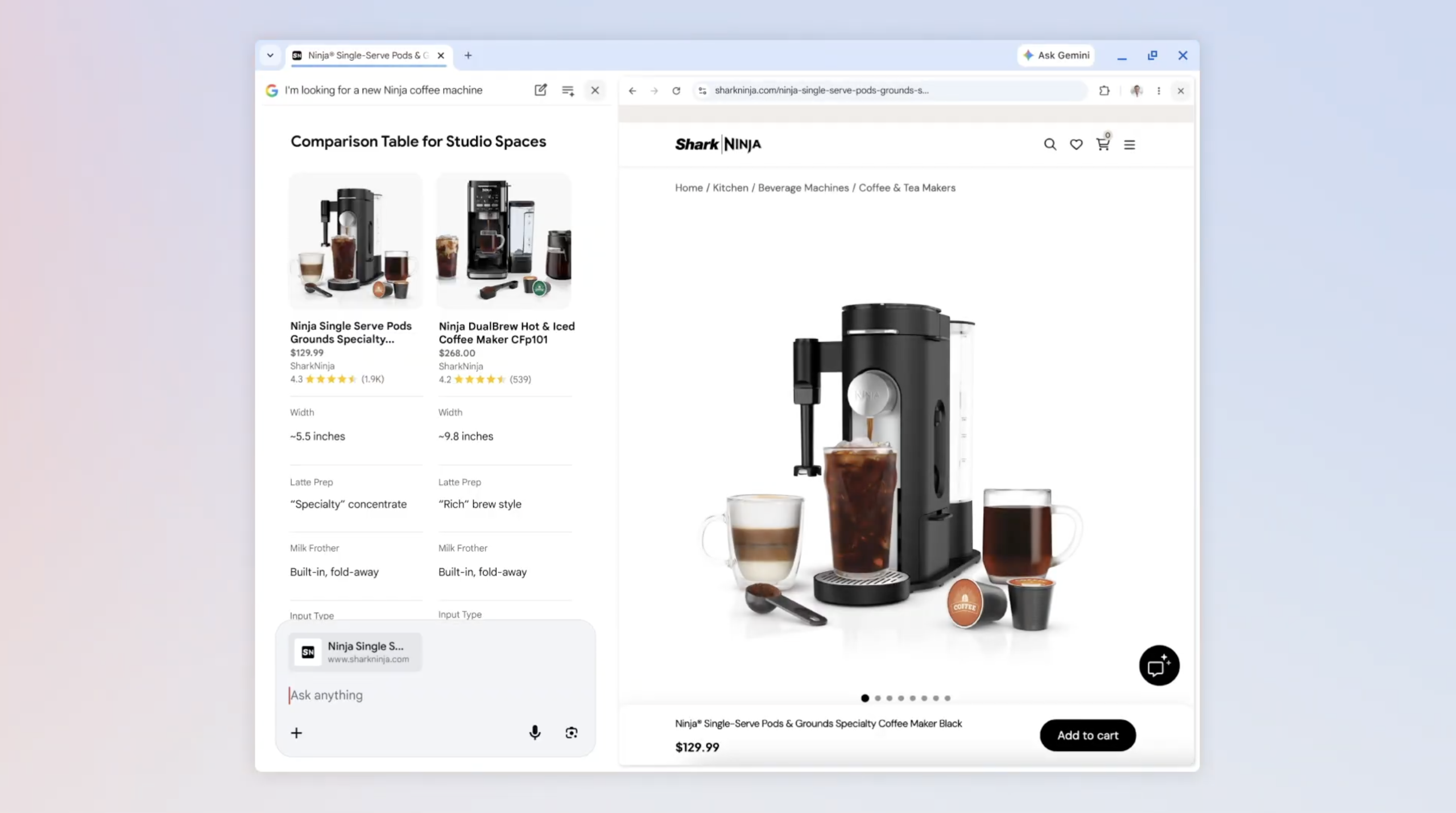

Google revealed on Thursday a new feature called AI Mode, designed to enhance web exploration through its conversational search on Chrome desktop. With AI Mode, clicking a link now opens the webpage alongside AI Mode.
This enhancement aims to simplify the experience of exploring related websites, comparing details, and asking follow-up questions while maintaining search context, according to the tech giant.
For instance, if you’re searching for a new coffee maker, you can specify your preferences in AI Mode and receive various options. Clicking on one allows you to view the retailer’s page next to AI Mode, enabling specific inquiries such as “how easy is this to clean?” AI Mode then provides answers using context from the webpage and the web at large.
“Our preliminary testers appreciated not having to constantly switch tabs for comprehensive articles or long videos,” Google stated in a blog post. “They found that having both Search and the web side-by-side helped them remain focused on their tasks while browsing useful websites.”
Additionally, Google announced a new feature to search through active Chrome tabs. On Chrome desktop or mobile, the “plus” menu in the search box on the “New Tab” page or in AI Mode allows you to include recent tabs in your search, combining them with images or files for enhanced search context.
For example, if researching local hiking trails with a few open tabs, you can add them to your search to find similar trails elsewhere. Or, if studying for a statistics exam, you can incorporate class notes, lecture slides, and open tabs to seek illustrative examples.
The updated AI Mode is currently available in the U.S. in English, with plans for wider regional launches in the future.