
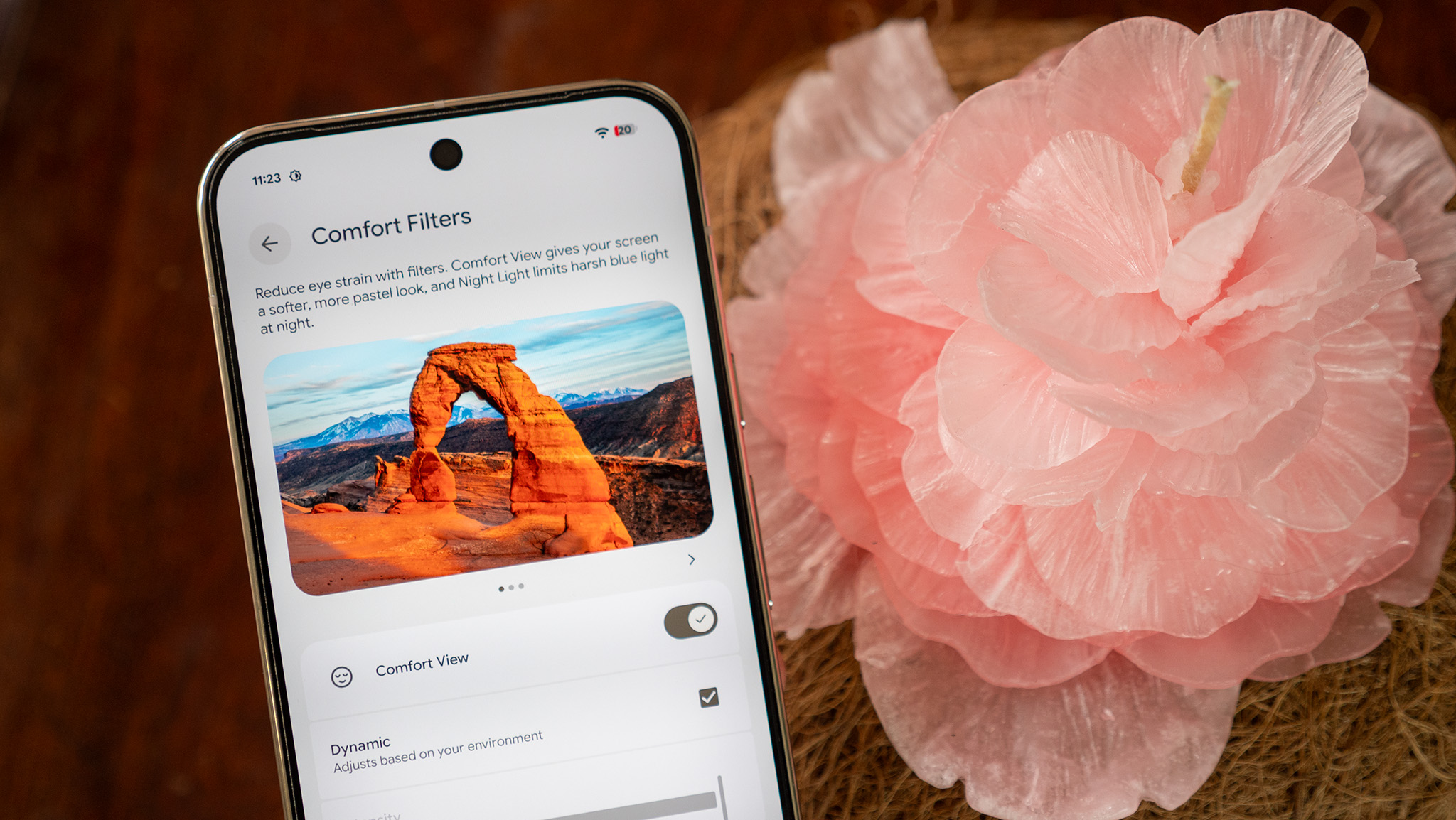

Pixel Comfort View enhances color harmony for your eyes, marking the inaugural appearance of such a dedicated feature.
In a comparison of OLED versus almost any other display technology, the distinctions become apparent instantly. OLED is celebrated for its impressive contrast ratio, profound blacks, and strikingly vibrant colors. The affection for OLED’s vivid characteristics is so prominent that “controversies” arise when a smartphone lacks a vibrant color option upon launch.
However, it appears that not all individuals appreciate these intense colors. Some people actually find them uncomfortable, a sentiment that diverges significantly from a mere aesthetic preference. While certain manufacturers are tackling OLED discomfort through hardware solutions, Google recently unveiled a software update that uniquely addresses the color issue.
This update is referred to as Comfort Filters, merging the existing Night Light feature with a new setting named Comfort View. The premise is straightforward: modify the display color to suit a user’s comfort level. This may involve transitioning to warmer hues to encourage improved sleep patterns, converting the display to greyscale to limit phone usage, or simply adjusting the color palette to more soothing pastel shades—Comfort Filters represent Google’s latest innovation in this realm.
The psychology of color
Color holds profound significance within the human psyche. While specific colors and their connotations can be culturally based, many meanings are perceived as universal. For instance, red is typically associated with strength or aggression, while yellow often signifies hope or joy. Over time, smartphone makers have realized that a lack of color can reduce user engagement with their devices, which is why monochrome settings are featured in the bedtime mode of smartphones.
Similarly, studies have indicated that lighter, desaturated, and pastel shades frequently evoke feelings of calmness or relaxation. TCL has integrated this color scheme into its NXTPAPER devices, such as the NXTPAPER 70 Pro, branding it “Color Paper mode.” This mode desaturates all hues and simplifies visual elements on-screen to produce a less distracting, yet still colorful, interface for the apps on your device.
“Comfort View establishes a new, more pleasant aesthetic for the content displayed when users desire it,” Google mentions. Remarkably, this feature wasn’t conceived primarily as an accessibility tool. Instead, it aims to provide users with greater flexibility regarding their phone’s display appearance.
“This feature is crafted for anyone who finds the ‘gentle aesthetic’ appealing. We’ve received feedback from users who appreciated this experience particularly in dimly lit environments, valuing the more palatable color palette while maintaining visibility of diverse shades.”
I have compiled a straightforward chart above displaying standard RGB colors in Photoshop alongside their pastel counterparts. To demonstrate the difference, cover the standard colors with your hand and observe the pastel shades for a few seconds, then cover the pastel colors and turn your gaze back to the standard ones.
The contrast is striking, and it may feel even more pronounced depending on how sensitive you are to light and color. Comfort View employs a color palette much akin to the right side of the chart, and I noticed the intensity shift the moment I activated the feature.
Pastel hues are often tied to the spring season, which offers significant comfort to individuals in colder, snow-laden climates, reinforcing the notion that pastel colors foster an exceptionally positive sensation. Thus, it’s appropriate that Google launched this feature in the spring! If you are currently using a Pixel and are on the April build of Android 16 (or newer), here’s how to activate it:
1. Access system settings on your Pixel. You can either open Settings from the app drawer or swipe down twice on the status bar, then tap the gear icon.
2. Choose Display & touch from the options.
3. Scroll down and select Comfort Filters.
4. Tap the switch next to Comfort View to enable it.
5. To manually modify the intensity of Comfort View, uncheck the Dynamic box and adjust the slider to your desired filter strength.
While you are in the Comfort Filters menu, you can also enable the Night Light feature, which will tint the display amber and reduce blue light emission. This feature can be used simultaneously with the pastel Comfort View option and is commonly activated at night to help preserve your circadian rhythm from disruption by the blue light typically emitted by your phone’s display.
Continued improvements ahead
Although Comfort View offers an excellent way to enhance viewing comfort on the Pixel display, Google still must resolve additional issues to ensure that its displays remain pleasant for all users.
Last year, Google rolled out a new Sensitive Eyes feature for the Pixel 10 Pro range, which increased the PWM dimming rate to align with that of Samsung and Apple. The dilemma is that all three companies are considerably lagging behind in certain technologies, and the slow PWM rate represents one of the most serious concerns.
Unfortunately, speculation suggests that the Pixel 11 will not alter its PWM.