

**Threads Unveils Live Chats: A Fresh Approach to Engage in Real-Time Discussions**
Threads, the trendy social media platform, has introduced an exciting feature known as Live Chats, aimed at improving user engagement during prominent live events. This cutting-edge addition merges aspects of traditional group conversations with current hot topics, enabling users to partake in public, live discussions.
### What are Live Chats?
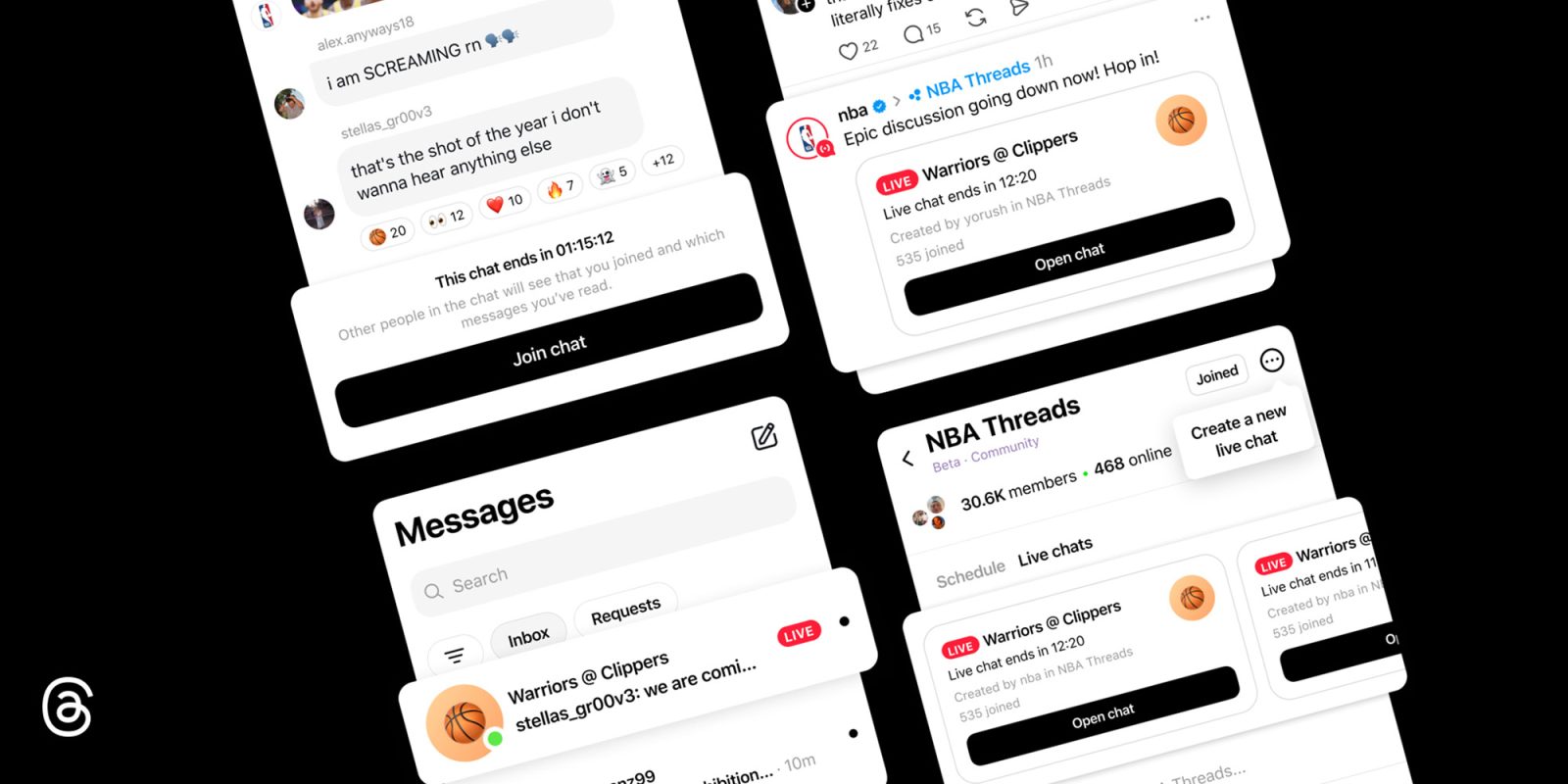
Live Chats allow Threads users to engage in public group conversations focused on live events, such as sports competitions, award ceremonies, or other noteworthy occurrences. Users can join these discussions to express their opinions and reactions with fellow attendees of the same event.
### Features of Live Chats
After entering a Live Chat, users can send messages, share images, videos, and links, and communicate their emotions through emoji reactions. Even if a chat reaches its participant cap, users can still follow the dialogue, respond to messages, and take part in polls.
### Hosting Live Chats
At present, the capability to host Live Chats is restricted to a specific group of creators and Community Champions. When a Live Chat is scheduled, it becomes publicly accessible, allowing additional users to join the discussion even after the live event has ended.
### How to Initiate a Live Chat
Qualified users can start a Live Chat by carrying out these steps:
1. Click the three-dot menu icon in the upper right corner of their Community.
2. Choose “Schedule a Live Chat.”
3. Designate a name for the chat, select a start and end time, and invite participants.
4. Promote the Live Chat on their Threads feed and Instagram Story to boost visibility.
Current and upcoming Live Chats are prominently featured at the top of applicable communities, such as NBA Threads. Participants can find these chats within the Messages tab, akin to other one-on-one or group chats in the app.
### Conclusion
The launch of Live Chats on Threads signifies a major advancement in promoting real-time interaction among users during live occurrences. This feature not only enriches the social media experience but also fosters community engagement and involvement. For further details about Live Chats, check out the official Threads announcement [here](https://about.fb.com/news/2026/04/threads-live-chats/).