

There’s a bit more for fans of AI-generated images with Google Pics.
Google I/O 2026 is in progress, and Google is revealing an extensive array of Workspace enhancements. Features like Gmail Live, Docs Live, and voice capabilities in Keep are on the horizon, allowing users to converse with the AI to create documents or locate items in their email. Google Pics is a new application coming to Workspace, built on its Nano Banana model to provide users with “accurate” control over modifications in their AI-generated images.
As I/O 2026 unfolds, Google’s wave of features dives into the Workspace environment to showcase the various ways its AI aims to assist.
Right from the start, Google announces that Gemini Spark, its latest personal AI agent, will be available on Workspace users’ devices. Whether you’re a Google AI or Workspace business customer, Gemini Spark is a digital assistant capable of performing tasks on your behalf—fitting its “agentic AI” designation. The company hints that the AI in Workspace applications can draft emails for you or add events to your schedule. Furthermore, Workspace business users can anticipate the arrival of Gemini Spark in the Gemini app “in the near future.”
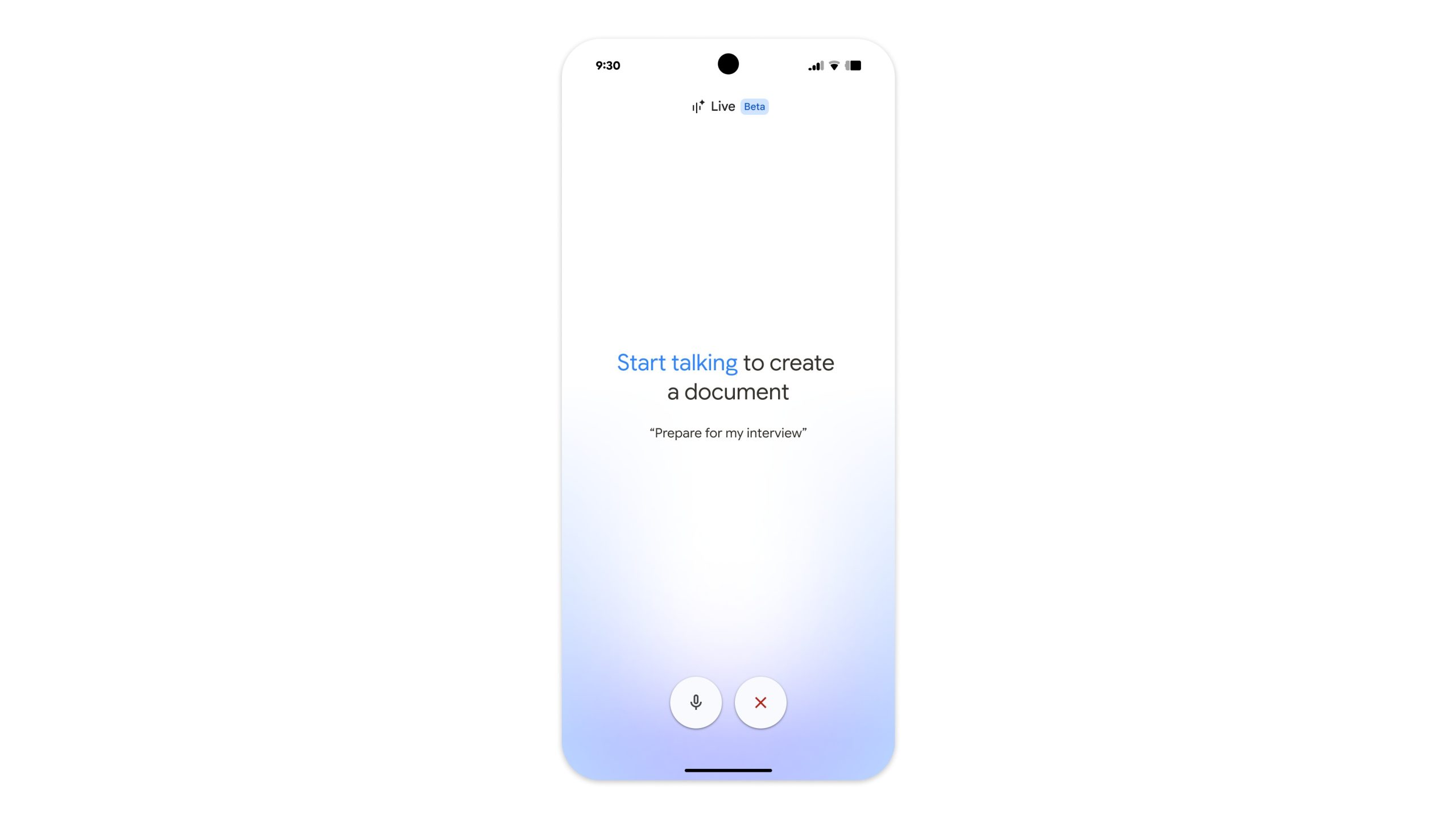
Additionally, voice features are arriving at Gmail. This is something users are already familiar with, thanks to Gemini on Android. Google is elevating this experience, announcing that “Gmail Live” is forthcoming. Users will be able to inquire with Gmail Live about their flight’s gate number and any other relevant information. In a similar vein, “Docs Live” is the Google Docs variant, capable of listening to your speech and arranging your ideas into a well-structured document.
With additional permissions, Docs Live can utilize information from Gmail, Drive, Chat, and web searches to enrich your document. Google Keep is also set to benefit from these voice features. The announcement mentions that users can speak freely, and Keep will operate “in the background” to convert their musings into organized lists.
Voice features in Gmail, Docs, and Keep are set to roll out this summer for Google AI Pro and Ultra subscribers, along with a “preview” for Workspace Business.
Google Pics introduces itself
What’s an I/O announcement without a fresh app? For enthusiasts of Google’s Nano Banana AI image generator, Google Pics could be the app they’ve been seeking. The company declares, “Creating with AI ought to feel like creative guidance, not a gamble.” Within Google Pics, users will discover “creative controls” to steer the AI, ensuring it produces their envisioned output.
Post generation, users can modify specific aspects of the image. They’ll have access to removal tools, resizing options, and transformation features. Altering one element of the generated image won’t impact another (unless you select it for change). Text becomes more adaptable as well, enabling users to choose any generated text and translate it into another language or modify the font.
Google Pics isn’t merely a standalone app. It will seamlessly integrate with Workspace, enabling image editing in Slides or Docs with the same ease as in the primary Pics app.
You won’t have to wait long, as Google Pics is available today (May 19) for a select group of Trusted Testers. However, later this summer, Google AI Pro and Ultra subscribers can expect its launch, with Workspace Business users seeing it “in preview.”
A bit for AI Inbox
You may recall Google’s official introduction of Gmail’s AI Inbox back in early April. This feature was designed to spotlight important messages amidst the chaos and clutter of our emails. Critical items such as bills, appointments, and more are highlighted, but users can request the AI to surface something specific through a written query.
During I/O, Google announced enhancements for the AI Inbox. Currently rolling out are “personalized drafts.” If there’s an urgent message in your inbox that requires immediate attention, AI Inbox will notify you and provide a generated “contextual draft” in advance to assist. Users can review this AI-generated message, and if satisfied, they can send it. If an email from a client or colleague involves a file, users will not need to dive into the app themselves. When AI Inbox gives its summary, it will include a link to that file, so users can access it more quickly.
Maintaining calm and clarity is essential, allowing users to mark tasks as “done.” You can also dismiss an unhelpful suggestion from the AI or mark emails “in a certain topic” as read, to keep it out of your mind.
Now, Google AI Pro and Ultra subscribers are gaining access to AI Inbox in the U.S. today (May 19).